Mastering Privacy-First AI Personalization for WordPress
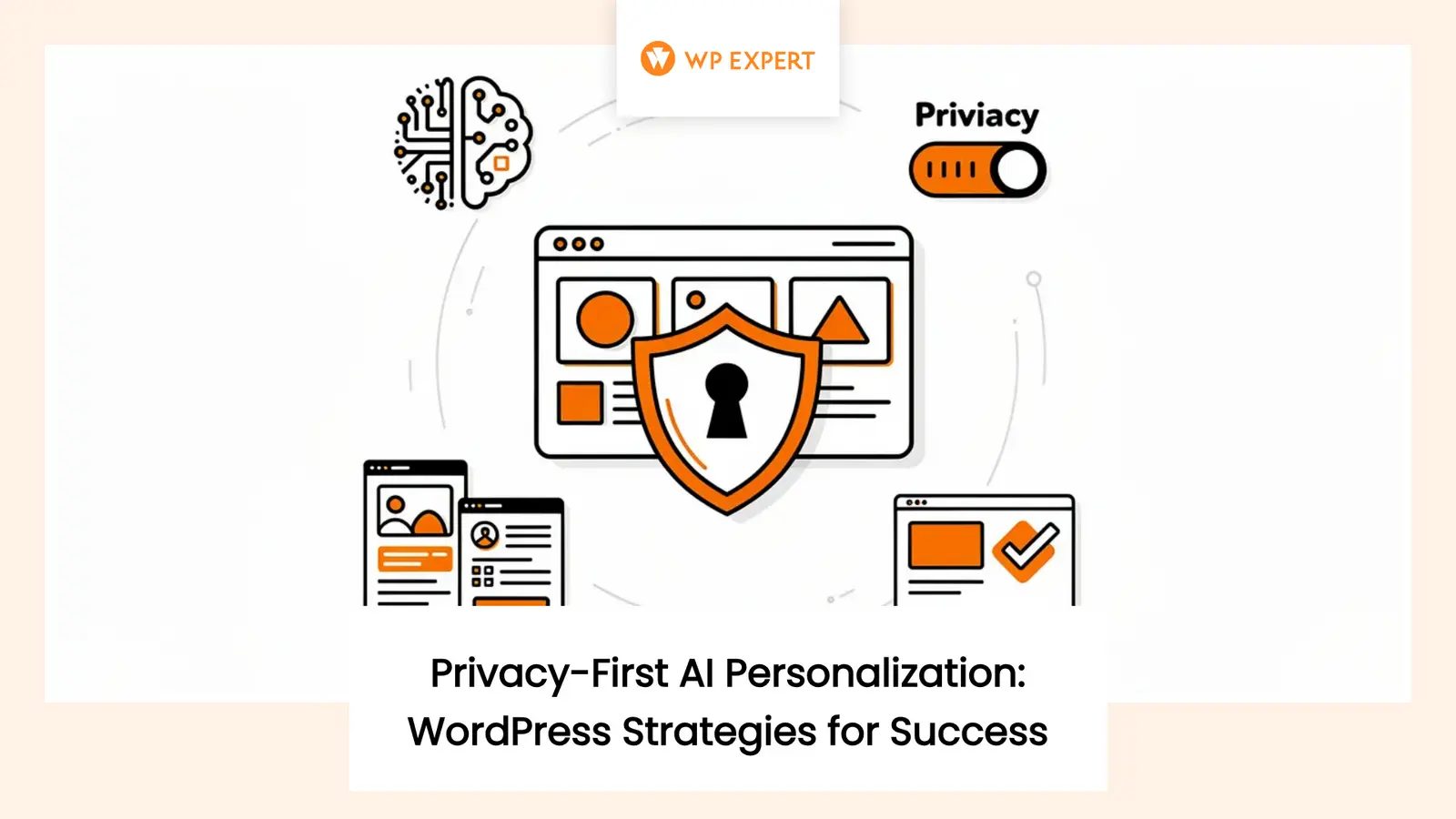
Remember when website personalization meant dropping someone’s first name into an email subject line and calling it cutting-edge marketing? Those days feel charmingly quaint now, especially with AI-powered personalization rewriting the rules of what’s possible online. Yet here’s the uncomfortable truth: most website visitors would rather wrestle with a confusing generic experience than feel like they’re being invisibly profiled by algorithms they don’t understand.
The statistics paint a stark picture. According to recent research, while 71% of consumers want proactive, personalized offers, only 49% believe their data is being handled responsibly. That’s not just a trust gap—it’s a canyon. For Canadian businesses in particular, the concern runs even deeper: 91% of Canadians are worried about their personal information being used to create marketing profiles, and 78% have outright refused to give businesses their personal information over privacy concerns.
Table of Content
So how do we square this circle? How can WordPress agencies deliver the personalized experiences clients desperately need to compete while respecting the privacy boundaries their visitors equally desperately want? The answer isn’t to abandon personalization—it’s to completely rethink how we build it.
Why AI Personalization Matters for WordPress Sites
WordPress powers 39.5% of all websites and holds a commanding 58.2% market share among sites using content management systems. That massive footprint means the personalization choices we make ripple across nearly half the internet. With that kind of influence comes responsibility—but also opportunity.
Traditional personalization approaches often required costly custom development or enterprise platforms that small and medium businesses couldn’t afford or maintain. AI changes that equation dramatically. Modern AI systems can analyze visitor behavior patterns, predict intent, recommend relevant content, and dynamically adjust layouts—all capabilities that were science fiction just a few years ago.
But here’s where most implementations go sideways: they treat personalization as a data-hoarding exercise. Collect everything, track everywhere, profile everyone, and let the AI sort it out later. This surveillance-first approach might generate some impressive dashboards, but it also generates resentment, regulatory risk, and the kind of creepy experiences that send visitors running for their privacy settings.
We’ve learned through working with businesses across Canada that there’s a smarter path forward. When you design personalization systems that respect privacy from the ground up, something interesting happens: visitors actually engage more, not less. They trust you with their preferences when they understand what you’re doing and why. They return when personalization helps them accomplish their goals instead of pushing them toward yours.
The Privacy-First Architecture That Actually Works
Building privacy-respecting AI personalization starts with flipping the traditional approach on its head. Instead of collecting everything possible and then figuring out consent later, start with what visitors voluntarily give you and build outward from there.
Make Your Default Experience Actually Useful
Every page on your WordPress site should work perfectly well before any personalization kicks in. That means complete content, standard navigation, functional search, and clear calls-to-action that make sense for any visitor. This isn’t just about privacy compliance—it’s good design. When your baseline experience is strong, personalization becomes enhancement rather than gatekeeping.
This approach also solves a bunch of technical headaches. Your pages become more cacheable, which means they load faster. They work better for visitors who block cookies or use privacy-focused browsers. They’re easier for search engines to crawl and index. And you avoid the consent walls that frustrate visitors and potentially violate privacy regulations.
Start With Context, Not Identity
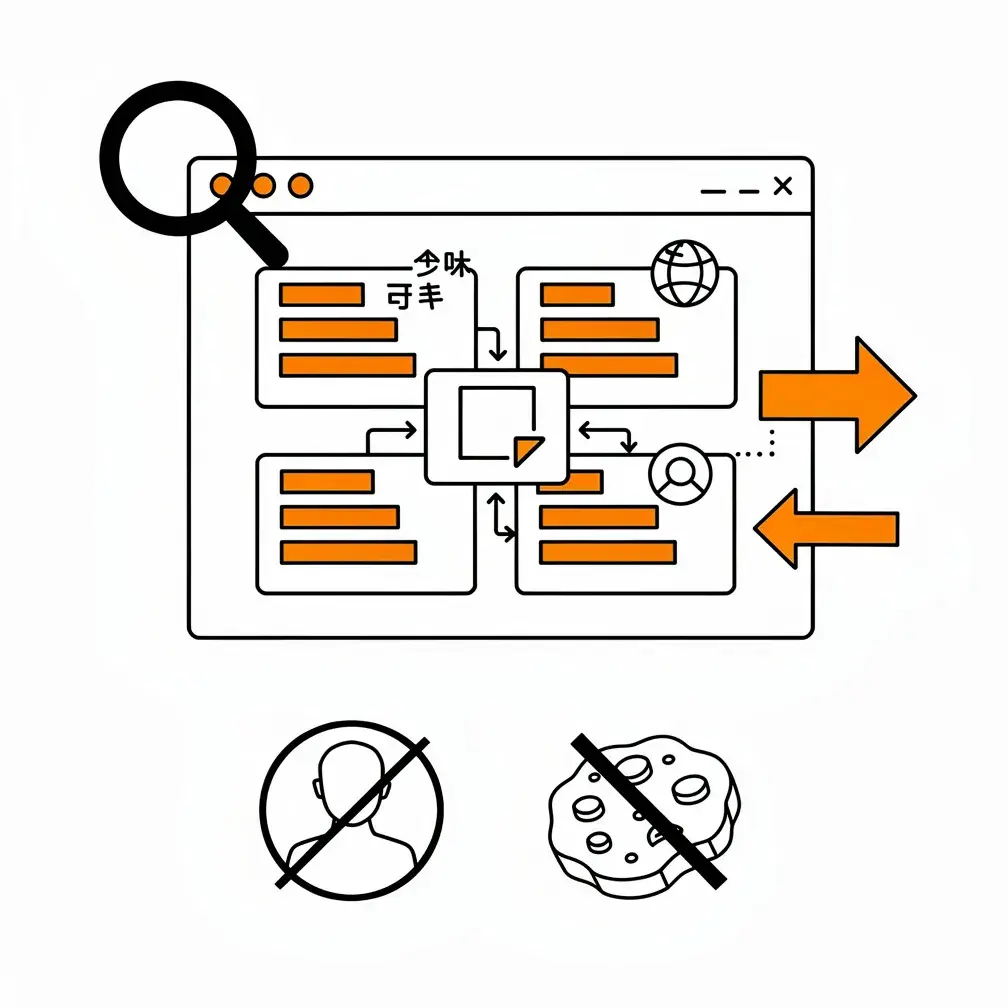
Here’s a liberating realization: you can deliver genuinely useful personalization without knowing who someone is. The page they’re currently reading tells you what topics interest them. The search term they entered reveals their intent. The referring campaign shows how they found you. Their selected language indicates how to communicate with them.
These contextual signals are powerful, they’re immediately available, and they don’t require building persistent profiles or storing personal information. Process them within the current request or session, use them to adapt what you show, and then let them go. As we explored in our guide to AI-powered WordPress experiences, contextual personalization often outperforms identity-based approaches because it responds to what someone is doing right now rather than what they did weeks ago.
Ask Instead of Guess
One of the most effective personalization strategies is also the simplest: just ask people what they want. Short quizzes, preference centers, and guided selectors turn personalization from a surveillance exercise into a collaboration. “Which service are you interested in?” “What’s your main goal?” “Which topics would you like to see more of?”
This approach—sometimes called active personalization—delivers multiple benefits. The data you collect is accurate because visitors are telling you directly rather than you guessing from ambiguous signals. It’s privacy-friendly because the exchange is transparent and purposeful. And research shows it actually works better: customers who use interactive assessments and co-creation tools are 2.3 times more likely to complete important purchase decisions confidently.
For WordPress implementations, this can be as simple as a short form before showing customized content, a preference dashboard for logged-in users, or a product finder that narrows options based on stated needs. The key is making the value exchange obvious and immediate.
Keeping AI Models on a Need-to-Know Basis
When you do bring AI into the personalization mix—for content recommendations, chatbots, intent prediction, or dynamic adaptation—the cardinal rule is minimalism. Only send the model what it absolutely needs for the immediate task at hand.
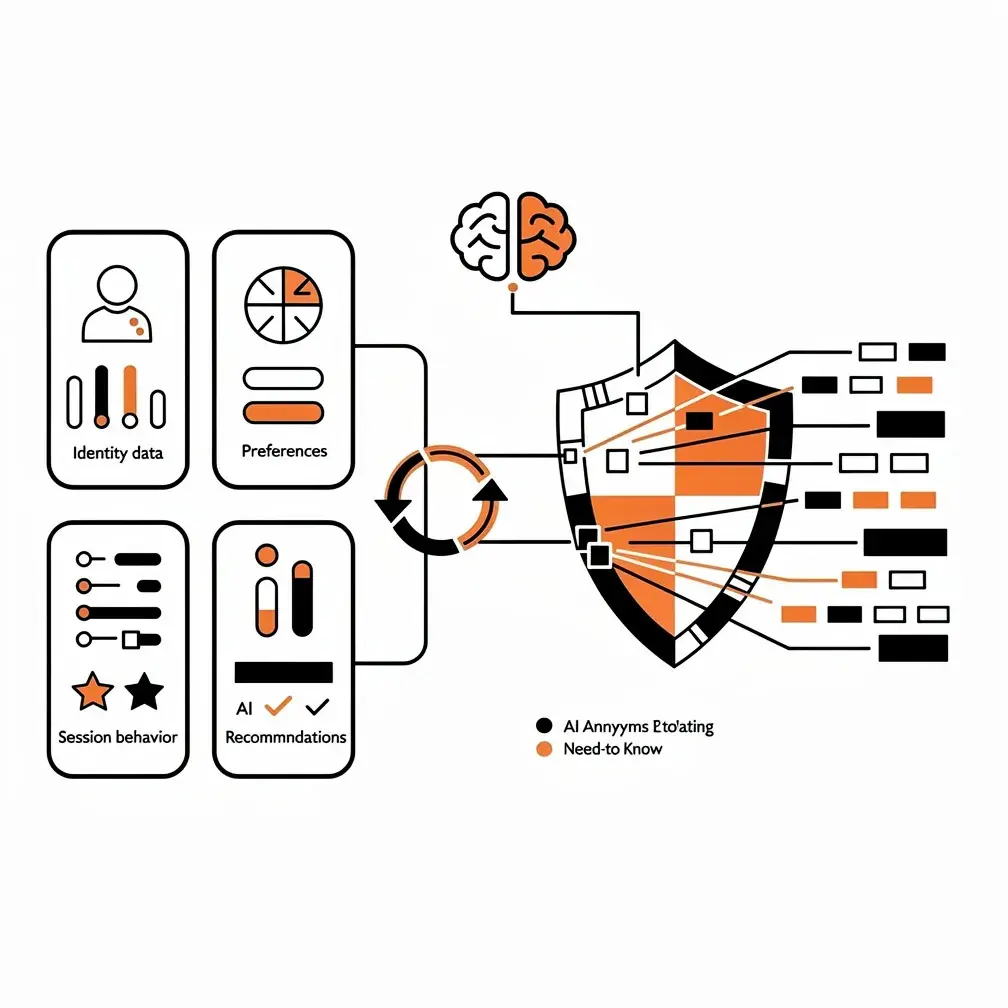
Instead of passing a complete customer record with name, email, purchase history, and browsing behavior, use an opaque session token and only the behavioral features required for that specific recommendation. Replace precise ages, locations, and spending amounts with broad categories. Redact contact information, health data, payment details, and account credentials from prompts entirely.
For chatbots answering questions about your products or services, ground the AI exclusively in your approved WordPress content—published pages, documentation, and product information. Don’t feed it customer support transcripts, private forum discussions, or user-generated content that might contain personal information.
Canadian privacy regulators have been crystal clear about this. When deploying generative AI, businesses need valid legal authority, meaningful consent, explainability, limited sharing, appropriate safeguards, and privacy by design. That last phrase—privacy by design—is particularly important. It means building privacy protection into the system architecture from the start, not bolting it on afterward as a compliance afterthought.
Practically speaking, this means separating your data stores. Keep identity information (WordPress users, CRM records) separate from preference data (consent choices, stated interests) separate from behavior data (click streams, session events) separate from the AI services that process recommendations. Use rotating pseudonymous keys to join these stores only when specifically needed. This architecture limits damage if any one system is compromised and makes it much easier to honor deletion requests and respect consent withdrawal.
WordPress-Specific Implementation Strategies
The beauty of WordPress’s ecosystem is that it provides building blocks for privacy-respecting personalization without requiring you to reinvent the wheel. But you need to understand which pieces to use and how they fit together.
Consent Management Done Right
The WP Consent API has become the standard for coordinating consent across plugins and services. It defines five categories—functional, anonymous statistics, statistics, preferences, and marketing—and provides hooks that allow plugins to check consent status before activating tracking, personalization, or advertising features.
Here’s what many agencies miss: the WP Consent API is a coordination layer, not a complete solution. You still need a consent management plugin that actually collects visitor choices and displays controls. And you need personalization plugins that respect the signals the API provides. When properly implemented, this architecture means a visitor who accepts general analytics but rejects marketing won’t trigger personalization features that qualify as promotional profiling.
Make sure your consent state is available to both PHP server-side code and JavaScript client-side code so all personalization respects the same decision. And build workflows to disable personalization when consent expires or gets withdrawn and to propagate deletion requests to your CRM, analytics systems, and any external AI vendors.
Cache-Safe Personalization Patterns
Here’s a technical challenge that trips up many personalization implementations: WordPress sites rely heavily on caching for performance, but caching and personalization are fundamentally at odds. If you render someone’s personalized recommendations into a page that then gets cached at your CDN, the next visitor might see those same recommendations—a privacy disaster.
The solution is a hybrid architecture. Cache a common page shell that includes all your standard content. Then load small personalized fragments after the page reaches the browser through narrowly scoped REST endpoints or edge workers. Only include the minimum consent or segment identifier in any cache keys. And completely bypass shared caching for account pages, checkouts, shopping carts, and private portals where content must be user-specific.
WordPress’s Interactivity API, introduced in version 6.5, provides a modern framework for building these dynamic components without abandoning WordPress’s native block system for a separate frontend framework. For more context on building these kinds of interactive experiences, our article on boosting engagement with WordPress interactivity covers the technical foundations.
Native WordPress Tools for AI Integration
WordPress’s recent releases have added capabilities specifically designed for AI integration. The Abilities API, introduced in version 6.9 and expanded in 7.1, defines permission-checked actions with typed inputs and outputs that AI agents and automation tools can safely call. This provides a structured way for AI to interact with your WordPress site while respecting user permissions and maintaining data integrity.
The emerging WordPress AI Client gives plugins a standardized interface for calling configured AI model providers. But having a standard interface doesn’t mean you can skip authorization checks, data redaction, consent verification, or vendor-specific retention policies. Those are still your responsibility to implement around every AI call.
For comprehensive guidance on integrating these capabilities, see our generative AI in WordPress development guide.
Navigating Canadian Privacy Requirements
Canadian privacy law creates specific obligations that WordPress agencies need to build into their personalization systems—especially when serving Quebec-based clients.
Under PIPEDA, the federal privacy law that applies to private-sector commercial activities across most of Canada, consent must be meaningful. That means explaining purposes clearly at or before you collect information, not burying personalization disclosure in a lengthy privacy policy. It means making withdrawal easy, immediate, and persistent. And when you’re dealing with sensitive information—which can include detailed behavioral profiles—you generally need express opt-in consent rather than implied or opt-out approaches.
Quebec’s Law 25 goes further. Organizations using technology to identify, locate, or profile a person must inform that person in advance that the technology is being used and provide controls to activate or deactivate those functions. The practical implication: profiling features should be off by default for Quebec visitors, activated only when someone explicitly opts in after receiving clear information about what you’re doing and why.
Law 25 also requires privacy impact assessments before you communicate personal information outside Quebec. Since most AI personalization systems involve US-based model providers, Quebec implementations typically need documented assessments before launch. The stakes are significant: administrative penalties under Law 25 can reach C$10 million or 2% of worldwide turnover.
For cross-border processing, PIPEDA doesn’t prohibit sending data to US cloud or AI providers, but you remain accountable for that data. Use contracts to ensure comparable protection, and clearly disclose to visitors that their information may be processed in another country and subject to that country’s legal access regime. Our article on WordPress data privacy compliance provides detailed implementation guidance for these requirements.
United States Privacy Considerations
The US privacy landscape remains a state-by-state patchwork, with 24 states having enacted comprehensive consumer privacy laws by mid-2026 and 20 of those laws now in effect. For agencies serving US clients or visitors, this creates complex compliance obligations.
California’s requirements are particularly important given the state’s size and influence. Under the CCPA, businesses must honor Global Privacy Control and similar universal opt-out mechanisms. When someone’s browser sends a GPC signal, covered businesses must treat it as a valid opt-out from the sale or sharing of personal information for cross-context behavioral advertising. Colorado has similar requirements for targeted advertising and certain profiling decisions.
California’s Automated Decisionmaking Technology regulations, which took full effect in January 2027, require specific notices and opt-out rights when AI is used for significant decisions related to employment, housing, financial services, education, or healthcare. Most marketing personalization falls outside these categories, but if your personalization system makes or substantially influences eligibility decisions, you need specialized legal review and human oversight.
The practical baseline for agencies: recognize GPC and other required universal opt-out signals, provide persistent “Your Privacy Choices” controls, and ensure opting out actually disables downstream advertising, profile enrichment, and AI audience creation. For comprehensive compliance guidance including security obligations, see our WordPress security guide.
Risk Levels and Treatment Strategies
Not all personalization carries the same privacy risk. Understanding these distinctions helps you apply appropriate safeguards without treating every feature as high-stakes.
Low-risk personalization includes using the current page topic, selected language, inventory availability, or generally popular content. These don’t require persistent profiles—process the signals within the request or session and move on. Low-to-moderate risk covers campaign sources, broad regions, device classes, and current-session clicks. Disclose what you’re doing, keep precision minimal, use short retention periods, and avoid tying this data to unnecessary identifiers.
Moderate-risk personalization includes saved preferences, quiz answers, returning-visitor recommendations, and CRM segments. Here you need clear value exchange, purpose-specific consent where required, preference centers where visitors can review and change their settings, and reliable deletion support. High-risk approaches—cross-site behavior tracking, precise location, detailed inferred interests, long-term chat histories—should be avoided by default. Only use them where you can demonstrate strong necessity, and provide explicit controls, impact assessments, and legal review.
Very high-risk personalization involves children’s data, health information, financial details, biometric information, or systems that make eligibility decisions and produce legally significant effects. These should never be used for routine marketing. When business requirements genuinely demand them, apply specialized legal controls, enhanced security measures, and mandatory human review.
Measuring What Actually Matters
Too many agencies measure personalization success by whether it increases clicks or immediate conversions. That’s dangerously incomplete. An aggressive personalized prompt might boost today’s conversion rate while increasing regret, reducing repeat purchases, and eroding long-term trust.
Measure the full journey instead. Track conversion rates, but also track assisted conversions, revenue or qualified leads per session, product discovery rates, and task completion rates. For AI chatbots and assistants, measure time to resolution and escalation rates. Most importantly, track behavioral loyalty metrics: repeat-purchase rates, renewal rates, and whether personalized experiences correlate with longer customer relationships.
On the privacy side, measure opt-in and withdrawal rates by purpose, “why am I seeing this?” interactions, consent banner rejection and abandonment rates, and how long it takes to complete data access and deletion requests. Track recommendation diversity and segment-level performance to identify whether your AI models are overfitting to certain groups or exhibiting bias.
Run control groups that receive the standard non-personalized experience so you can isolate the real impact of personalization. And measure technical health: Core Web Vitals to ensure personalization isn’t degrading performance, cache hit rates to verify your architecture is efficient, and the number of collected fields, vendors, and retained profiles as proxies for privacy exposure.
Turning Privacy Into a Competitive Advantage
Here’s the opportunity most agencies miss: privacy isn’t just a compliance cost or legal obligation—it’s a market differentiator. According to Cisco’s research, 96% of surveyed organizations said privacy investments delivered benefits exceeding costs, with a median return of 1.6 times investment. That’s not just about avoiding fines; it’s about building trust that translates into business results.

When you explain to clients that their personalization system respects visitor privacy, uses AI responsibly, and complies with Canadian and US regulations, you’re not selling defensive protection. You’re selling a sustainable competitive advantage over competitors taking shortcuts with surveillance-based approaches that will eventually trigger regulatory action or consumer backlash.
The agencies that thrive in the next few years will be those that master the balance: delivering genuinely useful personalization that helps visitors accomplish their goals while respecting the boundaries that build lasting trust. That means starting with strong baseline experiences, personalizing from context and volunteered preferences, keeping AI models on a need-to-know basis, implementing proper consent and cache-safe architectures, and measuring success by long-term engagement rather than short-term manipulation.
For WordPress sites—which remember, power nearly 40% of the web—this isn’t a distant theoretical concern. It’s the foundation of sustainable digital strategy. The tools exist. The frameworks are available. The question is whether you’ll build personalization systems that treat visitors as autonomous people with legitimate privacy interests or as data sources to be maximized. We know which approach builds better businesses.
As detailed in our WordPress AI optimization guide, the technical capabilities for privacy-respecting personalization are more accessible than ever. The challenge isn’t technical possibility—it’s organizational commitment to doing personalization right instead of just doing it fast. And for agencies serving Canadian businesses navigating complex privacy regulations, that commitment is what separates sustainable success from expensive mistakes.
The future of WordPress personalization isn’t about choosing between relevance and privacy. It’s about recognizing that sustainable relevance can only be built on a foundation of respect, transparency, and genuine value exchange. Build that foundation now, and your clients will thank you when their competitors are scrambling to rebuild systems that never should have been built the surveillance way in the first place.
Frequently Asked Questions
How can WordPress sites personalize content without collecting extensive personal data?
They can personalize based on immediate context rather than identity. Useful signals include the page someone is viewing, their search term, referring campaign, language, or current-session activity. These signals can be processed temporarily without creating persistent profiles. The site should also provide complete content, navigation, search, and calls-to-action for everyone so personalization enhances the experience instead of becoming a privacy gate.
What is active personalization, and why is it more privacy-friendly?
Active personalization asks visitors directly about their needs through quizzes, preference centers, guided selectors, or short forms. Instead of guessing from browsing behavior, the site receives information people intentionally provide for a clear purpose. This makes recommendations more accurate and transparent. The value exchange should be immediate—for example, helping someone find a suitable product or showing content related to a selected goal.
How should AI models be restricted when powering WordPress personalization?
AI models should receive only the information required for the immediate task. Use pseudonymous session tokens and broad categories instead of names, exact locations, spending amounts, or complete customer records. Exclude contact details, health information, payment data, credentials, and unnecessary chat histories. For content-based chatbots, limit the model’s sources to approved WordPress pages, documentation, and product information.
How can personalized WordPress content work safely with caching?
Use a hybrid setup: cache a common page shell containing standard content, then load personalized elements afterward through narrowly scoped REST endpoints or edge workers. Avoid placing individualized recommendations directly into shared cached pages, where another visitor could see them. Account pages, checkouts, carts, and private portals should bypass shared caching entirely. Cache keys should contain only the minimum required consent or segment information.
What privacy requirements should Canadian businesses consider before launching AI personalization?
Businesses should explain personalization purposes clearly, obtain meaningful consent where required, make withdrawal easy, and document how information is protected and shared. Quebec’s Law 25 requires advance notice and controls when technology profiles people, while profiling should generally be off by default until explicit opt-in. A privacy impact assessment may also be needed before sending information outside Quebec, particularly to US-based AI providers.