Mastering WordPress Optimization for AI Discovery
Remember when search meant typing a query and clicking through a list of blue links? Those days are fading fast. By 2026, roughly two out of every three searches in the United States and Canada end without a single click to any website. The searcher finds their answer right there in Google—often courtesy of an AI Overview or featured snippet—or they skip Google entirely and ask ChatGPT, Gemini, or Perplexity instead. For business owners counting on organic traffic to drive leads, this shift feels like the ground moving beneath their feet.
We work with small and medium-sized businesses across Canada and the US who are watching their hard-earned search visibility evaporate as AI-generated answers take over the top of the results page. The question we hear most often now is not “How do we rank higher?” but “How do we even get seen when nobody clicks anymore?” The answer lies in a new kind of optimization: making your WordPress site readable, quotable, and trustworthy to the AI systems that are now gatekeepers of online discovery.
Table of Content

Why Zero-Click Search Is Reshaping Traffic Expectations
Let’s start with the numbers. Recent Similar Web studies show that in the US, 68% of Google searches now end without any click to a website. In Canada, that figure sits around 63.8%. This means that of every 1,000 searches conducted in the US, only about 231 result in a visit to an independent website. In Canada, it’s roughly 268 per 1,000. The rest? Those searches are satisfied by Google’s own interface—an AI Overview, a knowledge panel, a local map pack, or a snippet pulled directly from your content but displayed without requiring the user to leave Google.
This is not a minor blip. Back in 2016, zero-click rates in the US hovered around 45%, meaning more than half of searches still generated at least one click. By 2024, that had risen to about 60%, and now in 2026 we’re approaching 70%. Between 2024 and 2026 alone, the share of searches resulting in clicks dropped by nearly 10 percentage points—a 23% relative decline in just two years.
What this means for your WordPress site is that traditional SEO strategies focused purely on ranking and click-through are no longer enough. You can hold a top-three position for a keyword and still see anemic traffic if Google’s AI Overview answers the question without the user needing to visit your page. We need to think beyond rankings and start optimizing for visibility inside those AI-generated answers themselves. That’s where generative SEO for WordPress comes into play—structuring content so that AI engines can read, extract, and cite it accurately.
Google AI Overviews and When They Appear
Google’s AI Overviews—formerly called the Search Generative Experience—now appear on roughly a quarter of US queries overall. That percentage climbs dramatically for certain types of searches. Long-tail queries with eight or more words trigger an AI Overview more than 57% of the time. Informational queries—those seeking explanations, definitions, or how-to guidance—generate AI Overviews about 39% of the time. If your business relies on answering questions through blog posts or guides, there’s a very good chance that your content is being summarized by Google’s AI rather than clicked on directly.
Interestingly, local searches behave differently. Adding “near me” to a query reduces the chance of an AI Overview by roughly 70%, dropping from about 35% to 10%. This means traditional local SEO elements like map packs and Google Business Profiles remain critical for location-based searches. But for everything else—especially informational and long-tail queries—AI Overviews are becoming the default experience.
The Rise of AI Assistants for Local Business Discovery
At the same time, standalone AI tools are surging in adoption for local business research. Survey data from the US shows that 52% of consumers used an AI tool to find a local business in the past 30 days in 2026, up from just 9% in 2025. That’s a sixfold increase in a single year. About 60% of consumers now use AI as a frequent discovery channel, alongside search engines and social media. Among consumers earning $100,000 or more, AI usage jumps to 76%, and Millennials lead all age groups at 63% monthly usage.
When people use AI assistants to research local businesses, they’re not just getting a list of links—they’re getting recommendations, summaries, and direct answers. If your business isn’t structured in a way that lets AI tools understand and confidently recommend you, you’re invisible in that channel. And given that 67% of AI users say they’ve received wrong information about a local business at least once, the stakes are high. Bad AI answers can cost you customers, so ensuring your site provides clear, accurate, structured information is both a visibility play and a reputation defense.
What AI Engines Need From Your WordPress Content
Traditional SEO taught us to think about keywords, backlinks, and meta descriptions. AI search—often called Generative Engine Optimization or GEO, and Answer Engine Optimization or AEO—adds new priorities. AI systems like ChatGPT, Gemini, Perplexity, and Google’s AI Overviews don’t just scan your page for keyword density. They read your content, derive structured representations, and extract concise answer blocks that they can quote or synthesize. If your content buries the answer three paragraphs down or meanders before getting to the point, AI engines are likely to skip it and pull from a competitor’s clearer page instead.
Leading With the Answer
One of the most important shifts is to lead with the answer in every section. Start each paragraph or heading with the core takeaway, then add supporting detail. For example, if you’re writing about WordPress SEO for local markets, your first sentence under that heading should directly state what local SEO is and why it matters. Then elaborate with examples, tactics, and context. AI systems scan for this pattern because it reduces the model’s burden in inferring the answer from context. Humans appreciate it too—nobody wants to wade through filler to find the point.
Using Structured Headings and FAQ Sections
Headings should function as question labels. If you think of each section as answering an implicit question, your heading should make that question obvious. A heading like “How to Optimize WordPress for AI Search” immediately tells both users and AI what the section addresses. Under that heading, provide a clear, focused answer right away.
FAQ sections are particularly valuable. Write one clear question followed by one focused answer, and start each answer with the main point. For instance: “Do AI assistants index WordPress sites?” could be followed by “Yes, AI assistants like ChatGPT and Gemini crawl and index WordPress sites the same way search engines do, as long as your site allows indexing in your Reading settings and your robots.txt file permits AI crawlers.” This format is trivial for AI systems to extract and quote, making your content more likely to appear in AI-generated answers.
Building Topical Authority With Topic Clusters
AI engines favor sites that demonstrate comprehensive, coherent coverage of a subject area. Rather than producing a scattering of unrelated posts, build topic clusters—groups of interlinked articles and pages that collectively cover a theme. For example, if you offer generative AI and WordPress development services, you might create a pillar page that outlines the overall strategy, then link to detailed subpages on schema markup, llms.txt files, AI-aware SEO plugins, and measuring AI visibility.
Internal linking is critical here. Link from broad pillar pages to specific supporting content, and from supporting articles back to the pillar and to each other where appropriate. Use meaningful anchor text that reflects conceptual relationships rather than repetitive keywords. This network of signals helps AI models infer the structure of your site and recognize you as an authoritative source on the topic.
Technical Foundations: Making Your WordPress Site AI-Crawlable
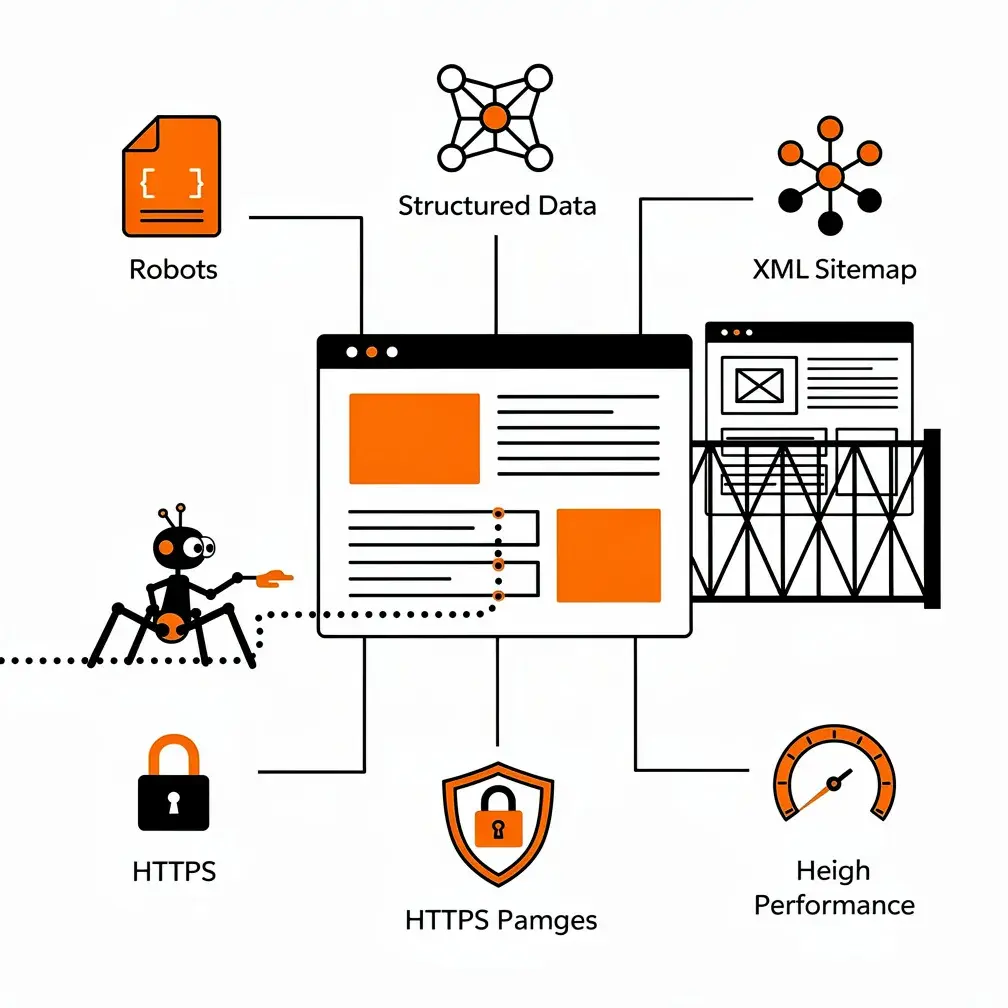
Before AI engines can read and reference your content, they need to be able to find it. This puts traditional technical SEO fundamentals at the foundation of AI search readiness. We’re talking about indexing settings, robots.txt configuration, XML sitemaps, HTTPS, and performance optimization. Let’s walk through each.
Enable Indexing and Configure Robots.txt
First, ensure your WordPress site allows search engines to index it. In your WordPress dashboard, go to Settings > Reading and make sure “Discourage search engines from indexing this site” is unchecked. If that box is checked, neither Google nor AI crawlers will index your content.
Next, configure your robots.txt file to tell bots which parts of your site to crawl and which to skip. SEO plugins like All in One SEO and Yoast SEO provide tools to edit robots.txt directly from your dashboard. You’ll want to allow crawlers to access public content—posts, pages, images—while blocking admin pages, login screens, and other areas that shouldn’t be indexed.
Submit an XML Sitemap
An XML sitemap is a file that lists all the important pages on your site, helping search engines and AI crawlers discover them efficiently. Most SEO plugins generate sitemaps automatically. Once generated, submit your sitemap to Google Search Console and Bing Webmaster Tools. This ensures that search engines know about your pages and can index them quickly, which in turn helps AI systems that rely on search engine indices to locate relevant content.
Ensure HTTPS and Optimize Performance
Security matters to search engines and AI systems alike. Make sure your site uses HTTPS, indicated by the padlock icon in the browser’s address bar. If you’re not already on HTTPS, contact your hosting provider to enable an SSL certificate.
Performance is equally important. Slow-loading sites frustrate users and can cause crawl errors for bots. Compress images, enable caching, and choose a lightweight theme. Tools like NitroPack or performance optimization plugins can help. When your site loads quickly and reliably, both human visitors and AI crawlers have a better experience, which improves your visibility and reduces the chance of errors in AI-generated answers about your business.
Implement Schema.org Structured Data
Schema markup transforms human-readable content into machine-readable statements about entities, relationships, and attributes. It’s the language that helps AI engines understand what your content is actually about, who wrote it, and why they’re credible. WordPress SEO plugins like Yoast, All in One SEO, and Rank Math automate much of this markup for you, adding schema that describes your organization, location, services, authors, and articles.
For local businesses, LocalBusiness schema is essential. It specifies your name, address, phone number, opening hours, and service categories. For agencies and B2B companies, Organization and Service schema help define your brand and offerings. Person schema can connect content to specific authors, enhancing E-E-A-T signals—experience, expertise, authoritativeness, and trustworthiness—that AI systems use to assess source credibility.
Yoast SEO Premium, for example, aggregates your site’s structured data into a single, deduplicated graph, providing AI agents with a consolidated representation they can retrieve in a single request. This schema aggregation aligns with how modern AI crawlers operate, as they prefer to fetch a comprehensive graph of a site’s entities rather than crawling multiple pages independently. We’re also seeing GEO optimization techniques increasingly rely on robust schema to signal authority and relevance to generative AI models.
Introducing LLMs.txt: The Robots.txt for AI
As AI crawlers become more prevalent, a new mechanism called llms.txt has emerged as a way for site owners to guide how large language models discover and use their content. Think of llms.txt as robots.txt for AI engines. You create a file called llms.txt in your site’s root directory and populate it with your most important URLs—key guides, category pages, your About page, service pages—so that AI systems know which content best represents your site and should be prioritized for reference.
What Goes in an LLMs.txt File
Your llms.txt file is essentially a curated list of URLs you want AI assistants to focus on. For a WordPress agency, that might include your homepage, main service pages like “Web Design,” “WordPress Maintenance,” and “AI Search Optimization,” your blog’s pillar articles, and your contact or about page. You can also include metadata or notes about each URL if desired, though the core function is simply to list the pages.
WordPress plugins like LLMs.txt Generator and llms-txt plugins available on WordPress.com automate this process. These tools generate a basic llms.txt file for your pages, allow manual updates, and handle periodic automatic refreshes to keep the file current as you publish new content. Some advanced plugins also offer validated JSON-LD schemas, automated llms.txt feeds, and crawler telemetry for AI tools like ChatGPT and Gemini, so you can check whether AI crawlers are successfully reading your site and fix any issues with a single click.
Controlling AI Crawler Access With Bot Blockers
On the flip side, you may want to limit which AI crawlers can use your content for training their models. Yoast SEO includes a bot blocker feature that lets you choose which AI crawlers—such as GPTBot, CCBot, or Google-Extended—are allowed to access your content. This gives you control over whether your intellectual property is used to train AI systems without your explicit consent.
There’s a trade-off here. Blocking AI training may reduce the risk of your content being reproduced without attribution, but it could also diminish your visibility within AI-generated answers and reduce the likelihood of being recommended by chatbots. We advise clients to weigh their priorities: if you’re more concerned about IP protection, tighten access; if you’re focused on maximizing AI discovery, leave crawlers open but use llms.txt to guide them toward your best content.
Optimizing Content for Local AI Discovery
Local SEO and AI search intersect in interesting ways. While Google’s AI Overviews appear less frequently for location-intent queries—adding “near me” drops AI Overview prevalence from about 35% to 10%—AI assistants are still heavily used for local business research. More than half of US consumers now use AI tools to find local businesses, and AI answers often appear at the top of search results even when traditional map packs are present.
Ensure Consistent NAP Across All Platforms
Your NAP—name, address, phone number—must be consistent across your WordPress site, Google Business Profile, social media accounts, and any other directories or platforms where you’re listed. Inconsistent information confuses AI engines and increases the likelihood of errors in AI-generated answers. If your site says you’re open Monday to Friday 9-5, but your Google Business Profile says you’re closed Wednesdays, AI assistants may combine those signals incorrectly and tell users you’re unavailable when you’re actually open.
We recommend auditing all your online profiles regularly—at least quarterly—to catch and correct discrepancies. Tools like Moz Local or BrightLocal can help automate this, but even a manual check of your top five listings (Google Business, Bing Places, Facebook, Yelp, and your own website) can prevent most problems. For more on this, see our guide on mastering NAP and local SEO.
Create Dedicated Pages for Each Location or Service Area
If you serve multiple cities or regions, build a dedicated page for each location with clear headings, concise answers to common questions, and LocalBusiness schema that specifies address, hours, service categories, and geo-coordinates. For instance, a page titled “WordPress Web Design Services in Toronto” should immediately answer “What WordPress services do you offer in Toronto?” followed by details on design, maintenance, support, and how to get started.
Use FAQ blocks on these pages to address queries often posed to AI assistants, such as “Do you offer WordPress maintenance in Toronto?” or “What are your support hours for Canadian clients?” By providing explicit, structured answers, you make it easy for AI tools to quote your information accurately.
The Verification Loop: Preparing for Multi-Channel Discovery
One striking feature of AI-driven local discovery is the “verification loop.” Consumers now traverse multiple platforms to cross-check information before taking action. A user might ask ChatGPT for a short list of WordPress agencies in Vancouver, then pivot to Google Maps to see locations and ratings, and finally check Instagram or Facebook to preview the look and feel of the agency before reaching out.
This means AI search readiness is necessary but not sufficient. Your WordPress site must be structured so AI tools can confidently recommend you, but your underlying content, social presence, and review ecosystem must substantiate those recommendations when users investigate further. We can’t assume a linear funnel from search result to landing page to conversion anymore. The first touchpoint might be an AI-generated answer that mentions your brand, followed by several indirect encounters across maps, review sites, and social feeds before the user ever visits your site. If you want to learn more about tracking these multi-channel interactions, check out our article on mastering WordPress analytics for growth.
AI-Aware SEO Plugins and Tools for WordPress
A growing ecosystem of AI-aware SEO plugins and platforms now exists to help WordPress agencies and businesses optimize for both traditional search and AI engines. Let’s look at some of the leading options and what they offer.
All in One SEO (AIOSEO)
AIOSEO markets itself as the original AI SEO plugin for WordPress. It covers traditional SEO features like schema markup, XML sitemaps, local SEO support, keyword tracking, internal linking automation, redirects, and SEO audits. For AI search, AIOSEO generates llms.txt files so that AI engines like ChatGPT, Google AI Overviews, and Perplexity can discover your content and surface it in answers. It also provides AI Insights reports that track how your brand and content appear across AI search platforms, giving you visibility into whether you’re being cited or recommended.
Yoast SEO
Yoast SEO integrates AI tools directly within its editor, offering AI-generated SEO titles and meta descriptions, suggestions for keyphrase placement, automatic summaries you can place in posts, and content planning features that propose site-specific ideas. Yoast also includes llms.txt management and a bot blocker to control which AI crawlers can access your content. Its schema output covers a wide range of types, including Person, Organization, LocalBusiness, Service, and more, and Yoast Premium aggregates these into a unified graph that AI engines can consume efficiently.
Rank Math AI
Rank Math AI offers a complete AI-powered SEO suite focused on both traditional rankings and generative engine optimization. Its AI Visibility tools track brand mentions and visibility across ChatGPT and Gemini, while AI Link Genius analyzes your content and suggests internal links to improve discoverability and semantic coverage. Rank Math emphasizes that SEO helps pages rank in traditional search, while GEO helps brands get cited inside AI-generated answers, and most sites now benefit from optimizing for both.
WP SEO AI
WP SEO AI positions itself as a WordPress-native search visibility platform that automates the entire SEO workflow—researching, creating, publishing, analyzing, and optimizing content—across organic AI search, traditional search, and paid search. It generates contextual content designed to perform in both environments, identifies the keywords and questions buyers are actually asking in Google and AI engines, and monitors visibility across Google, ChatGPT, Gemini, Perplexity, and more. Its messaging is direct: being on page one of Google is no longer sufficient because people rarely click ten links anymore. If your business isn’t in the AI’s answer, you effectively don’t exist for that buyer.
Polymetric AI Search Optimizer
Polymetric focuses specifically on GEO and AEO for chatbots and AI Overviews. It adds a panel to the WordPress block editor that restructures posts for AI readability without changing your voice or links. It reorganizes content into clear structures, key-takeaway summaries, and featured-snippet answer blocks—the formats AI systems tend to pull from—while preserving specifics and affiliate parameters. If you publish content frequently, Polymetric can help systematize the process of making each post AI-ready.

Measuring Success in the AI Search Era
As zero-click rates climb, we need to rethink how we measure and communicate the value of our work. Traditional metrics like organic click-through and on-site conversion remain important, but they no longer capture the full picture of how a brand is discovered and evaluated. AI-aware SEO tools introduce new measurement paradigms: tracking how brands and content appear across AI search engines, including impressions within AI answers, citations of specific pages, and mentions of brand names in chatbot responses.
Impressions, Citations, and Brand Mentions
AIOSEO’s AI Insights and Rank Math AI’s visibility tools let you see whether your brand appears in AI-generated answers and which pages are being cited. WP SEO AI monitors visibility across multiple platforms, showing you where you’re present and where you’re absent. For example, you might discover that your blog post on skyrocketing SEO with WordPress blogging is cited by ChatGPT when users ask “How do I optimize WordPress blog posts for AI search?” even if those users don’t immediately click through to your site.
These AI visibility metrics help demonstrate impact in environments where clicks are scarce but exposure remains valuable. A local restaurant might see fewer direct clicks from Google Search, but if its name appears in top AI assistant recommendations for “best brunch in Austin” and its WordPress site is cited in AI Overviews answering “Is Restaurant X open on Sundays?”, that’s measurable value. For B2B agencies, being referenced by ChatGPT in responses to queries from business owners is a form of thought leadership and brand awareness that doesn’t show up in traditional analytics but still drives inquiries and conversions over time.
Integrating AI Metrics Into Client Reporting
We recommend incorporating AI visibility metrics into your standard client reports alongside traditional SEO KPIs. Create a section that shows AI impressions, brand mentions, and citations across ChatGPT, Gemini, Perplexity, and Google AI Overviews. Include screenshots of AI-generated answers that reference the client’s content. Explain that while clicks may be down industry-wide due to zero-click behavior, the client’s brand is appearing in AI-driven discovery experiences that influence purchase decisions and build authority.
This contextualization is critical. Clients who only see declining click numbers will assume the strategy is failing. Clients who see declining clicks but rising AI citations, stable or growing brand impressions, and positive mentions in AI answers will understand that the landscape has shifted and that you’re adapting to it successfully. For more ideas on how to frame these conversations, see our piece on WordPress and modern marketing teams.
Educating Clients About the New Reality
Many business owners still conceptualize SEO in terms of “getting on the first page of Google” and may not fully appreciate the implications of AI Overviews, chatbots, and zero-click behavior. We have an educational role to play. We must explain how search behavior has changed, using accessible statistics and examples, and clarify what AI search readiness entails in practical terms.
Present the Data
Share the numbers: 68% of US searches and nearly two-thirds of Canadian searches now end without a click. Only about 231 of every 1,000 US searches result in a visit to the open web, and in Canada it’s roughly 268 per 1,000. More than half of consumers use AI tools to research local businesses, with especially high adoption among younger and higher-income segments. These statistics make the case that optimizing only for traditional clicks is no longer adequate.
Use Live Demonstrations
During strategy sessions, perform live queries. Ask ChatGPT or Gemini “What are the top WordPress agencies in Toronto?” and show whether the client appears in the answer and which sources the AI cites. Query “How do I prepare my WordPress site for AI search?” and examine whether your own blog posts are referenced. These demonstrations help clients grasp how AI assistants function as discovery channels and why structured, authoritative content matters. You can also explore emerging 2026 WordPress trends to show clients how the industry is evolving.
Outline the Steps
From there, outline the technical, editorial, and analytical steps required to ready the client’s WordPress site for AI search. Frame these efforts as investments in long-term visibility in a landscape where clicks are scarce but AI-driven impressions are abundant. Emphasize that AI search readiness is not a one-time project but an ongoing discipline, much like traditional SEO, requiring regular content updates, schema maintenance, and monitoring of AI outputs.
Ethical and Trust Considerations
AI search raises ethical and legal questions around data usage, consent, and misinformation. Tools like Yoast SEO’s bot blocker let site owners control which AI crawlers can use their content for training, reflecting growing concerns about unconsented data harvesting. LLMs.txt governance provides mechanisms for specifying how AI models should interact with site content, though enforceability and adoption vary across AI providers.
Balancing Visibility and IP Protection
We must advise clients on the trade-offs. Blocking AI training may reduce the risk of content being reproduced without attribution but could also diminish visibility within AI-generated answers and reduce the likelihood of being recommended by chatbots. Each client will have different priorities depending on their industry, competitive landscape, and comfort level with AI usage of their content.
Monitoring and Correcting AI-Generated Misinformation
Trust issues extend beyond training to the accuracy of AI-generated responses. Two-thirds of AI users have received wrong information about a local business, and 30% experienced real problems as a result. This highlights the reputational risks that AI misrepresentation can pose. We recommend proactive monitoring of AI outputs related to your clients. Periodically query chatbots and AI search modes to check for inaccuracies, and where possible use feedback mechanisms to correct errors.
You may also need to update on-site content to clarify points that AI systems consistently misunderstand. Add explicit statements, FAQs, or schema annotations that disambiguate similar names, explain service limitations, or highlight recent changes. By treating AI search not only as a marketing channel but also as a potential source of misinformation that must be managed, you can help protect clients’ reputations while still leveraging AI tools for discovery and engagement.
Integrating AI-Aware Practices Into Your Agency Workflow
To make AI search readiness sustainable, we need to embed GEO and AEO practices into our design and development workflows, not treat them as one-off SEO add-ons. This begins with template design. Standardize page layouts that include prominent answer summaries near the top, structured headings reflecting likely user questions, FAQ blocks addressing common concerns, and schema-rich components for organizations, services, and locations.
Development Standards
Development teams should ensure templates output clean HTML, fast-loading assets, and consistent structured data. Configure robots.txt and llms.txt correctly during initial setup and verify that AI crawlers can access key pages. Build schema into page templates so it’s automatically applied to new content rather than requiring manual intervention for each post or page.
Maintenance and Monitoring
Maintenance and support teams play a complementary role. Because AI engines periodically retrain and update their indexes, critical content must stay current, especially information that AI assistants often use to answer questions about business status, pricing, or service availability. Schedule regular reviews of FAQs, business hour pages, and service descriptions. Update promptly following any changes. Monitor how AI tools represent the client’s business using AI visibility tools and address inaccuracies quickly.
Support teams may also need to configure bot blockers and llms.txt rules in response to client preferences about AI training and referencing, balancing visibility goals with concerns about data use. By integrating these tasks into standard maintenance contracts, agencies across the US and Canada can offer clients ongoing assurance that their WordPress sites remain aligned with evolving AI search environments.
Positioning Your Agency for AI Search Leadership
For WordPress agencies in the US and Canada, AI search readiness is both a challenge and an opportunity. Agencies that embrace this shift—investing in GEO and AEO practices, adopting AI-aware tooling, and educating clients about the new realities of search—are well positioned to help their clients remain visible and trusted in an increasingly AI-mediated web. More than that, they differentiate themselves as strategic partners who understand where digital discovery is headed and how to navigate it successfully.
We’ve found that clients who grasp the zero-click reality and the role of AI assistants in discovery are more willing to invest in comprehensive content strategies, robust schema implementation, and ongoing monitoring. They understand that the goal is no longer just to rank on page one but to be the source AI engines quote when users ask questions about their industry, location, or service area. That’s a fundamentally different value proposition from traditional SEO, and it requires a fundamentally different approach to WordPress design, development, and maintenance.
The overarching message is clear: being ready for AI search means more than installing a plugin or adding a few FAQs. It demands a holistic shift in how sites are architected, written, governed, and evaluated, with AI assistants and zero-click answer environments treated as primary discovery channels alongside traditional search and social platforms. Agencies that make this shift now will lead the next decade of digital strategy in North America, while those that cling to outdated models will watch their clients’ visibility erode as AI continues its rapid takeover of search behavior.
Frequently Asked Questions
How is zero-click search affecting WordPress website traffic?
Zero-click search means users increasingly get answers directly in Google or through AI assistants without visiting a website. The blog explains that this makes traditional rankings and click-through rates less reliable as success measures. A page can still rank highly yet receive fewer visits if an AI Overview summarizes its content. WordPress businesses should therefore optimize not only for rankings, but also for visibility, citations, and accurate mentions in AI-generated answers.
What makes WordPress content easier for AI engines to understand?
AI engines favor content that provides direct, well-structured answers. Lead with the main takeaway under each heading, use headings that reflect real questions, and avoid burying important information beneath long introductions. Focused FAQ sections are especially useful because each question-and-answer pair can be extracted easily. Clear writing helps both AI systems and human readers quickly understand your services, expertise, locations, and answers to common customer concerns.
Which technical WordPress settings support AI search visibility?
Start by confirming that WordPress indexing is enabled under Settings > Reading and that robots.txt does not block important public pages. Generate and submit an XML sitemap, use HTTPS, and improve loading speed through image compression, caching, and lightweight themes. Add relevant Schema.org markup, such as Organization, LocalBusiness, Service, Person, or Article schema. These foundations help crawlers discover, interpret, and assess your content more reliably.
What is llms.txt, and how can it help a WordPress site?
llms.txt is an emerging Markdown-based convention that provides AI assistants with a curated map of a website’s most important content. A WordPress site might list its homepage, service pages, location pages, About page, and authoritative guides. It does not replace indexing, robots.txt, or an XML sitemap, but it can make priority content easier for AI tools to identify. Plugins can generate and refresh the file automatically as the site changes.
How should local businesses prepare for AI-driven recommendations?
Keep your business name, address, phone number, hours, services, and location details consistent across your website, Google Business Profile, social accounts, and directories. Create dedicated pages for each location or service area, using clear answers and LocalBusiness schema. Also monitor AI-generated recommendations because inaccurate details can damage trust. Customers often verify AI suggestions through maps, reviews, and social media, so every channel should support the same accurate information.