Headless WordPress: Is It Right for Your Business?
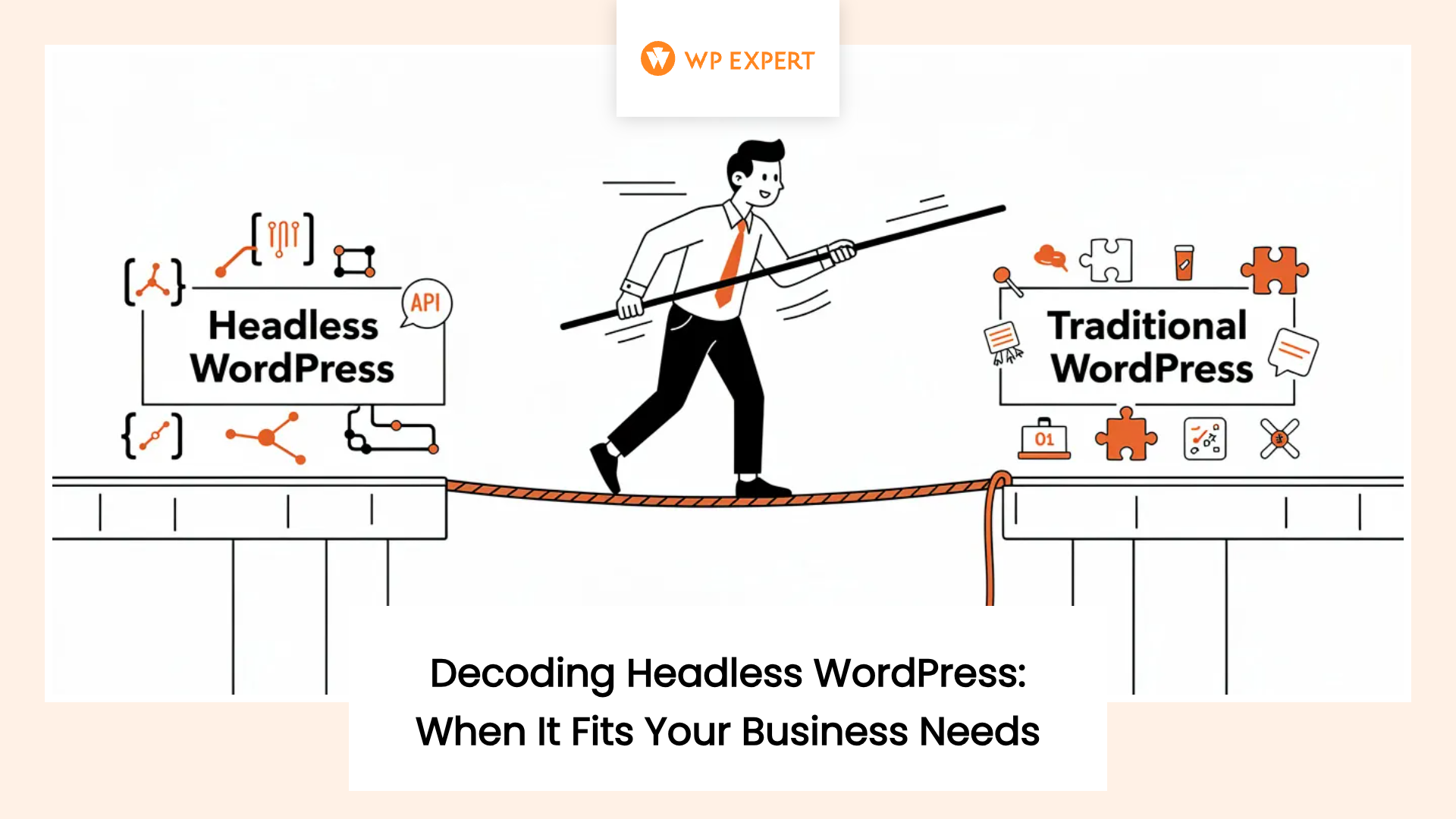
Your agency’s phone rings. It’s a potential client who heard that “headless WordPress” is the future and wants to know if their small business needs it. They’ve read blog posts about lightning-fast load times and future-proof architecture, and now they’re wondering if their traditional WordPress site is holding them back. You’ve probably had this conversation more than once lately.
Here’s the truth that most articles won’t tell you: headless WordPress is a powerful architectural choice that makes perfect sense for a small minority of businesses—and represents a costly over-investment for most others. We’ve watched this pattern before with countless web technologies that promised to revolutionize everything. The real question isn’t whether headless is “better,” but when it actually solves problems your client is genuinely facing.

Let’s cut through the hype and examine when headless WordPress delivers measurable value for small businesses, and when you’re better off sticking with what works.
Understanding the Headless WordPress Landscape
Before we dive into the when and why, let’s establish what we’re actually talking about. Traditional WordPress is a monolithic system where the content management back end and the front-end presentation layer live together in one integrated stack. You log into WordPress, edit content in the familiar dashboard, and WordPress renders that content directly to the browser using PHP templates and themes.
Headless WordPress takes a different approach. It decouples these two layers, treating WordPress purely as a content management interface and data repository. The actual front-end presentation is handled by a separate application—typically built with modern JavaScript frameworks like Next.js, Gatsby, or React—that pulls content from WordPress through APIs like the WordPress REST API or GraphQL.
The WordPress ecosystem has responded to this architectural shift with specialized tools and frameworks. Faust.js, built on top of Next.js, provides WordPress-specific enhancements for headless setups. Hosting providers like WP Engine and WordPress VIP now offer integrated platforms where both your WordPress back end and JavaScript front end can be managed together. The infrastructure is maturing rapidly.
Yet WordPress still powers more than 43% of all websites globally and commands over 60% of the CMS market in North America. That dominance exists precisely because of the qualities that headless partially compromises: ease of use, an enormous plugin ecosystem, visual editing capabilities, and relatively low ownership costs for small businesses.
The Real Benefits: When Performance Actually Matters
Let’s talk about performance, because it’s the most frequently cited reason for going headless. The statistics are compelling: less than 30% of WordPress sites achieve optimal Core Web Vitals scores. Many small business sites, especially those running on budget hosting with heavy themes and numerous plugins, struggle with page load times that directly impact conversions.
Here’s where the math gets interesting. Mobile traffic accounts for roughly 60% of web usage, yet average mobile page load times remain about 3.4 times slower than desktop—averaging 8.6 seconds versus 2.5 seconds. Each additional second of mobile load time is associated with approximately a 4.42% drop in conversion rate. For businesses driving significant paid traffic or competing in performance-sensitive sectors, these numbers represent real money left on the table.
Headless WordPress can deliver substantial performance improvements when implemented correctly. Case studies show sites achieving page loads more than 30% faster, with Lighthouse metrics improving by up to six times and Core Web Vitals reaching “good” thresholds on both mobile and desktop. More than half of sites built with modern headless frameworks achieve healthy Core Web Vitals scores, compared to the minority of traditional WordPress sites hitting those benchmarks.
But here’s the critical caveat: headless is not an automatic performance win. Without disciplined front-end engineering and robust API caching strategies, the benefits evaporate quickly. A front-end application heavy with client-side JavaScript, unoptimized bundles, or excessive data fetching can perform as poorly as—or worse than—a bloated traditional WordPress site. Performance optimization becomes a concern across multiple layers: WordPress, the API endpoints, the front-end framework, the CDN, and the deployment pipeline.
Security Considerations: Isolation vs. Complexity
Security is another area where headless WordPress offers potential advantages, though the story is more nuanced than marketing materials suggest. By separating the public front end from the WordPress back end, you reduce the direct exposure of your CMS to untrusted traffic. The public site can be served as static or server-rendered assets from a hardened environment, while WordPress sits behind protected API endpoints.
Many classes of plugin-related vulnerabilities that rely on injecting or executing PHP on the front end are rendered irrelevant when WordPress no longer generates the public-facing HTML. This is particularly relevant given WordPress’s popularity as a target for exploits—vulnerability databases track a steady flow of issues in plugins and themes.
However, headless isn’t automatically safer. You’ve simply changed the shape of your attack surface. Now you must secure WordPress and your API endpoints, front-end dependencies, and the communication between services. Rate limiting, authentication, and authorization for APIs become critical. The increased complexity of managing multiple systems—WordPress, front-end applications, CI/CD pipelines, and edge caching—can raise the risk of misconfiguration, particularly for smaller agencies or clients without mature DevOps processes.
For our perspective on broader WordPress security best practices, we’ve covered strategies that apply regardless of your architectural approach.
When Headless WordPress Makes Business Sense
Now let’s get specific about the scenarios where we recommend headless WordPress for small business clients in Canada and the United States. These aren’t theoretical use cases—they’re patterns we see consistently delivering positive ROI.
Content-Driven Businesses That Function Like Mini Media Companies
Headless WordPress shines for small businesses whose primary customer experience is delivered online and whose websites function as dynamic, application-like platforms rather than static marketing destinations. Think niche digital publications, high-growth content brands, e-learning platforms, subscription communities, and early-stage SaaS products with content-rich documentation.
For these organizations, performance, scalability, and UX sophistication aren’t nice-to-haves—they’re central to the value proposition. They produce large volumes of content, require complex navigation and personalization, and must serve audiences across multiple devices and regions. Headless WordPress allows you to leverage the familiar editorial interface teams already know while building highly customized front-end experiences using modern frameworks.
The business case becomes particularly strong when the client’s revenue model—through subscriptions, advertising, or SaaS conversions—depends directly on the quality, speed, and adaptability of the digital experience. In these scenarios, the higher costs of headless WordPress represent a strategic investment in the core product, not a discretionary marketing expense.
Performance-Sensitive E-Commerce in Competitive Markets
Another compelling use case involves performance-sensitive e-commerce stores and lead-generation sites operating in highly competitive markets. In sectors where paid traffic and organic search competition are intense—specialty consumer goods, financial services, health and wellness, legal services—small differences in performance and UX translate directly into differences in conversion rates and customer acquisition costs.

Headless commerce patterns allow WordPress to serve as a content layer while specialized headless e-commerce platforms handle transactional functionality, with a modern JavaScript front end coordinating content and commerce across the experience. When significant marketing budgets are being directed to paid search or social advertising, any measurable performance improvement that increases conversion rates can produce ROI that justifies headless’s higher cost.
The key is that expected revenue uplift from performance and UX improvements must be large enough to offset not only the initial build cost but also ongoing maintenance and enhancement effort. For small DTC brands aiming to compete with larger players, headless WordPress can enable a differentiated, high-performance storefront with advanced content marketing capabilities.
Omnichannel Requirements and Multi-Location Operations
Small businesses that operate multiple brands, locations, or digital properties can benefit from headless WordPress when they need a centralized content hub feeding diverse front ends. Franchises, multi-location practices, and regional chains often struggle with maintaining consistent content across microsites, landing pages, mobile apps, and third-party listings.
Headless WordPress allows you to design structured content models that capture canonical information—product descriptions, location hours, staff bios, brand assets—and deliver this data via APIs to different destinations while preserving local flexibility. A parent company can manage articles, guidelines, and shared media in a central WordPress instance and expose them via APIs to multiple subsidiary sites or internal portals, each rendering content differently.
For businesses already operating at multi-site scale, particularly across regions in Canada and the United States, the operational consistency and reduced editorial overhead can justify the architectural complexity. The alternative—maintaining multiple traditional WordPress sites with duplicated content—carries its own costs in terms of editorial effort and risk of inconsistency.
Complex Custom Applications Beyond Standard Themes
Headless WordPress warrants serious consideration when a client’s requirements fundamentally exceed what can be delivered comfortably via traditional WordPress themes and plugins. This includes scenarios requiring deep integration with multiple external systems—CRMs, proprietary APIs, analytics platforms, custom back-office applications—or UX demanding real-time interactivity, complex client-side logic, or custom visualizations.
A simple heuristic: consider how much of the customer experience must behave like an application. If the answer is “most of it,” headless architectures become serious contenders. A small financial services firm or SaaS startup might require sophisticated calculators, interactive dashboards, or embedded client portals that rely on real-time data from external APIs. Implementing these experiences cleanly within traditional WordPress themes can be brittle and hard to maintain, whereas a modern JavaScript front end can integrate such functionality more naturally.
For our thoughts on how WordPress serves modern marketing teams, we explore the balance between technical capability and marketing autonomy.
When to Stick With Traditional WordPress
Now for the harder conversation—when to push back on headless. This requires honest assessment of your client’s actual needs versus their perceived sophistication.
Local Service Businesses and Straightforward Brochure Sites
For the vast majority of local service businesses in Canada and the United States—plumbers, dentists, law firms, landscapers, independent retailers, restaurants—headless WordPress doesn’t provide favorable cost-benefit ratios. These businesses need fast, mobile-friendly brochure sites with clear calls to action, a blog or news section, and basic integrations like forms, booking widgets, or simple e-commerce.
Their primary success metrics are local SEO visibility, lead volume, and ease of updating content—not omnichannel content reuse or sophisticated application-like behavior. For such clients, the advantages of traditional WordPress are more salient: visual editing, rich plugin ecosystem, lower build cost, and availability of managed hosting. You can deliver performant, SEO-friendly sites using proven optimization techniques, lightweight themes, and caching without incurring the engineering and operational overhead of a decoupled stack.
The ability to use page builders or even employ no-code platforms where appropriate can reduce project timelines and empower non-technical staff to manage content, aligning more closely with small business realities. For our comprehensive take on whether WordPress remains worth it in 2026, we examine the platform’s continued relevance for small businesses.
Limited Development Budgets and In-House Technical Capacity
Headless WordPress is a poor fit for small businesses lacking the budget or internal capacity to sustain an ongoing relationship with a technically sophisticated agency. Headless builds commonly cost two to three times more than comparable traditional WordPress sites, and that’s just the beginning. Any changes to the front-end experience, integration of new marketing tools, or adjustments to SEO and analytics pipelines typically require developer intervention in the front-end codebase, not just WordPress configuration.
Without a retainer arrangement or ready access to qualified developers, clients may find themselves locked into a system that’s expensive to adjust or extend, undermining the perceived benefit of an initially “future-proof” architecture. Traditional WordPress on managed hosting allows small businesses to benefit from routine core and plugin updates handled by hosting providers or agencies, with many common adjustments achievable through the admin interface or readily available plugins.
Content changes, minor layout tweaks, and SEO updates can often be performed by marketing staff or light technical support, making the system more accessible and cost-effective for clients with limited budgets. For perspective on typical WordPress costs in Canada for 2026, we break down what small businesses can realistically expect to invest.
Marketing Teams Dependent on Visual Editing and Plugins
Many small business websites are managed by marketing staff, founders, or operations teams who rely heavily on WordPress’s visual editing capabilities and plugin ecosystem. These users are accustomed to page builders, WYSIWYG editing, out-of-the-box preview, and plugin-driven functionalities for SEO, forms, social sharing, and analytics.
For such teams, headless WordPress can feel like a step backwards in autonomy. Decoupling the front end from WordPress often breaks the tight coupling between editor and presentation, reducing or eliminating real-time preview and making it harder for non-technical users to adjust layouts or see how changes will appear once published. Features like real-time preview, in-context editing, and theme-level presentation consistency must be re-implemented at significant engineering cost.
Furthermore, heavy reliance on plugins for SEO, analytics, and marketing automation becomes problematic because many of these plugins assume they can manipulate front-end HTML output and inject tags or scripts accordingly. In headless WordPress, these integrations frequently need to be recreated in the front-end application, reducing the ability of non-technical staff to manage them via the WordPress admin.
For small business clients whose success depends on agile marketing and rapid experimentation, this loss of independence can be more damaging than potential performance gains. The ability to quickly test new landing pages, adjust calls to action, or experiment with layouts becomes throttled by engineering capacity.
Early-Stage Ventures Prioritizing Speed to Launch
For very small or early-stage businesses—especially those just validating a concept or launching a first online presence—priority is often speed-to-launch and minimal budget, not architectural elegance or theoretical future-proofing. Many such businesses operate on thin margins with uncertain revenue trajectories.
The additional time and cost required to design and implement a headless WordPress stack can delay launch and consume budget that might be better spent on marketing, product development, or basic optimization of a simpler site. Traditional WordPress or even high-quality no-code builders offer faster, cheaper routes to a professional web presence that can be iterated as the business grows.
As the organization matures and its digital needs become more complex, migration to a headless architecture can be revisited with a clearer understanding of requirements and a larger budget. WordPress’s flexibility and the availability of migration tools reduce the need to make a headless decision at the earliest stages.
The Hidden Costs Nobody Talks About
Beyond the obvious price differences, headless WordPress carries hidden costs that agencies must communicate transparently with clients.
Increased Maintenance Surface Area
Traditional WordPress sites require updates for core, themes, and plugins, plus occasional performance tuning and security hardening. Headless stacks add a separate front-end repository, associated dependencies, and infrastructure to the maintenance surface. You must schedule and test updates across both WordPress and the front-end framework, manage version compatibility between APIs and front-end code, and monitor both environments for security vulnerabilities and performance regressions.
This dual maintenance burden is particularly challenging for smaller agencies whose expertise historically focused on WordPress theming and plugin customization rather than React, Node.js tooling, and modern DevOps. Without sufficient in-house expertise or robust DevOps support, headless projects may suffer from fragile deployments, slow iteration, and frequent regressions.
For insights on comprehensive website maintenance strategies for 2026, we cover what effective ongoing support should include regardless of your architectural choice.
Editorial Workflow Friction
One of the less obvious but highly impactful costs lies in editorial and marketing workflows. In traditional WordPress, content authors enjoy in-context editing, real-time preview, and tight alignment between the block editor (Gutenberg) and front-end presentation. Many small business marketing teams have grown accustomed to using visual page builders and block-based editors to manage site content without frequent developer involvement.
Headless implementations disrupt this alignment. Real-time previews of content changes no longer work out of the box—preview functionality must be explicitly rebuilt in the headless front-end application. This often leads to either degraded preview capabilities or complex workflows where authors must initiate preview builds in external tools. Block styling and presentation logic can drift between WordPress and the front end, confusing editors who expect the published site to match what they see in the editor.
For small business clients heavily reliant on WordPress’s visual editing tools, the transition to headless can feel like a regression in usability, making them more dependent on developers for changes they previously handled independently. This dependency translates directly into higher operational costs and slower iteration cycles.
Plugin Ecosystem Limitations
The enormous plugin ecosystem is one of the primary reasons small businesses choose WordPress. Plugins provide cost-effective solutions for contact forms, membership, SEO, e-commerce, learning management, and countless other needs. In headless WordPress, however, the value of plugins becomes uneven.
Plugins that extend the WordPress REST API or GraphQL schema, add custom fields, or provide editorial workflows tend to work well. But plugins that assume they control front-end rendering or inject client-side scripts into PHP templates may not function as intended. Teams often lose the “automatic parity” between WordPress features and front-end behavior—features that content teams take for granted must be reimplemented.
For many marketing and analytics tools, pixels and tags must be implemented at the front-end application level, which can fragment tracking and increase the risk of inconsistent data across channels. Experimentation frameworks, personalization engines, and heatmap tools similarly require front-end integration in JavaScript, limiting the ability of non-technical users to configure experiments without developer support.
Implementation Considerations for Agencies
If you decide headless WordPress is appropriate for a particular client, careful implementation planning becomes critical to success.
Choosing Your Technology Stack
Next.js and Gatsby remain the most popular frameworks for headless WordPress in North America, with Next.js often favored for its flexibility and support for both static generation and server-side rendering. Specialized frameworks like Faust.js, built on top of Next.js, provide WordPress-specific enhancements including features for previews, authentication, and data fetching.
On the hosting side, platforms like WP Engine and WordPress VIP offer integrated headless solutions where WordPress and front-end JavaScript apps can be hosted and managed together, often with built-in CI/CD pipelines, edge caching, and support for popular frameworks. For agencies serving small business clients, selecting a hosting partner with strong support, clear pricing, and robust documentation is vital, as it offloads much of the infrastructure complexity.
You must also design caching and performance strategies from the outset. This includes edge caching of WordPress REST or GraphQL endpoints, careful configuration of CDN rules, and decisions about rendering modes per route—static, server-side rendering, or client-side—based on content update frequency and SEO considerations. Clear routing and URL structures, preview mechanisms, and localization requirements should be defined early to avoid costly refactors later.
For broader context on headless WordPress implementation best practices, experienced developers emphasize the importance of planning these architectural decisions upfront.
Pricing Models and ROI Communication
Given that headless WordPress projects typically cost two to three times more than comparable traditional builds, you must develop clear pricing models and ROI narratives. Cost estimates must account not only for initial design and development but also for ongoing maintenance of both WordPress and the front-end application, including dependency updates, security patching, performance tuning, and feature enhancements.
For many small business clients, retainer-based arrangements with defined SLAs may be more appropriate than purely project-based billing, as the complexity and interdependence of the stack make ad-hoc support risky and inefficient. To justify these costs, tie headless features directly to business outcomes. Performance improvements can be linked to increased conversion rates and SEO visibility. For e-commerce clients, project revenue gains from improved checkout speed and UX based on existing conversion rates and traffic levels.
Research shows that organizations using headless architectures are more likely to rate their ability to scale digital experiences as “good” and to anticipate meaningful positive impact on financials. However, clients must understand that these benefits materialize over years and at scale, not immediately for every small site. Be candid about the tradeoffs: headless WordPress is an investment that pays off when the client’s digital strategy and revenue model depend on the capabilities it unlocks.
SEO and Analytics in Headless Environments
Search engine optimization and analytics implementation differ significantly in headless architectures because search engines and analytics tools primarily interact with the front-end output, not directly with the CMS. In headless WordPress, front-end developers must implement sitemap generation, canonical URL management, schema markup, and title and meta tag handling within the JavaScript framework, using data supplied by WordPress APIs.
Best practices include ensuring that content editors can manage URL slugs and metadata in WordPress, with these fields mapped correctly to front-end routing and meta tags; creating dynamic XML sitemaps that update with content changes; and enforcing canonical URLs to avoid duplicate content issues. Structured data and schema markup should be generated based on WordPress content models and rendered by the front end.
Analytics and experimentation tools must also be rethought. In traditional WordPress, many analytics and A/B testing tools provide plugins that handle script injection and basic configuration. In a headless architecture, these tools usually need to be integrated manually into the front-end application, with event tracking and conversion goals implemented via JavaScript and aligned with routing and component structure.
For comprehensive guidance on digital marketing strategies for small business owners, we cover broader considerations that apply regardless of your technical architecture.
A Framework for Decision-Making
Rather than treating headless as a binary yes-or-no question, we recommend a problem-first framework for evaluation. Ask these questions with your client:
Performance Requirements: Is the site consistently failing Core Web Vitals benchmarks despite optimization efforts? Are performance issues directly impacting conversion rates or user engagement in ways that can be quantified? Would the revenue improvement from faster load times justify two to three times the development and maintenance cost?
Content Distribution Needs: Does the business genuinely need to deliver content across multiple distinct front ends—web, mobile apps, digital displays, partner portals? Is there a concrete plan for these channels, or is it theoretical future-proofing? Could a hybrid approach serve specific channels via APIs while maintaining traditional WordPress for the main site?
Technical Sophistication: Does the required user experience demand complex client-side interactivity, real-time data, or custom application logic that would be brittle or unmaintainable within WordPress themes? Or can the requirements be met with well-architected traditional WordPress using modern best practices?
Organizational Readiness: Does the client have the budget for ongoing developer support, not just for the initial build? Are they comfortable with reduced editorial autonomy and increased dependence on technical resources for changes that would be simple in traditional WordPress? Do they have realistic expectations about the added complexity?
Agency Capability: Does your team have solid experience with React or similar frameworks, API design, and modern DevOps practices? Can you provide reliable support across both the WordPress back end and JavaScript front end? Or would this project stretch your capabilities and potentially lead to poor outcomes?
For a broader comparison of architectural options, this analysis of traditional vs. headless WordPress provides additional perspective from an enterprise infrastructure standpoint.
The Hybrid Middle Ground
Before we conclude, it’s worth highlighting that the choice isn’t always all-or-nothing. Hybrid approaches often make sense for small business clients on the cusp of headless needs. You might keep the main marketing site on traditional WordPress while exposing specific content types via REST or GraphQL to power a React-based product gallery, mobile app, or progressive web app.
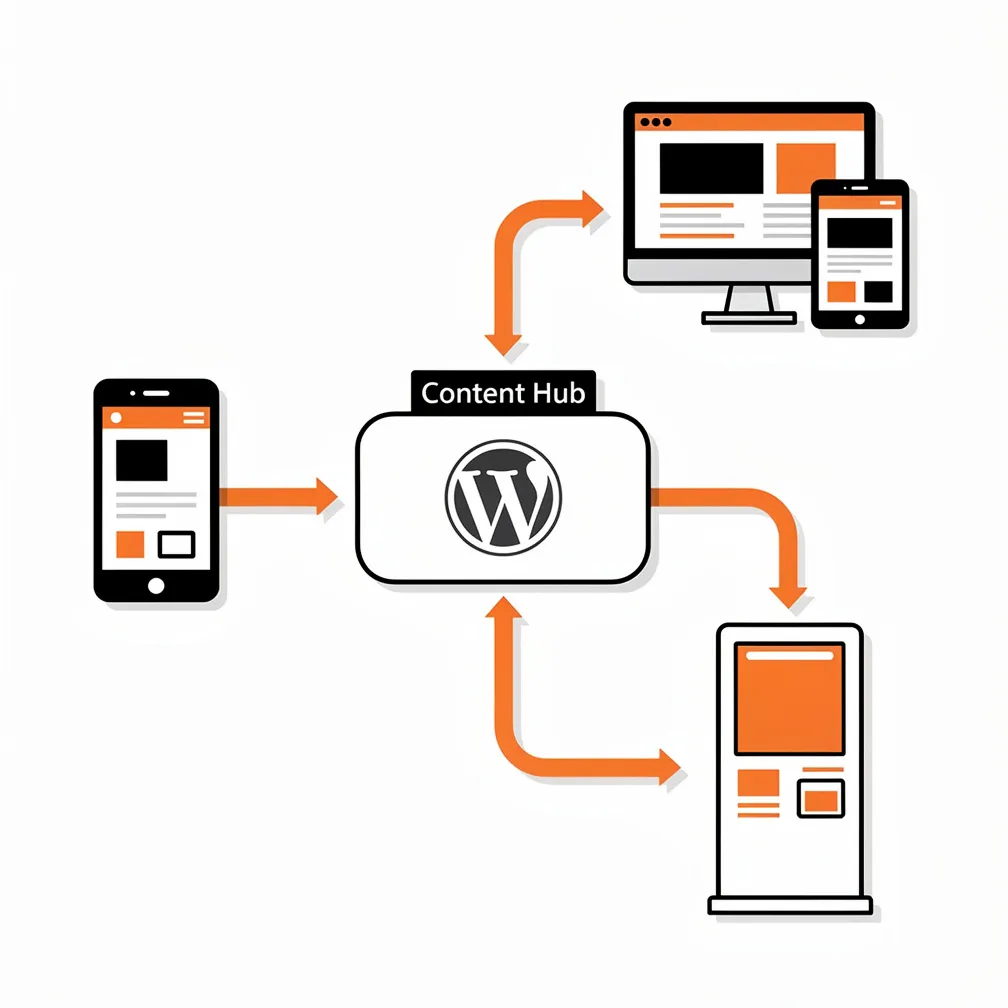
This allows experimentation with headless patterns and performance improvements in targeted areas without incurring the full cost and complexity of complete decoupling. Over time, if demands grow, more sections of the site can be migrated to a headless front end, following a phased modernization strategy. This incremental approach can be particularly attractive for risk-averse clients or those with moderate budgets who want to test headless benefits before committing fully.
Hybrid WordPress also preserves many of the editorial and plugin benefits that teams rely on while still enabling advanced experiences where they genuinely add value. It’s often the most pragmatic path for small businesses in the “maybe” category—too sophisticated for basic brochure sites but not quite ready for full headless commitment.
Our Recommendation: Lead With Substance, Not Hype
After working with small and medium businesses across Canada for over a decade, we’ve learned that the best technology decisions come from honest assessment of actual needs rather than chasing architectural trends. Headless WordPress is a powerful tool—but like any tool, it’s only valuable when applied to the right problems.
For the small business that’s essentially a digital product—the niche media outlet, the content-driven SaaS company, the performance-sensitive e-commerce brand competing with bigger players—headless WordPress can be transformative. The performance gains, omnichannel capabilities, and UX sophistication it enables directly support core business objectives. The higher cost is justified by measurable improvements in the metrics that matter: conversion rates, engagement, revenue.
For the local service business, the early-stage startup, the marketing-driven company that values autonomy and agility, traditional WordPress remains the better choice. It delivers the functionality they need at a cost structure that makes sense, with editorial workflows that empower teams rather than constraining them. There’s no shame in this—WordPress has powered millions of successful businesses precisely because it strikes the right balance for this segment.
The nuance that’s often missing from headless WordPress discussions is that “worth it” is always contextual. It depends on the specific business model, the concrete technical requirements, the organizational capabilities, and the realistic budget. As agencies, our job isn’t to sell the architecture we find most interesting or technically sophisticated. It’s to recommend the approach that will actually serve our clients’ businesses best over the long term.
That sometimes means pushing back when a client asks for headless because they’ve read it’s “the future.” It means being honest about the tradeoffs, transparent about the total costs, and realistic about who benefits from the complexity. And it means being equally willing to recommend headless when it genuinely solves problems that traditional approaches can’t address cost-effectively.
The WordPress ecosystem is maturing in a way that gives us genuine architectural choices. The key is using those choices wisely, matching the sophistication of the solution to the sophistication of the problem. For some small businesses, that means embracing headless WordPress with open eyes and adequate preparation. For many others, it means recognizing that traditional WordPress, properly implemented and maintained, remains exactly what they need.
If you’re evaluating options for your business or trying to advise a client, start with the problems, not the architecture. What specific challenges are you trying to solve? What business outcomes would success enable? What organizational capabilities and constraints are real factors? Answer those questions honestly, and the right architectural choice usually becomes clear—whether that’s headless, traditional, or something in between.
Frequently Asked Questions
Do my small business clients really need headless WordPress, or is traditional WordPress usually enough?
Most small businesses do not need headless WordPress. For local service providers and straightforward brochure sites, traditional WordPress delivers everything they need: strong local SEO, clear calls to action, visual editing, and essential integrations at a far lower cost and complexity. With a lightweight theme, good hosting, and basic performance optimization, you can meet Core Web Vitals targets without the engineering overhead of a decoupled architecture.
When does headless WordPress actually deliver a positive ROI for a small business?
Headless WordPress makes financial sense when the website is effectively a digital product, not just a marketing asset. That includes content-heavy media-style businesses, performance-sensitive e-commerce, and application-like experiences where UX, speed, and scalability directly impact revenue. In these cases, gains in conversions, engagement, and omnichannel reach can offset 2–3x higher build costs plus ongoing maintenance—especially when paid traffic or subscriptions are significant revenue drivers.
How should I talk to a client who wants headless “because it’s the future”?
Reframe the conversation from architecture to problems and outcomes. Walk them through performance needs, content distribution plans, UX complexity, budget, and in-house capabilities. Ask whether they truly need multi-channel delivery, app-like interactivity, and deep integrations—or just a fast, easy-to-manage site. Explain tradeoffs: higher costs, more complex maintenance, less editor autonomy, and greater dependency on developers, versus the concrete benefits they’d realistically see.
What hidden costs of headless WordPress should I warn clients about upfront?
Beyond higher build costs, headless introduces ongoing overhead across two stacks: WordPress and a JavaScript front end. You’re maintaining separate codebases, dependencies, hosting environments, CI/CD, and security hardening. Editorial workflows often become less smooth—preview, visual editing, and block parity need custom work. Many plugins no longer “just work,” so SEO, analytics, and marketing tools must be reimplemented in code, increasing reliance on developers for changes marketers once handled themselves.
Is there a middle-ground option between fully traditional and fully headless WordPress?
Yes, a hybrid approach often fits “in-between” clients best. You can keep the core marketing site on traditional WordPress while exposing selected content types via REST or GraphQL to power specific headless experiences—a React product catalog, a mobile app, or a PWA. This lets you test performance and UX gains where they matter most, preserve familiar editorial workflows, and phase in more headless functionality later if the business case proves out.