The True Costs of WordPress Websites in Canada
You’ve probably clicked on at least a dozen blog posts promising to break down WordPress website costs only to find the same vague ranges, recycled advice, or pricing from another country that doesn’t quite apply here.
As a Canadian small-business owner trying to budget for a new site or redesign, that’s frustrating. You need accurate, Canada-specific numbers that separate what it costs to build a WordPress website from what it costs to own one, and you need to understand where your money actually goes.
That’s exactly what this guide delivers: transparent 2026 pricing for WordPress websites in Canada, including build costs, hosting, maintenance, security, and the hidden expenses most pricing pages skip right over.
Table of Content
The Two Costs Most Pricing Pages Ignore: Build Cost vs Cost of Ownership
Here’s what catches most business owners off guard: the price you pay to build your WordPress website represents only part, sometimes less than half, of what you’ll spend over the life of your site. Every quote, proposal, or project estimate you receive breaks down into two distinct categories: initial build cost and ongoing cost of ownership. Build cost includes design, development, content creation, integrations, and launch. Cost of ownership covers hosting, maintenance, security monitoring, plugin renewals, and all the little recurring fees that add up month after month.
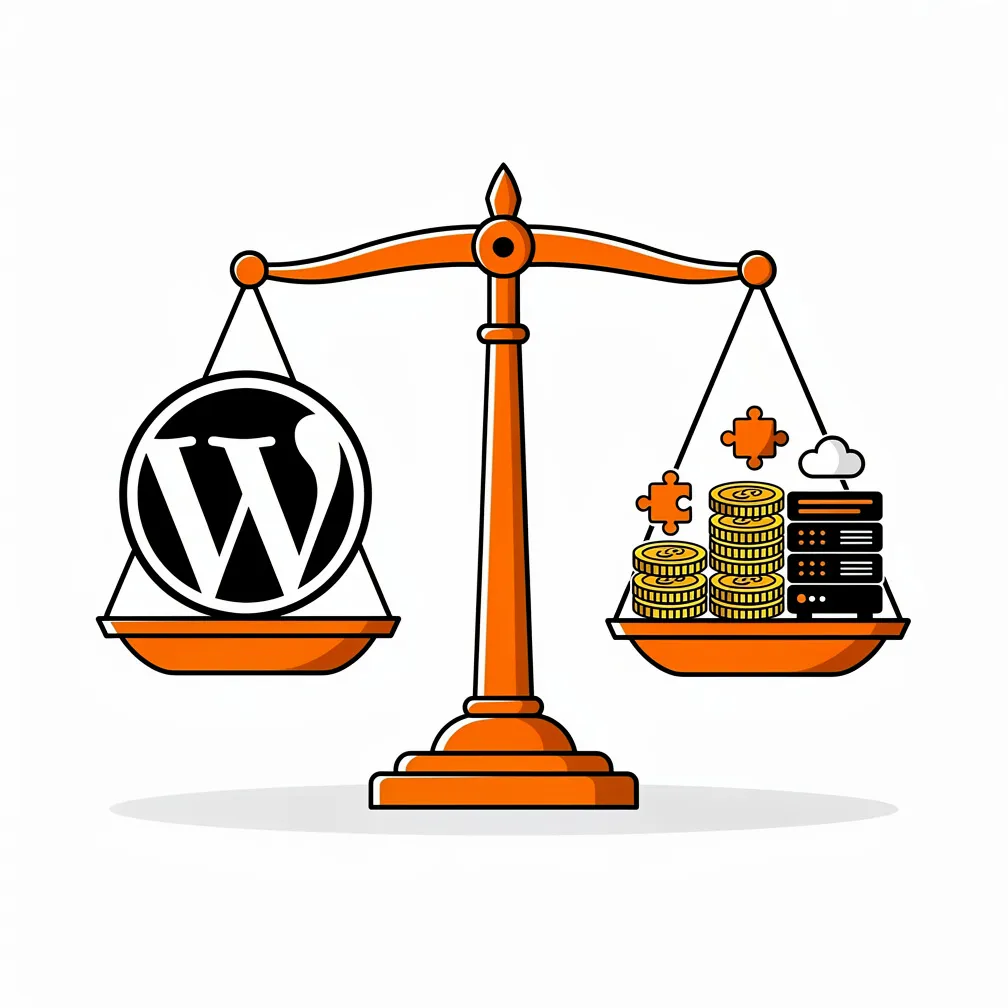
We see clients surprised by this separation all the time. A business invests five thousand dollars in a beautiful new website, then discovers they need another hundred and fifty dollars monthly for managed hosting, maintenance, and security services. Over five years, that “five-thousand-dollar website” actually costs fourteen thousand dollars. That’s not a problem: it’s simply the reality of professional website ownership but it’s a reality you should plan for from day one.
Why “Free WordPress” Is Not “Free Website” (Hosting, Plugins, Time)
WordPress itself costs nothing to download and install. That’s true. But the moment you decide to put WordPress to work for your business, costs start appearing. You need hosting, somewhere for your website files to live and serve pages to visitors. Hosting in Canada runs anywhere from five dollars monthly for basic shared hosting to one hundred dollars or more for managed WordPress hosting optimized for performance and security. Then you need a domain name, typically ten to twenty dollars per year. An SSL certificate keeps your site secure, though many hosts now bundle free certificates with hosting packages.
Next come plugins and themes. While thousands of free plugins exist in the WordPress.org directory, professional websites typically rely on a handful of premium plugins: form builders, SEO tools, backup solutions, security monitors that each cost twenty-nine to two hundred dollars annually. Premium themes add another fifty to one hundred fifty dollars one-time or annually. Suddenly your “free” platform carries recurring annual costs of five hundred to two thousand dollars before you account for maintenance, updates, or support.
Then there’s time. DIY website builders promise anyone can create a professional website in an afternoon. The reality? Most small-business owners spend weeks wrestling with theme settings, plugin conflicts, mobile responsiveness issues, and SEO configuration. That time carries real opportunity cost hours you could spend serving customers, developing products, or growing revenue. When you factor in your hourly value, the “free WordPress” route often costs more than hiring a professional agency from the start.
Pricing Tiers in 2026 (What You Actually Get at Each Level)
Canadian WordPress development pricing clusters around three distinct tiers, each delivering specific scope, quality, and support levels. Understanding what you receive at each tier helps you evaluate quotes and identify which investment level aligns with your business needs and growth trajectory.
DIY / Builder-Style Options
Do-it-yourself WordPress sites built using drag-and-drop page builders cost the least financially but demand the most time investment. If you choose this route, expect to spend zero to one thousand five hundred dollars on premium themes, plugins, and perhaps a few hours of setup consulting from a developer. Page builders like Elementor (starting at fifty-nine dollars annually for single-site use) or Divi (eighty-nine dollars yearly) simplify layout creation without coding knowledge.
This tier suits solopreneurs, hobbyists, or very small businesses with extremely limited budgets and owners willing to invest substantial time learning WordPress fundamentals. What you get: basic responsive design, standard contact forms, simple SEO setup, and the satisfaction of building something yourself. What you don’t get: professional design refinement, strategic guidance, performance optimization, comprehensive security hardening, or reliable support when things break. When technical issues arise—and they will; you’re on your own troubleshooting through forums and documentation.
Freelancer Builds
Freelance WordPress developers in Canada typically charge twenty-five to one hundred dollars per hour, with experienced professionals settling around forty to seventy-five dollars hourly. A basic five-to-ten-page website through a skilled freelancer costs fifteen hundred to five thousand dollars, including custom design work, mobile responsiveness, basic SEO setup, and standard plugins for contact forms and analytics integration. Moderate-complexity projects incorporating e-commerce functionality, membership systems, or custom post types reach five thousand to ten thousand dollars.
Freelancers deliver professional-quality work at accessible price points, making this tier attractive for budget-conscious businesses ready to invest in quality but not yet needing full agency resources. The trade-off: freelancers typically work solo, meaning timeline flexibility, support availability, and scope capacity remain limited. You’ll need to provide clear direction, manage the project yourself, and handle content creation. Post-launch support varies dramatically by freelancer, some offer maintenance packages, others move on to the next project once yours launches.
Specialist Agency Builds (Strategy, UX, Performance, Conversion)
WordPress agencies in Canada charge five thousand to twenty-five thousand dollars or more for professional website projects, with enterprise implementations exceeding seventy-five thousand dollars. What justifies these rates? Comprehensive process, strategic thinking, dedicated project management, quality assurance, and long-term partnership. Agency projects typically begin with discovery workshops identifying business goals, target audiences, competitive positioning, and conversion objectives. Design phases include wireframing, mockups, user experience testing, and brand integration. Development incorporates performance optimization, accessibility standards, security hardening, and comprehensive cross-device testing.
We’ve built hundreds of WordPress sites over the past decade, and we’ve learned that the difference between adequate websites and exceptional ones lies in strategic thinking applied before a single pixel gets designed. Agencies asking detailed questions about your customers, competitors, and business model aren’t wasting time: they’re ensuring the website they build actually drives results rather than just looking attractive. The agency tier delivers peace of mind: clear timelines, professional project management, structured communication, quality guarantees, and post-launch support ensuring your investment continues performing long after launch day.
What Drives WordPress Cost Up (and When It’s Worth It)
Three primary factors determine where your project lands in the cost spectrum: scope and complexity, performance requirements, and ongoing security and maintenance expectations. Understanding how each factor influences pricing helps you allocate budget effectively and recognize when premium investments deliver proportional returns.
Scope (Pages, Integrations, Booking, E-commerce)
A five-page brochure website costs dramatically less than a fifty-page content hub with member login, appointment booking, and integrated payment processing. Every additional page requiring custom design adds hours to the project. Every integration connecting your website to external systems: CRM platforms, email marketing tools, accounting software, inventory management… etc. adds complexity requiring development time, testing, and troubleshooting.
E-commerce functionality through WooCommerce adds substantial scope. While WooCommerce itself is free, professional e-commerce implementations require payment gateway configuration, shipping rules, tax calculation setup, product migration, inventory management, and extensive testing of the complete purchase flow. Basic e-commerce sites with ten to fifty products typically cost five thousand to fifteen thousand dollars in Canada. Larger catalogs, complex product variations, wholesale pricing tiers, or multi-currency support drive costs toward fifteen thousand to thirty thousand dollars or higher.
Booking and appointment systems add another layer. Integration with calendar platforms, automated confirmation emails, payment collection, reminder systems, and cancellation policies each require configuration and testing. Custom booking functionality can add two thousand to eight thousand dollars to project costs depending on requirements. When these features prove essential to your business model, the investment makes sense. When they’re nice-to-have rather than need-to-have, consider launching without them and adding functionality later as budget permits.
Performance and Core Web Vitals Requirements
Website speed stopped being optional the moment Google made it a ranking factor. Core Web Vitals—Google’s performance metrics measuring load speed, interactivity, and visual stability – directly impact search rankings and user experience. Professional WordPress development in 2026 incorporates performance optimization from project inception: image optimization and lazy loading, minification and compression of code files, server-side caching configuration, content delivery network integration, and database query optimization.
Basic websites built on shared hosting with minimal optimization load in three to six seconds. Professional sites on managed hosting with comprehensive optimization load in under two seconds. That performance difference affects everything: search rankings, bounce rates, conversion rates, and user satisfaction. Performance optimization adds five hundred to three thousand dollars to project costs depending on techniques employed and target speed goals. For businesses where website performance directly influences revenue: e-commerce sites, lead-generation sites, content platforms; performance optimization investments deliver clear returns.
Security and Maintenance Expectations
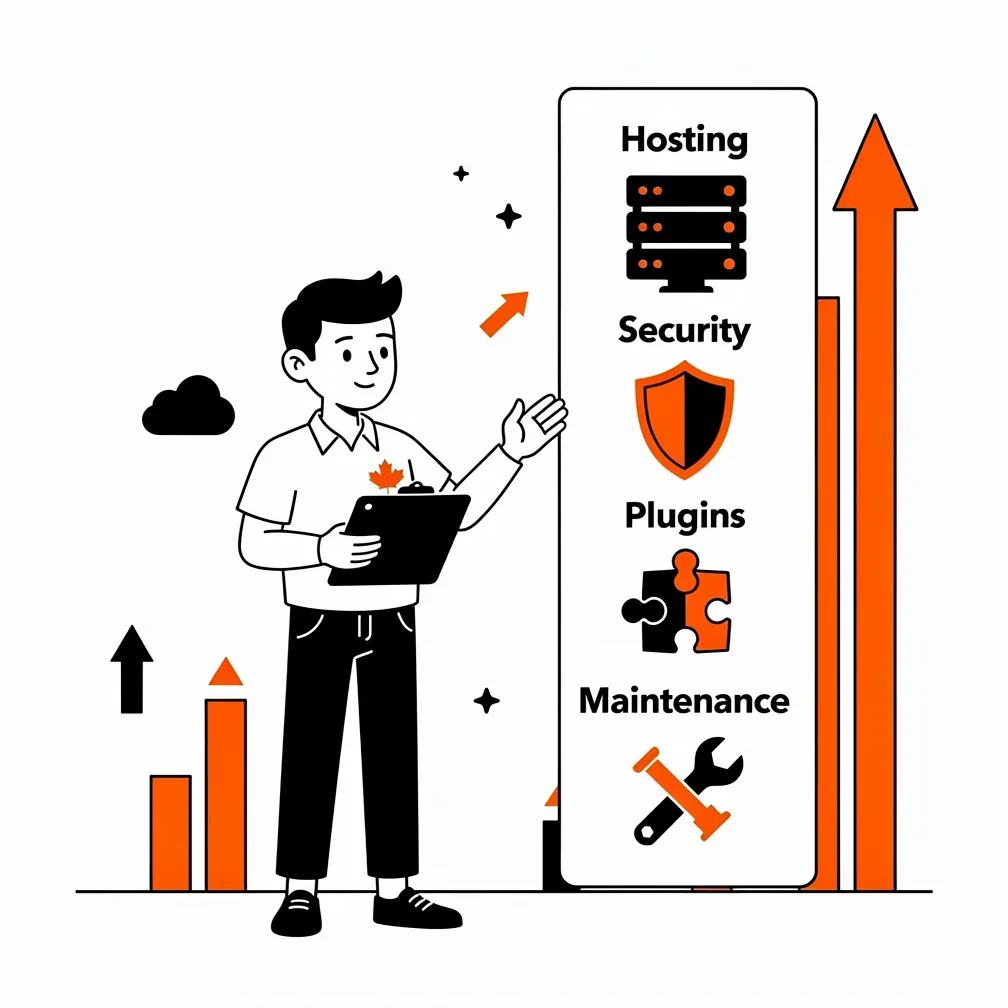
WordPress security vulnerabilities increased forty-two percent from 2024 to 2025, with over eleven thousand new vulnerabilities discovered across the WordPress ecosystem. That statistic isn’t meant to scare you: it’s context explaining why professional maintenance matters. Websites require regular updates: WordPress core updates multiple times yearly, plugin updates weekly or monthly, theme updates periodically, and security patches whenever vulnerabilities surface. Skipping updates leaves your site vulnerable to known exploits. Applying updates without testing occasionally breaks functionality.
Professional maintenance services cost fifty to five hundred dollars monthly in Canada depending on site complexity and service scope. Basic maintenance includes core WordPress updates, plugin and theme updates, security monitoring, backup verification, and limited support. Comprehensive maintenance adds performance monitoring, uptime monitoring, malware scanning, broken link checks, technical SEO audits, and priority support. For businesses dependent on their website for revenue or reputation, maintenance isn’t optional; it’s insurance against downtime, data loss, security breaches, and the costly emergency repairs required when neglected sites eventually fail.
For more detail on why hosting location matters for Canadian businesses, see our guide on Canadian hosting for WordPress.
Typical Monthly Ownership Budget (Hosting + Maintenance + Marketing Tools)
Once your WordPress site launches, monthly operational costs begin. Understanding typical monthly budgets helps you plan realistic ongoing expenses rather than being surprised by accumulated recurring fees.
Maintenance Plans vs “Break/Fix” Costs
Two approaches exist for WordPress maintenance: proactive maintenance plans or reactive “break/fix” crisis management. Maintenance plans bundle regular updates, monitoring, backups, and support into predictable monthly fees, typically fifty to three hundred dollars monthly for small to medium business sites. When issues arise, they’re addressed as part of the plan. When updates need testing, that’s covered. When questions come up, support responds without additional charges.
The break/fix approach skips ongoing maintenance fees, saving money monthly until something breaks. Then you’re paying emergency rates, often one hundred fifty to three hundred dollars per hour, to fix issues that could have been prevented through regular maintenance. A hacked website requiring malware cleanup and restoration runs five hundred to two thousand dollars or more. A failed plugin update breaking site functionality costs two hundred to eight hundred dollars in emergency repair work. Most businesses discover that proactive maintenance costs less annually than reactive emergency fixes, while delivering the bonus of preventing downtime and lost revenue during crisis periods.
Typical monthly ownership budgets for Canadian small businesses break down roughly like this: twenty-five to one hundred dollars for hosting, fifty to three hundred dollars for maintenance, zero to one hundred dollars for premium plugins and tools, twenty to one hundred dollars for email marketing platforms, and ten to fifty dollars for security and backup services. Total monthly operational costs typically range from one hundred five dollars to six hundred fifty dollars, or approximately twelve hundred sixty to seven thousand eight hundred dollars annually. That’s the realistic ongoing cost of professional WordPress website ownership not scary when you plan for it, but definitely material when you don’t.
Our detailed look at WordPress backup strategy and the 3-2-1 rule explains how proper backup planning protects your investment.
Example Budgets for Three Common Small-Business Models
Abstract price ranges only help so much. Let’s examine specific budget examples for three common Canadian small-business website models: local service businesses, professional services firms, and e-commerce operations.
Local Service Business Lead-Gen Site
A local contractor, landscaper, plumber, or home services business needs a straightforward website generating phone calls and contact form submissions. This site typically includes five to ten pages: home, about, services, service area, testimonials, contact. Essential features include mobile-responsive design, click-to-call phone numbers, contact form, service area map integration, photo galleries showcasing past work, and local SEO optimization targeting geographic search terms.
Budget estimate: Initial development through a freelancer or small agency costs twenty-five hundred to six thousand dollars. Hosting on managed WordPress hosting runs thirty to sixty dollars monthly. Maintenance plan costs eighty to one hundred fifty dollars monthly. Annual plugin renewals (form builder, SEO tool, backup) add one hundred fifty to three hundred dollars yearly. Total first-year cost: five thousand to ten thousand dollars. Ongoing annual cost after year one: seventeen hundred to three thousand dollars. This investment delivers a professional website generating consistent leads, establishing credibility, and operating reliably without demanding owner attention for technical management.
Professional Services (Clinic, Law, Accounting)
Professional service firms: medical clinics, law offices, accounting practices, consulting firms require websites balancing professionalism, credibility, and functionality. These sites typically include ten to fifteen pages: home, about the firm, team member profiles, service descriptions, resources or blog, testimonials, contact. Features often include appointment booking integration, secure client portal or document upload, blog for content marketing, newsletter signup, professional photography, and detailed service descriptions addressing common client questions.
Budget estimate: Initial development through an agency costs six thousand to fifteen thousand dollars, reflecting the strategic positioning, professional copywriting, and credibility-building features essential for professional services. Hosting costs forty to eighty dollars monthly for reliable managed WordPress hosting. Maintenance runs one hundred fifty to three hundred dollars monthly given the importance of security and uptime for client-facing practices. Annual plugin and tool renewals add three hundred to six hundred dollars. Total first-year cost: nine thousand to twenty-three thousand dollars. Ongoing annual cost: three thousand to five thousand five hundred dollars. Professional service firms understand this investment as cost of doing business—their website serves as always-available representative communicating expertise, building trust, and facilitating client acquisition.
E-commerce / Catalog + Payments
Small e-commerce operations selling physical or digital products online require substantially more complex implementations than brochure websites. A basic e-commerce site includes product catalog with twenty to one hundred products, shopping cart and checkout flow, payment gateway integration (Stripe, PayPal, or others), shipping rate calculation, tax collection setup, order management system, customer account creation, and email notifications throughout the purchase process.
Budget estimate: Initial WooCommerce development costs eight thousand to twenty thousand dollars depending on product complexity, customization requirements, and design sophistication. E-commerce hosting requires more robust infrastructure—expect sixty to one hundred fifty dollars monthly for managed WooCommerce hosting delivering the performance and reliability online stores require. Maintenance costs two hundred to four hundred dollars monthly given the critical importance of security, backup, and uptime for revenue-generating sites. Payment processing fees (2.9% plus thirty cents per transaction through Stripe) quickly exceed all other costs at meaningful sales volumes, a store processing ten thousand dollars monthly pays approximately three hundred dollars monthly in transaction fees alone. Premium plugins for advanced functionality, email marketing integration, and analytics add four hundred to one thousand dollars annually.
Total first-year cost: fourteen thousand to thirty-five thousand dollars. Ongoing annual cost: six thousand to twelve thousand dollars plus transaction fees. E-commerce represents the highest-investment WordPress model, but it’s also the model most directly generating revenue. When planned properly, e-commerce sites deliver clear return on investment through direct sales, making the investment justifiable for businesses with viable products and realistic sales expectations.
How to Get an Accurate Quote (Requirements Checklist)
Accurate quotes require clear requirements. The more specific information you provide to agencies or freelancers during initial consultations, the more accurate and complete their proposals will be. Vague requests like “I need a website for my business” generate vague estimates with wide ranges and inevitable scope creep. Detailed requirements produce accurate quotes reflecting actual project scope.
Questions a Good Agency Will Ask
Professional agencies begin projects with discovery conversations, not immediate proposals. Expect questions exploring multiple dimensions of your project: What business problem should this website solve? What specific actions should visitors take on your site? Who are your ideal customers, and what information do they need? Who are your primary competitors, and how should your site differentiate from theirs? What existing content, photography, or brand materials do you have available? Do you need copywriting, or will you provide all written content?
Technical questions follow: How many pages do you envision? What functionality beyond standard pages do you need: booking systems, e-commerce, member login, forms, integrations? Do you have hosting already, or should that be included? Do you need domain registration or email setup? What’s your timeline: do you have a specific launch deadline? What happens after launch: do you want ongoing maintenance included, or will you handle updates yourself?
Budget questions matter too: What’s your realistic budget for this project? Are you evaluating multiple proposals, and what criteria will determine your decision? When agencies ask about budget, they’re not trying to extract maximum fees: they’re ensuring proposals align with your reality and scope recommendations fit within your constraints. A ten-thousand-dollar budget generates different recommendations than a forty-thousand-dollar budget, and honest budget conversations from the start prevent disappointment and wasted time.
When you contact agencies for quotes, prepare answers to these questions in advance. Document your requirements in a simple brief: business overview, website goals, key pages and features, content status, timeline, and budget range. Agencies receiving clear briefs deliver better proposals faster, and you’ll find comparing proposals easier when they’re responding to consistent requirements rather than interpreting vague requests differently.
Red Flags and Cost Traps
Not every low price represents good value, and not every high price reflects quality. Learning to recognize red flags helps you avoid costly mistakes and identify providers likely to deliver successful outcomes.
Cheap Builds That Become Expensive Later
Proposals dramatically below market rates like fifteen hundred dollars for a “fully custom” twenty-page e-commerce site signal problems. Extremely low prices typically indicate offshore development with language barriers and quality issues, inexperienced developers learning on your project, developers cutting corners on security, performance, or best practices, or incomplete scope missing essential elements you’ll pay extra to add later. The pattern repeats constantly: client accepts cheap quote, project delivers subpar results, client pays second developer to fix issues and rebuild properly, total cost exceeds what professional development would have cost initially.
Watch for proposals omitting essential elements. Any professional website proposal should explicitly address hosting, domain and SSL, responsive mobile design, basic SEO setup, content management training, testing across browsers and devices, and post-launch support terms. If these aren’t mentioned, ask specifically. Unpleasant surprises emerge when you discover hosting isn’t included, the site doesn’t work on phones, or the developer disappears after launch leaving you unable to make basic edits.
Contracts without clear scope boundaries create cost traps too. Unlimited revisions sound appealing until you realize every small change generates another invoice. Fixed-price projects without defined page counts or feature lists let developers claim anything beyond their minimal interpretation costs extra. Protect yourself with clear contracts: specific deliverables, defined revision rounds, itemized inclusions and exclusions, payment schedule tied to milestones, and explicit post-launch support terms.
Consider the difference between owning your website and renting it. Some providers offer attractively low monthly fees that include hosting, maintenance, and site access but you never actually own the website. When you stop paying monthly fees, your site disappears. You can’t move to another host. You can’t take your content. You’re locked into a perpetual subscription. We strongly prefer models where clients own their websites, hosting accounts, and domains outright. For perspective on ownership importance, our article on why owning your data and website is crucial explores this critical consideration.
FAQ (Timeline, Content Migration, SEO Impact, Maintenance)
How long does it take to build a WordPress website in Canada?
Timeline varies by complexity and developer availability. Basic five-to-ten-page brochure sites typically require six to eight weeks from kickoff to launch. Moderate complexity sites with custom functionality take eight to twelve weeks. Complex projects with extensive integrations, custom development, or e-commerce functionality often require twelve to twenty-four weeks. Rush timelines are possible but usually cost premium rates and risk quality compromises.
What about content? who writes the text for my website?
Three options exist. First, you provide all content, and the developer simply places it into the design. This saves money but requires your time and writing skill. Second, the developer or agency provides professional copywriting as part of the project, adding typically fifteen hundred to five thousand dollars depending on page count and copy complexity. Third, you hire a separate copywriter who coordinates with your developer. We typically recommend option two for clients who recognize the value of professional copy but want simplified coordination. Professional copywriting isn’t decoration strategic copy that addresses customer questions, establishes credibility, and guides visitors toward conversion significantly impacts website effectiveness.
Will rebuilding my website hurt my search rankings?
Not if handled properly. Rebuilding sites creates SEO risks: URLs changing breaks existing links from other sites, content being lost or altered reduces keyword relevance, redirect configurations failing leaves search engines unable to find pages, and technical SEO elements being missed during migration loses optimization gains. Professional developers mitigate these risks through comprehensive redirect mapping from old URLs to new ones, content audits ensuring key pages transfer completely, technical SEO checklist implementation covering all ranking factors, and post-launch monitoring to catch and fix issues quickly. When done right, website redesigns often improve rankings by enhancing site speed, mobile responsiveness, and content quality.
Can’t I just do maintenance myself and save the monthly fee?
You can, and many business owners do. The question is whether that makes strategic sense. Maintenance tasks include monitoring for updates to WordPress core, themes, and plugins; testing updates in staging environment before applying to live site; applying updates and verifying nothing broke; monitoring uptime and performance; checking security logs for intrusion attempts; verifying backups completed successfully; monitoring for broken links and fixing them; and troubleshooting issues when they arise. For someone comfortable with WordPress and willing to invest several hours monthly staying current, DIY maintenance works. For busy business owners lacking technical confidence, paying professionals to handle maintenance buys peace of mind and frees time for revenue-generating activities. One approach isn’t universally better, the right answer depends on your skills, available time, and comfort with technical tasks.
What happens if my developer or agency goes out of business?
This risk is why owning your website, hosting account, and domain matters so much. If you own everything and hold administrative access, you can move to a new provider relatively easily even if your current developer becomes unavailable. If the developer owns your hosting or domain, you face serious problems accessing and moving your site. Always insist on owning your domain registration, hosting account, and website files. Reputable developers and agencies should provide this as standard practice and document all administrative credentials securely so you maintain access.
How much does it cost to maintain a WordPress site if I outsource it?
Canadian WordPress maintenance services cost fifty to five hundred dollars monthly depending on scope and site complexity. Basic maintenance (fifty to one hundred fifty dollars monthly) includes core and plugin updates, security monitoring, backups, and limited support. Standard maintenance (one hundred fifty to three hundred dollars monthly) adds performance monitoring, uptime monitoring, broken link checks, and expanded support hours. Premium maintenance (three hundred to five hundred dollars or more monthly) includes all previous services plus strategic consulting, priority support, advanced security hardening, and proactive optimization. E-commerce sites and mission-critical business sites typically require standard or premium tiers given the significant consequences of downtime or security issues.

Positioning WP Expert as Your Transparent WordPress Partner
After reading several thousand words about WordPress costs, you probably have a clearer picture of what to expect when building or redesigning a site in Canada. But you might also feel slightly overwhelmed by the complexity, the variables, and the decisions required. That’s completely normal, WordPress website projects involve dozens of choices that collectively determine whether your investment delivers expected returns or falls short.
We founded WP Expert over ten years ago specifically to serve Canadian small and medium-sized businesses seeking WordPress websites that actually work as business tools, not just digital brochures. We’ve built hundreds of sites across industries, and we’ve learned that successful projects share common characteristics: clear communication from the start, realistic scope and budget alignment, strategic thinking applied before design begins, comprehensive attention to performance and security, and partnership continuing beyond launch day.
Our pricing reflects transparent, competitive Canadian market rates: professional brochure sites typically range from five thousand to twelve thousand dollars depending on page count and features, e-commerce implementations start around ten thousand dollars and scale based on catalog size and customization, and custom development projects with advanced functionality are quoted individually after thorough discovery. We bundle hosting, maintenance, security, and support into care plans starting at one hundred forty-nine dollars monthly, eliminating the hassle of coordinating multiple vendors and ensuring your site receives consistent professional attention.
What distinguishes our approach? We ask detailed questions during discovery, not because we’re indecisive but because websites solving business problems require understanding those problems first. We recommend appropriate scope for your goals and budget rather than maximizing project size. We provide fixed-price quotes for defined scope so you know exactly what you’re paying before work begins. We deliver websites fast enough to respect your timeline but never so rushed that quality suffers. And we remain available after launch as long-term partners, not disappearing contractors, helping your website evolve as your business grows.
If you’re planning a WordPress website project in Canada and want transparent guidance, accurate pricing, and partnership from a team that genuinely cares about your success, we should talk. Request a free estimate through our website, and we’ll schedule a discovery conversation exploring your goals, requirements, timeline, and budget. You’ll receive a detailed proposal within a few business days clearly outlining scope, deliverables, timeline, investment, and terms. No pressure, no obligation, just honest professional guidance helping you make informed decisions about your website investment.
Canadian businesses deserve WordPress partners who operate transparently, communicate clearly, deliver professionally, and remain accountable long after launch day. That’s exactly what we’ve built WP Expert to provide. Let’s explore whether we’re the right partner for your next WordPress project.
Frequently Asked Questions
How much does it really cost to build vs. own a WordPress site in Canada?
Building a WordPress site in Canada starts at $0 – $1,500 for DIY options but climbs to $15,000 – $25,000+ for agency builds, while ongoing ownership adds $105 – $650 monthly for hosting, maintenance, and plugins—often doubling your total spend over five years. This split frustrates many small-business owners who overlook recurring fees until bills pile up.
Why does “free WordPress” end up costing so much for Canadian businesses?
WordPress software is free, but you still need Canadian hosting ($5 – $100/month), domains ($10 – $20/year), premium plugins/themes ($500 – $2,000/year), and your time fixing issues; turning “free” into thousands annually plus opportunity costs from hours lost on updates. Skip this trap by budgeting realistically from day one to avoid DIY headaches.
What’s the difference between freelancer, agency, and DIY WordPress pricing in 2026?
DIY costs $0 – $1,500 but demands your time with no support; freelancers charge $1,500 – $10,000 for solid work yet offer limited scope; agencies run $5,000 – $25,000+ with strategy, testing, and ongoing partnership; ideal if reliability trumps budget. Choose based on your skills and growth needs to prevent cheap builds becoming expensive fixes later.
How do e-commerce or booking features inflate WordPress costs for small businesses?
Adding WooCommerce e-commerce jumps builds to $8,000 – $20,000+ due to payments, inventory, and testing, while booking systems add $2,000–$8,000 for calendars and reminders—plus higher maintenance ($200 – $400/month) for security. These pay off for revenue drivers but delay if they’re not core; start simple and scale to match your sales goals without overbuilding.
Is proactive maintenance worth $50 – $500 monthly, or should I DIY to save money?
Proactive plans ($50 – $300/month) handle updates, security, and backups predictably, avoiding “break/fix” emergencies ($500 – $2,000 per hack) saving time and revenue for busy owners. DIY works if you’re tech-savvy with hours to spare, but most find pros cheaper long-term by preventing downtime that kills leads.