Transform Your WordPress Site with the Abilities API
Your WordPress website isn’t just sitting there anymore—it’s about to become a conversation partner. While that might sound like something out of a sci-fi novel, the reality is far more practical and considerably more powerful. The WordPress Abilities API landed in WordPress 6.9, and it fundamentally changes how external systems—including AI agents—can understand and interact with your site.
We’ve spent considerable time testing this technology with our clients, and the implications for small and medium businesses are significant. This isn’t about replacing your team with robots. It’s about making your WordPress installation speak a language that automation tools, diagnostics platforms, and yes, AI assistants can actually understand.
Table of Content
What the Abilities API Actually Does
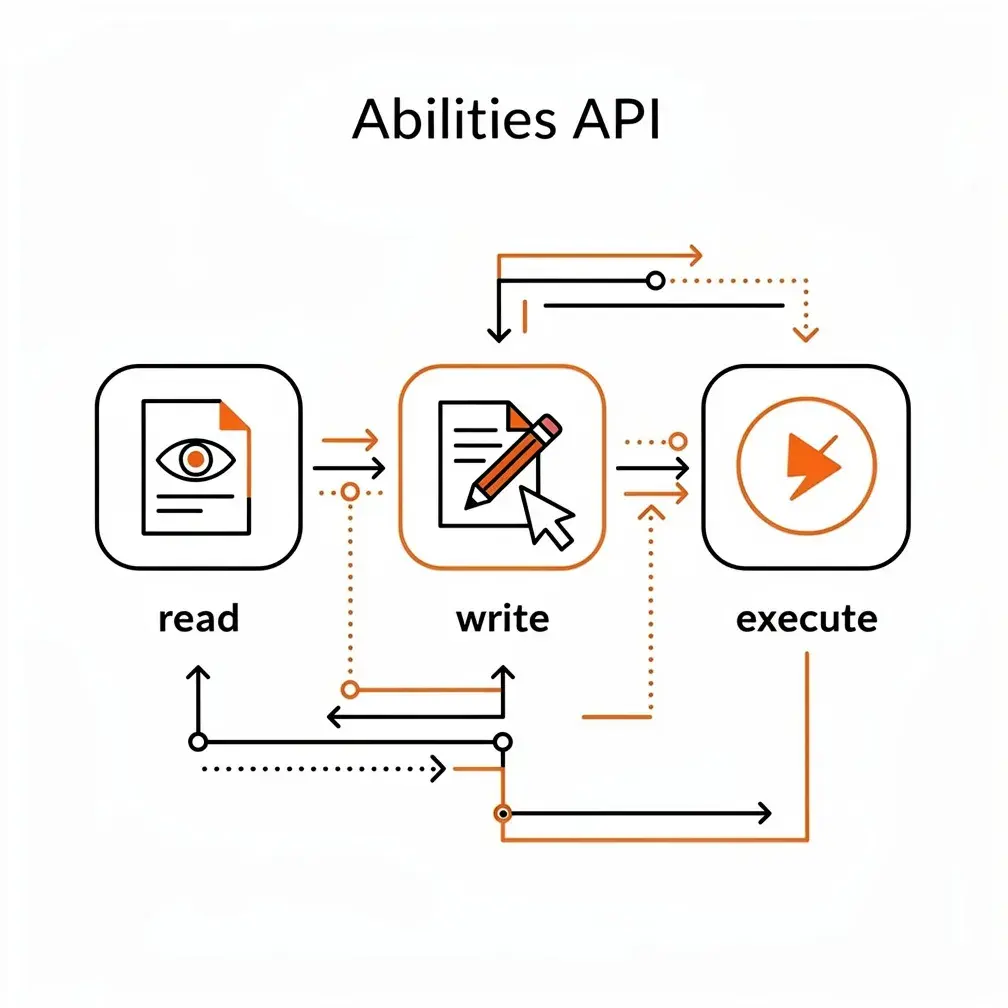
Think of the Abilities API as a detailed instruction manual for your WordPress site—except this manual is written in a format that machines can read and execute. Every time you register an ability, you’re essentially telling external systems: “Here’s something my site can do, here’s what information you need to provide, here’s what you’ll get back, and here’s who’s allowed to do it.”
The API creates a central registry where plugins, themes, and custom code describe discrete operations with machine-readable inputs, outputs, permissions, and execution logic. An ability might be “retrieve site diagnostics,” “create a draft post,” or “check product inventory.” Each one includes structured schemas that define exactly what data goes in and what comes out.
This standardization matters because it separates your business logic from any specific AI provider or automation platform. You define an ability once, and it can be used by PHP code, JavaScript applications, REST API clients, command-line tools, automation platforms, and—through an adapter—AI agents. If a new protocol emerges or you switch AI providers, your abilities remain intact.
How the Architecture Fits Together
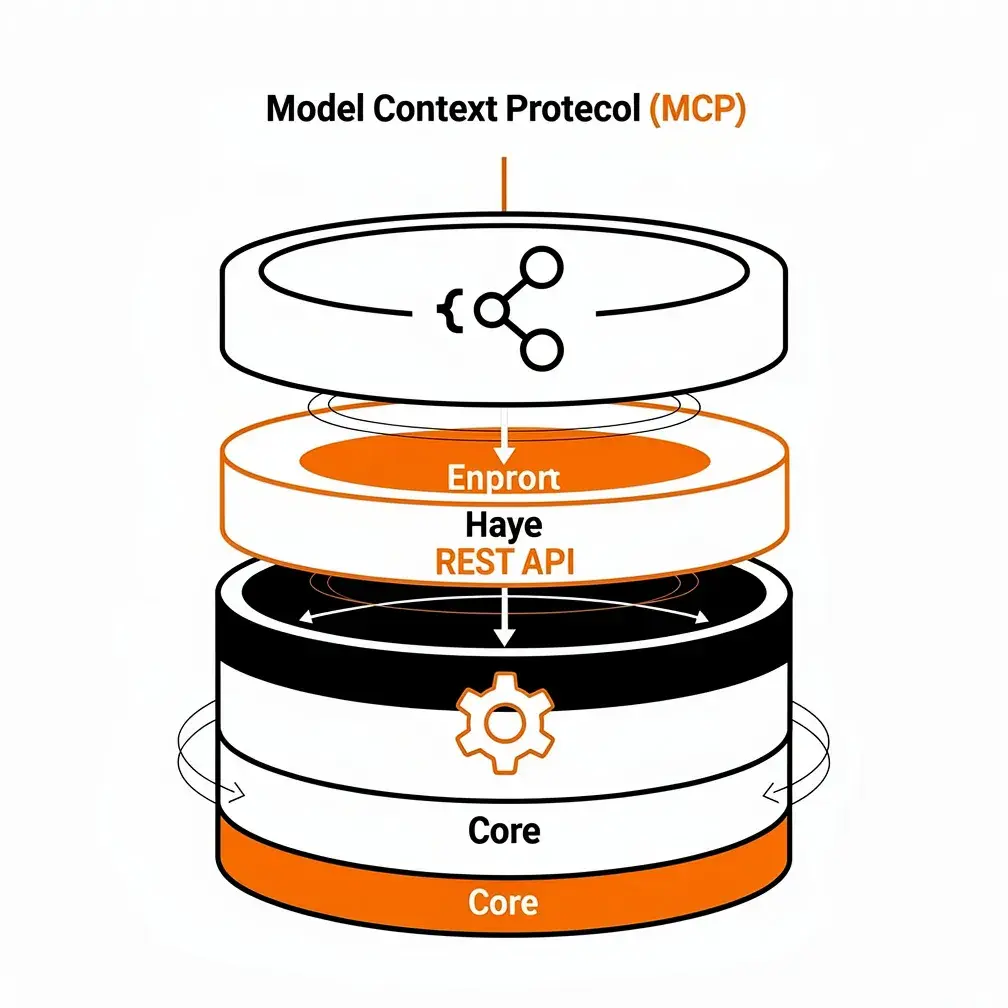
The Abilities API works in layers. At the foundation, WordPress itself provides the registry where abilities are stored with their schemas, descriptions, and callbacks. Above that, WordPress roles and capabilities determine what authenticated users can do—the Abilities API doesn’t replace these permissions, it enforces them through permission callbacks.
The REST API layer lets authenticated external systems discover and execute abilities via HTTP requests. WordPress 7.0 added client-side JavaScript support, enabling browser-based actions and reactive admin interfaces. And sitting separately from all of this is the Model Context Protocol (MCP) Adapter, which translates selected WordPress abilities into tools that AI agents can discover and invoke.
This separation is strategic. Your site’s business logic remains independent of any single AI model, chat interface, or protocol specification. The architecture ensures that your investment in developing abilities pays dividends across multiple integration points.
The Evolution from 6.9 to 7.1
WordPress 6.9 introduced the server-side Abilities API in December 2025, establishing the foundational infrastructure. It was enough to register operations and expose them through REST, but the developer experience was still rough around the edges.
WordPress 7.0 arrived in May 2026 with client-side JavaScript support, bringing abilities into the browser environment and enabling new reactive workflows. But WordPress 7.1, released in August 2026, is where the API shifted from foundation to practical toolkit.
The 7.1 improvements include unified external exposure metadata, portable JSON schemas that work across REST, MCP, and frontend validation, filtered discovery by category or namespace, custom validation hooks, execution lifecycle controls, and comprehensive auditing through action hooks. These aren’t theoretical enhancements—they address real problems we encountered when implementing abilities for client sites.
For agencies working with clients today, WordPress 7.1.3 or higher should be your production baseline. The maturity improvements in 7.1 make ability registration, permission enforcement, and troubleshooting significantly more straightforward than in earlier versions.
Anatomy of a Properly Registered Ability
A well-constructed ability includes several essential components. It starts with a unique, action-oriented name using namespace/ability-name format—something like agency-support/get-site-health or agency-content/create-draft. The namespace prevents conflicts between plugins and clearly identifies the source.
Each ability requires a human-readable label and precise description, plus one registered category for organization. The input and output schemas use WordPress’s supported subset of JSON Schema Draft 4, defining the shape and types of data that flow through the ability.
Two callbacks are mandatory: the execute callback that performs the actual work, and the permission callback that returns a boolean or WP_Error to enforce authorization. Never use __return_true as a permission callback for abilities that modify data.
Behavioral Annotations That Matter
WordPress allows you to annotate abilities with behavioral flags. Marking an ability as read-only signals that it doesn’t modify data, which is crucial for building trust with external systems. The destructive flag indicates operations that delete or significantly alter data. Idempotent abilities can be safely called multiple times with the same result.
Exposure metadata controls how abilities surface to external clients. The public flag indicates discoverability—not unauthenticated access. Channel-specific settings like show_in_rest or MCP exposure can override the public default for particular integration types.
When WordPress executes an ability through REST, it follows a consistent sequence: normalize and validate input, run the permission check, execute the callback, validate the output against the schema, and return the result or structured error. This standardization eliminates entire categories of integration bugs.
Discovery and Execution Interfaces
The Abilities API provides multiple ways to interact with registered abilities. In PHP, you have functions like wp_register_ability(), wp_has_ability(), wp_get_abilities(), and their category equivalents. These form the basis of custom integrations and plugins.
REST-visible abilities use the wp-abilities/v1 namespace with endpoints for listing categories, retrieving individual ability contracts, and executing abilities. All endpoints require authentication, and execution must pass both WordPress authentication and the ability’s own permission callback.
We’ve found WP-CLI particularly valuable for deployment and support work. Commands like wp ability list, wp ability exists, wp ability can-run, and wp ability run let you test and validate abilities without involving a browser or AI model. This makes them perfect for continuous integration tests, smoke tests after deployments, and troubleshooting permission issues.
What Core Includes Out of the Box
WordPress 6.9 and later include three foundational Core abilities: core/get-site-info returns selected WordPress site information, core/get-user-info provides data about the authenticated user, and core/get-environment-info delivers runtime, PHP, database, and environment details useful for compatibility checks.
These were designed primarily as examples and testing abilities rather than comprehensive functionality. Additional abilities proposed for WordPress 7.2 will expand content management capabilities, but agencies should plan to register custom abilities that align with their specific client workflows.
Practical Use Cases for Canadian and US Businesses
We’ve identified several risk tiers for ability implementation based on our work with small and medium businesses. Low-risk abilities include public content inventory, broken link reports, sitemap inspection, published content metadata, and cache status checks. These are read-only, well-scoped, and unlikely to cause problems even if overused.
Low-to-moderate risk abilities cover site health summaries, plugin version reports, uptime diagnostics, and compatibility checks. These read system information that could be sensitive but don’t modify anything. Create a dedicated support user with minimal capabilities and redact environment secrets from outputs.
Moderate-risk operations like creating drafts, populating custom fields, generating SEO metadata, or creating support tickets require schema limits, activity logging, and human review before content goes live. The draft-only pattern—where abilities can create but never publish—is particularly useful here.
High-Risk Operations Require Explicit Controls
Publishing content, updating plugins, clearing production data, moderating users, or changing configuration falls into the high-risk category. These require object-level authorization, revision support, preview-and-confirmation workflows, complete backups, and preferably testing on staging environments first.
Very high-risk abilities that delete content, modify payment data, change administrator access, or install executable code should not be exposed by default. When business requirements demand them, implement tightly scoped workflows, step-up approval mechanisms, complete audit trails, and procedures for rapid credential revocation.
Good agency-specific abilities might include agency-support/create-support-ticket, agency-content/audit-accessibility, agency-seo/audit-post-metadata, agency-commerce/get-low-stock-products, or agency-maintenance/request-staging-update. Notice how each action is narrow and specific—request-staging-update is safer than a general-purpose ability that can install, activate, deactivate, update, or delete arbitrary plugins.
Security Controls You Cannot Skip
Start with read-only abilities and expand gradually. WordPress’s own guidance emphasizes beginning with a small set of non-destructive operations and adding more only after you’ve validated permissions, monitoring, and rollback procedures.
Never authenticate an AI agent or automation tool as your client’s administrator account. Create dedicated agent users with only the capabilities required by exposed abilities. This principle of least privilege is fundamental to WordPress security.
Enforce permissions inside every ability’s permission callback. The public flag, REST visibility, and MCP visibility are about discoverability—they are not authorization. Check not just whether the user has edit_posts capability, but whether they can edit the specific post, order, or custom object supplied in the input.
Prepare for Prompt Injection Attacks
Content read by an AI agent can contain malicious instructions that attempt to manipulate the agent’s behavior. This is called prompt injection, and it’s a genuine concern when agents read user-generated content, comments, form submissions, or product reviews. OWASP lists prompt injection, data exfiltration through legitimate tool calls, and over-scoped credentials as major risks when using MCP.
Separate read and write operations into distinct abilities. This makes permissions clearer, approvals easier to implement, monitoring more specific, and revocation more granular. Require confirmation for consequential actions—publishing, deletion, commerce operations, user changes, and configuration edits should follow a propose-review-execute pattern.
Log invocations and outcomes, but redact secrets. Record the ability name, user, timestamp, result status, approval status, and affected object IDs. Do not log passwords, API tokens, prompts containing personal information, or sensitive output data.
Use revocable credentials like WordPress application passwords for external integrations. Store them outside source control and rotate or revoke them when clients, team members, or vendors change. Patch your entire stack—Core, the MCP Adapter, AI plugins, and any plugins that register abilities all become part of your attack surface.
Canadian and US Privacy Considerations
Canadian privacy regulators advise businesses using generative AI to establish lawful authority for collecting and using personal information, obtain valid consent where required, maintain transparency about AI use and privacy risks, limit disclosure of sensitive data, and build privacy protections into systems by design.
For Canadian clients, this means an AI agent shouldn’t automatically receive unrestricted access to form submissions, customer records, user profiles, WooCommerce orders, membership content, or health data. Document the purpose of the integration, which fields are exposed, which service providers receive data, your retention policy, access controls, and deletion procedures.
In the United States, the FTC warns that companies must honor representations about how customer information is used, including promises that data won’t secretly train or update AI models. NIST’s generative AI guidance emphasizes legal compliance, privacy, cybersecurity, access control, and protection against unauthorized disclosure.
For US clients, align your agent integration with privacy notices, vendor contracts, applicable state privacy laws, sector-specific requirements, and the data-use practices of your chosen AI provider. We recommend reviewing these alignments quarterly as both regulations and AI capabilities continue to evolve.
Signs of Ecosystem Adoption
Major WordPress ecosystem players are already implementing Abilities API support. Advanced Custom Fields 6.8 can expose field groups, custom post types, taxonomies, and related content through abilities, with access opt-in at both global and content-model levels.
Yoast SEO introduced abilities that let compatible tools read and update post SEO information through standardized interfaces. WooCommerce Memberships 1.28.0 began registering abilities, while broader WooCommerce MCP work uses the Abilities API as its underlying action registry. MainWP documents Abilities API support for discovering and invoking site management functionality.
These integrations suggest that agencies will increasingly manage an ability ecosystem assembled from Core, commercial plugins, custom plugins, and protocol adapters. An ability inventory should become part of your standard security and maintenance audits—you need to know what functionality your clients’ sites expose and to whom.
Your Implementation Roadmap
Phase one is inventory and governance. Update production sites to WordPress 7.1.3 or later. Enumerate existing abilities using wp ability list and record each ability’s namespace, purpose, permissions, visibility settings, data touched, and risk level. Identify plugins that expose abilities automatically or through opt-in settings. Agree with clients on ownership, approved AI providers, data restrictions, and emergency revocation procedures.
Phase two introduces a read-only pilot. Create one dedicated agent user with minimal capabilities. Expose two or three narrowly scoped read-only abilities. Test locally or on staging through WP-CLI before introducing MCP or REST access. Add invocation logging, error monitoring, rate limiting, and credential rotation. Verify that hidden, draft, private, and personally identifiable data remain inaccessible.
Controlled Workflow Automation
Phase three adds controlled workflow automation. Introduce draft creation, reporting, ticket creation, or staging-only maintenance abilities. Require human approval before publication or production changes. Make write operations idempotent where practical to prevent duplicate actions. Test rollback and incident response procedures on staging before production deployment.
Phase four packages these capabilities into a managed agent support service. This ongoing service includes ability and credential inventories, quarterly permission reviews, plugin and MCP compatibility testing, AI provider and privacy impact reviews, agent call monitoring, custom ability development, staging and regression testing, and procedures for emergency agent access suspension.
This service model aligns well with WordPress maintenance plans and care packages that many Canadian and US agencies already offer. It transforms AI readiness from a one-time project into an ongoing governance and support relationship.

Why This Matters for Your Agency Now
WordPress powers approximately 39.6% of all websites and holds 58.4% of the known CMS market. Even incremental adoption of AI agents could affect millions of sites requiring implementation, governance, maintenance, and support. About 18% of US firms had adopted AI by the end of 2025, while 12.2% of Canadian businesses used AI in 2025—double the 2024 share—and another 14.5% planned adoption within twelve months.
Your clients are already encountering AI-powered tools in their daily work. They’re beginning to expect similar capabilities in their website workflows—content assistance, automated reporting, intelligent diagnostics, and conversational support interfaces. The Abilities API gives you a structured, secure way to provide those capabilities without coupling your clients’ business logic to a single AI vendor.
Preparing a WordPress site for AI agents is fundamentally an architecture, permission, maintenance, and governance project—not simply installing a plugin. Agencies that convert custom workflows into small reusable abilities today position themselves to support both conventional automation and future AI agents through the same infrastructure.
The WordPress Abilities API makes your clients’ websites understandable to software agents by turning functionality into typed, discoverable, permission-aware contracts. It doesn’t make a site AI-powered by itself—you still need an AI client and typically a protocol adapter. But machine-readable does not mean publicly executable. Exposure, authentication, WordPress permissions, object-level authorization, and human approval remain separate, essential controls.
We’ve watched WordPress evolve over a decade, and the Abilities API represents one of the most significant architectural additions in recent memory. It’s not about replacing human judgment—it’s about making WordPress fluent in the language that the next generation of tools speaks.
Frequently Asked Questions
What is the WordPress Abilities API?
The WordPress Abilities API lets plugins, themes, and custom code describe specific site actions in a machine-readable format. Each ability defines its inputs, outputs, execution logic, and permissions. This allows PHP code, JavaScript, REST clients, WP-CLI tools, automation platforms, and AI agents to discover and use the same functionality without tying your business logic to one AI provider or integration platform.
Does making an ability public allow anyone to use it?
No. The public setting controls discoverability, not authorization. REST and MCP visibility determine where an ability appears, while authentication and the ability’s permission callback determine whether it can run. Every ability should enforce appropriate WordPress capabilities and, for actions involving specific posts, orders, or users, verify object-level permissions as well.
Which WordPress version should agencies use for production abilities?
WordPress 6.9 introduced the server-side foundation, while 7.0 added client-side JavaScript support. WordPress 7.1 delivered more practical features, including portable schemas, filtered discovery, validation hooks, lifecycle controls, and auditing support. For production client sites, the content recommends WordPress 7.1.3 or higher because registration, permissions, and troubleshooting are more mature.
What are the safest abilities to implement first?
Begin with narrowly scoped, read-only operations such as public content inventories, broken-link reports, sitemap checks, published metadata reviews, cache-status checks, and basic site-health summaries. Use a dedicated agent account with minimal capabilities, test on staging or through WP-CLI, and add logging and rate limits. Expand to draft creation or support tickets only after permissions and monitoring work reliably.
How can businesses protect AI-enabled WordPress workflows?
Separate read and write abilities, use dedicated users instead of administrator accounts, and require human approval for publishing, deletion, payment changes, user modifications, and configuration updates. Log ability calls and outcomes while redacting secrets and personal data. Protect against prompt injection, rotate application passwords, maintain backups, and review privacy obligations before exposing customer, order, form, or membership information.