
Unlock Nonprofit Success with Mobile-First Design
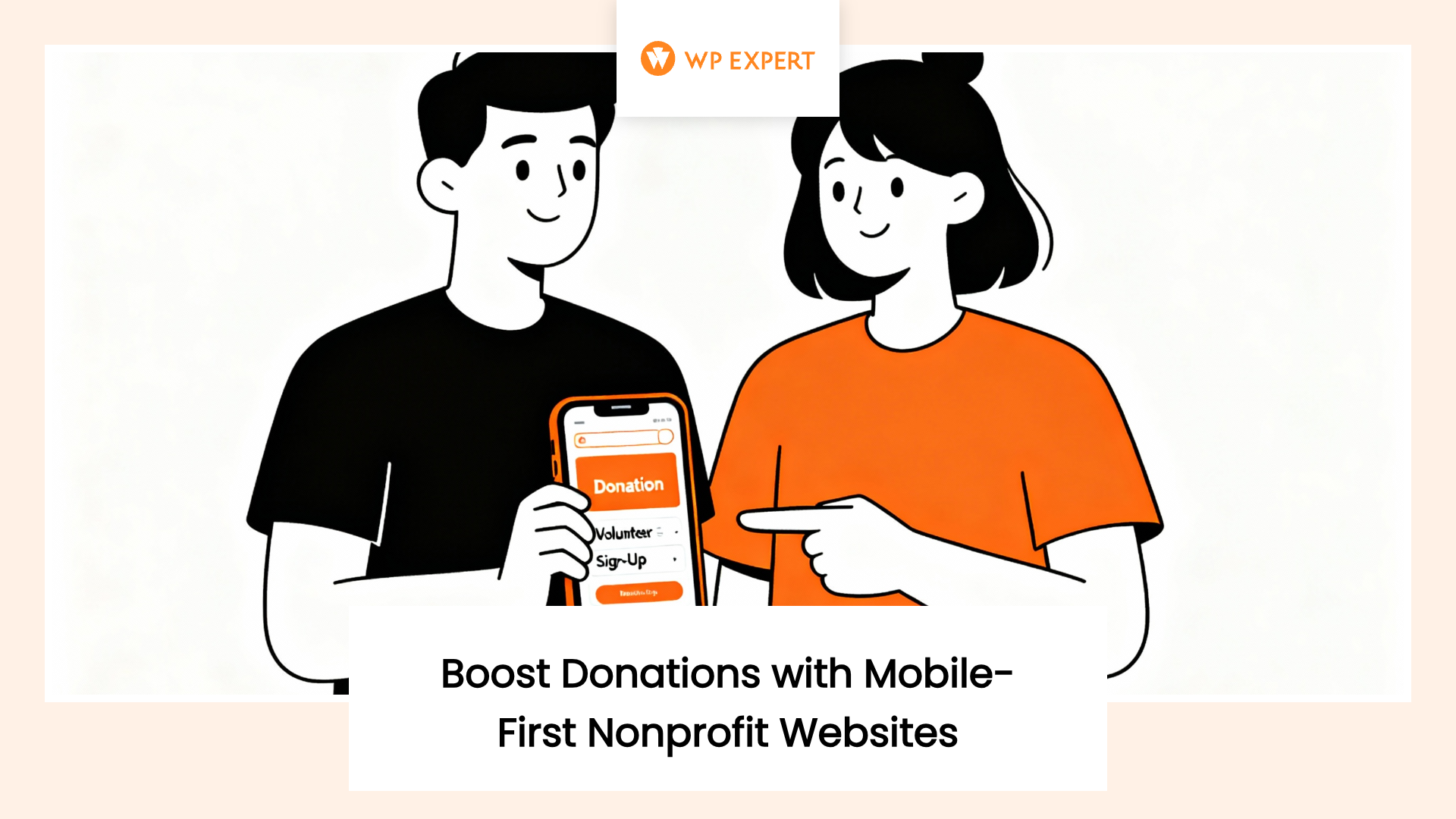
Picture this: someone pulls out their phone at a coffee shop, quickly searching for a nonprofit that aligns with their values. They land on your website. The page loads slowly. The text is tiny. The buttons don’t work. Within seconds, they’re gone, and so is their potential donation. This isn’t a hypothetical scenario. It’s happening right now to nonprofits across North America, and it’s costing organizations thousands in lost donations, volunteer sign-ups, and community engagement.
We’ve reached a tipping point in digital behavior. More than half of all nonprofit website traffic now comes from mobile devices, yet conversion rates on mobile remain stubbornly lower than desktop. The gap between where your supporters are (on their phones) and where your website performs best (on desktop) represents one of the most significant missed opportunities in nonprofit digital strategy today.

The solution isn’t just making your existing desktop site “work” on mobile devices. That’s responsive design, and while it’s better than nothing, it’s no longer enough. What nonprofits need in 2026 is a fundamental shift in thinking: mobile-first design that prioritizes the smaller screen experience from the very beginning, then scales up to larger devices. This approach doesn’t just improve mobile performance, it creates better experiences across all devices while dramatically increasing your chances of converting visitors into donors and volunteers.
The Mobile Reality: Data That Demands Action
The numbers tell a story that nonprofit leaders can no longer ignore. According to recent industry research, mobile users represented 53% of all visits to nonprofit websites, while desktop accounted for 47%. This mobile majority isn’t a future trend, it’s the current reality of how people interact with nonprofit organizations online.
Yet despite this mobile dominance in traffic, desktop users continue to outperform mobile users in actual conversions. Desktop visitors complete 55% of donation transactions and generate 70% of total revenue. The average desktop gift reaches $145 compared to only $76 on mobile devices. This performance gap reveals a critical truth: nonprofits are failing to optimize the mobile experience, leaving money on the table with every mobile visitor who bounces or abandons their donation.
The situation becomes even more urgent when we consider demographic trends. Generation Z, which now represents a significant portion of potential donors and volunteers, approaches digital engagement with a mobile-first mindset. For Gen Z donors and volunteers, mobile interactions aren’t supplementary they’re primary. When your website creates friction on mobile devices, you’re not just losing a transaction; you’re losing the opportunity to build relationships with the next generation of supporters.
Understanding Mobile-First vs. Responsive Design
Many nonprofits believe they’ve already solved the mobile problem because their website is “responsive.” While responsive design represents an important step forward from fixed-width desktop-only sites, it’s fundamentally different from mobile-first architecture.
Responsive design starts with a desktop layout and uses CSS media queries to adapt that layout for smaller screens. This approach often results in compromises: navigation that becomes awkward when condensed, images that load at desktop sizes then scale down (wasting bandwidth), and interactive elements designed for mouse cursors that frustrate touch-screen users.
Mobile-first design inverts this approach. Designers and developers start by creating an optimal experience for the smallest screens, focusing ruthlessly on core content and functionality. As screen size increases, they progressively enhance the experience with additional features and visual flourishes that larger screens can accommodate. This methodology ensures that the mobile experience where most of your traffic originates never suffers from compromises made to accommodate desktop preferences.
The practical implications of this distinction become clear in real-world usage. A responsive nonprofit site might shrink its desktop navigation menu into a hamburger icon on mobile, but if that menu contains 15+ links organized into complex hierarchies, mobile users face a frustrating hunt-and-peck experience. A mobile-first site would begin by identifying the 3-5 most critical actions mobile users need to take, design clear pathways to those actions, then add additional navigation options for desktop users who have more screen real estate and patience for complexity.
The Performance Imperative
Mobile-first design isn’t just about layout, it’s fundamentally about performance. Mobile devices operate under constraints that desktop computers don’t face: limited processing power, variable network connections, and battery life concerns. Every unnecessary element on a mobile page creates friction that increases bounce rates and abandonment.
Research consistently demonstrates the dramatic impact of performance on user behavior. When a page takes 4 seconds to load instead of 1 second, conversion rates can drop by more than 450%. For nonprofit donation pages, this performance penalty translates directly into lost revenue. A slow mobile experience doesn’t just inconvenience users, it actively prevents them from supporting your mission.
Mobile-first design addresses these performance challenges by forcing discipline in asset management. When designers know that mobile users will experience their work first, they make different choices about image sizes, script loading, and feature inclusion. This discipline benefits all users, not just mobile visitors, creating faster, leaner sites across all devices.
Core Elements of Effective Mobile-First Nonprofit Websites
Building a successful mobile-first nonprofit website requires attention to several key elements that directly impact user experience and conversion rates.
Touch-Friendly Navigation and Interaction
Mobile users interact with websites through touch, not mouse cursors. This fundamental difference demands specific design considerations. Interactive elements like buttons, form fields, and navigation links must meet minimum size requirements generally 44×44 pixels to ensure users can reliably tap them without accidentally triggering neighboring elements.
Spacing becomes equally critical. When donation amount buttons sit too close together, users accidentally select the wrong amount, creating frustration and potentially reducing gift sizes. When form fields lack adequate spacing, users struggle to tap into the correct field, leading to input errors and abandonment. These seemingly minor design details accumulate into major conversion barriers.
Navigation patterns must also adapt to mobile constraints. Desktop sites can display persistent horizontal navigation menus with multiple levels of hierarchy. Mobile sites need simpler, more focused navigation that guides users toward priority actions. The most effective mobile-first nonprofit sites feature prominent calls-to-action for donating or volunteering, with secondary navigation tucked into expandable menus that don’t compete for attention.
Optimized Donation Forms
The donation form represents the most critical conversion point on any nonprofit website. Mobile-first form design can dramatically improve completion rates by reducing friction at every step of the giving process.
Multi-step forms, which might seem cumbersome on desktop, often outperform single-page forms on mobile by breaking the donation process into digestible chunks. Instead of overwhelming mobile users with a long scrolling form requesting personal information, payment details, and communication preferences all at once, multi-step forms present one category of information at a time, creating a sense of progress and reducing cognitive load.

Payment method options significantly impact mobile conversion. While credit card donations remain the most common method, digital wallet integrations like Apple Pay and Google Pay can streamline the mobile checkout process to just a few taps. These one-touch payment options remove the friction of manually entering card numbers, billing addresses, and security codes on a small keyboard, directly addressing one of the primary pain points in mobile giving.
Form field optimization matters tremendously on mobile devices. Requesting only essential information, using appropriate input types that trigger the correct mobile keyboards (numeric keyboards for dollar amounts, email keyboards for email addresses), and providing clear, immediate feedback about errors all contribute to higher completion rates. Every unnecessary field represents an opportunity for users to abandon the donation process.
Content Prioritization and Visual Hierarchy
Mobile screens offer limited real estate, forcing nonprofits to make explicit choices about what content receives prominence. This constraint, while challenging, often leads to clearer, more effective communication.
The most successful mobile-first nonprofit sites lead with impact: compelling stories, clear statistics about mission effectiveness, and tangible evidence of program outcomes. Organizational history, board member biographies, and detailed program descriptions, all valuable content, move to secondary positions accessed through deliberate navigation rather than dominating the homepage.
Visual hierarchy becomes essential for mobile success. Clear headings, concise paragraphs, and strategic use of white space guide mobile users through content without overwhelming them. Large blocks of text that work fine on desktop become impenetrable walls of gray on mobile screens. Mobile-first design forces content creators to break information into scannable chunks, using headings as signposts and bullet points for easy consumption.
WordPress: The Ideal Platform for Mobile-First Nonprofit Websites
WordPress powers approximately 58% of nonprofit websites, making it the dominant content management system in the sector. This popularity stems from genuine advantages that align particularly well with mobile-first development needs and nonprofit resource constraints.
The platform’s block-based editor, which has matured significantly in recent years, naturally supports mobile-first content creation. Content creators can preview how their pages will appear on different screen sizes directly within the editor, making mobile optimization part of the content creation process rather than an afterthought. This visual approach helps nonprofit staff without technical training understand how their content will translate to mobile devices.
WordPress’s extensive theme ecosystem includes numerous options specifically designed with mobile-first principles. Modern WordPress themes built on block patterns provide responsive frameworks optimized for performance, with built-in support for touch-friendly navigation, optimized media loading, and accessibility features that benefit all users.
Plugin architecture extends WordPress’s mobile-first capabilities without requiring custom development. Donation plugins like GiveWP offer mobile-optimized checkout flows with support for digital wallets and one-click giving. Image optimization plugins automatically compress and serve appropriately sized images based on device capabilities. Caching plugins improve load times across all devices but deliver particularly dramatic improvements for mobile users on slower connections.
For nonprofits managing WordPress sites, understanding platform-specific optimizations becomes essential for maintaining mobile performance over time. Regular updates, plugin management, and performance monitoring ensure that mobile-first designs continue delivering optimal experiences as content and functionality expand.
Accessibility and Mobile-First Design
Mobile-first design and accessibility share common goals: creating experiences that work for all users regardless of their circumstances or limitations. When nonprofits implement mobile-first principles with accessibility in mind, they create websites that serve everyone more effectively.
Touch-target sizing requirements for mobile interfaces align perfectly with accessibility guidelines for users with motor disabilities. Clear visual hierarchies that guide mobile users through content also help screen reader users navigate pages logically. Simplified navigation that works on small screens benefits users with cognitive disabilities who struggle with complex menu structures.
Color contrast requirements become even more critical on mobile devices, where users often view screens in bright sunlight or other challenging lighting conditions. Mobile-first design that prioritizes readable text sizes and high-contrast color schemes creates better experiences for users with low vision while simultaneously improving readability for all mobile users.
Form design for mobile success overlaps significantly with accessible form design. Clear labels, logical tab orders, and immediate error feedback help both mobile users and screen reader users complete forms successfully. When nonprofits design forms mobile-first with accessibility as a priority, they create donation experiences that work for the widest possible audience.
Measuring and Improving Mobile Performance
Implementing mobile-first design represents the beginning of an ongoing optimization process. Nonprofits must actively monitor mobile performance and user behavior to identify opportunities for improvement.
Google Analytics provides essential insights into mobile versus desktop performance. Beyond simple traffic metrics, nonprofits should track device-specific conversion rates, bounce rates, and engagement metrics. When mobile bounce rates significantly exceed desktop rates, that’s a clear signal that the mobile experience needs improvement. When mobile users spend less time on donation pages than desktop users, that suggests friction in the mobile giving process.
Core Web Vitals: Google’s performance metrics focusing on loading speed, interactivity, and visual stability offer objective benchmarks for mobile performance. These metrics directly impact search rankings, meaning mobile performance optimization serves both user experience and SEO goals simultaneously.
Real user monitoring complements analytics data by revealing how actual supporters experience your mobile site under real-world conditions. Tools like Google’s PageSpeed Insights and WebPageTest allow nonprofits to test mobile performance from different locations and network conditions, exposing issues that might not appear on fast office Wi-Fi connections.
Heatmapping and session recording tools provide visual insights into how mobile users interact with your site. Watching recordings of actual mobile sessions reveals usability issues that analytics alone can’t capture: users struggling to tap small buttons, repeatedly scrolling back and forth looking for navigation, or abandoning forms at specific fields.
The Business Case: ROI of Mobile-First Investment
For nonprofit leaders evaluating whether to invest in mobile-first redesign, the return on investment becomes clear when examining real-world results. Organizations that have prioritized mobile experiences report significant improvements in key metrics.
Conversion rate improvements from mobile optimization directly impact fundraising revenue. When a nonprofit currently receiving 10,000 monthly mobile visitors with a 5% donation conversion rate improves that rate to 8% through mobile optimization, they gain 300 additional donations per month. If the average mobile gift is $76, that represents nearly $23,000 in additional monthly revenue, $274,000 annually, from the same traffic levels.
The investment required for mobile-first redesign varies based on site complexity and feature requirements, but typical costs range from $8,000 to $25,000 for comprehensive nonprofit implementations. When compared against the revenue potential from improved mobile conversion, the payback period often measures in months rather than years.
Beyond direct donation increases, mobile-first design delivers compound benefits across the donor journey. Improved mobile experiences increase email click-through rates when supporters access your content from mobile devices. Better mobile performance improves search rankings, driving more organic traffic. Enhanced mobile usability increases social sharing, as supporters find it easier to share your content from their phones.
For nonprofits operating with limited budgets, sustainable approaches to mobile-first implementation can phase improvements over time rather than requiring complete redesigns. Priority should focus on highest-traffic pages and critical conversion paths: homepage, donation forms, and key program pages.
Ongoing Maintenance and Evolution
Mobile-first websites aren’t set-and-forget projects. They require ongoing attention to maintain performance and adapt to changing user behaviors and technology standards.
Regular content updates must maintain mobile-first principles. As nonprofit staff add new pages, blog posts, and program information, they must consider mobile presentation from the beginning. Training content creators on mobile-first best practices ensures that new content doesn’t undermine the optimized mobile experience.
Plugin and theme updates require testing to ensure they don’t introduce mobile performance regressions. A WordPress plugin update that adds valuable functionality might also add significant JavaScript that slows mobile load times. Maintenance protocols should include mobile performance testing as part of the update process.
Periodic audits help identify emerging issues before they significantly impact user experience. As content accumulates and feature requests add complexity, mobile performance can gradually degrade without obvious warning signs. Quarterly mobile audits using performance testing tools provide objective benchmarks for monitoring site health.
For many nonprofits, partnering with specialized WordPress agencies for ongoing maintenance provides the expertise and consistency needed to maintain mobile-first performance over time. Strategic partnerships for WordPress maintenance and optimization allow nonprofit staff to focus on mission-critical work while ensuring their digital presence remains effective.
Looking Forward: Mobile-First as Foundation for Future Innovation
As we move deeper into 2026, mobile-first design positions nonprofits to take advantage of emerging technologies and changing user behaviors. Progressive Web Apps, which provide app-like experiences through mobile browsers, build on mobile-first foundations to deliver even more engaging experiences without requiring users to download native apps.
Voice search optimization, increasingly important as users interact with websites through voice assistants, benefits from the content clarity and structure that mobile-first design demands. When nonprofits organize content for mobile-first consumption, they simultaneously optimize for voice search queries that favor concise, well-structured information.
Artificial intelligence integration in website personalization works more effectively when mobile experiences are already optimized. AI tools that customize content based on user behavior deliver better results when the underlying mobile experience provides a solid foundation for experimentation and optimization.
The principle underlying mobile-first design, starting with constraints and progressively enhancing applies beyond mobile devices to emerging technologies and interaction paradigms. Nonprofits that embrace this philosophy position themselves to adapt more quickly to whatever comes next in digital engagement.
Taking Action: Your Mobile-First Journey
For nonprofit leaders ready to prioritize mobile-first design, the journey begins with honest assessment of current mobile performance. Use Google Analytics to understand what percentage of your traffic comes from mobile devices, how mobile users engage compared to desktop users, and where mobile visitors encounter friction in your conversion funnels.
Test your current site on actual mobile devices, not just desktop browsers sized down. Better yet, watch real supporters interact with your mobile site. The usability issues that data hints at become painfully obvious when watching someone struggle to complete a donation on their phone.

Prioritize improvements based on impact and feasibility. Start with critical conversion paths, donation forms, volunteer sign-ups, event registrations before tackling comprehensive site redesigns. Quick wins in these high-value areas can demonstrate ROI and build organizational support for larger initiatives.
Consider whether your current WordPress theme and plugins support mobile-first principles or whether migration to a modern, mobile-optimized theme would provide better foundations for long-term success. Sometimes incremental improvements on an outdated platform prove more expensive than starting fresh with mobile-first architecture.
If you’re ready to transform your nonprofit’s mobile presence, we can help. At WP Expert, we specialize in creating mobile-first WordPress websites for nonprofits that convert visitors into supporters. Our team understands the unique challenges nonprofits face limited budgets, small staff, and the need to demonstrate measurable impact. Schedule a free consultation to discuss how mobile-first design can advance your mission.
Conclusion
Mobile-first design isn’t optional for nonprofits in 2026, it’s the foundation for digital success. With more than half of website traffic arriving on mobile devices, nonprofits that prioritize mobile experiences position themselves to engage more supporters, raise more funds, and amplify their impact.
The transition to mobile-first thinking requires initial investment and ongoing commitment, but the returns justify the effort. Improved conversion rates, better search visibility, enhanced accessibility, and future-ready architecture combine to create compelling business cases for mobile-first redesign.
Most importantly, mobile-first design aligns with nonprofit values of accessibility and inclusion. When you optimize your website for the smallest screens and slowest connections, you ensure that everyone regardless of their device or circumstances can access your mission and contribute to your cause.
The question isn’t whether your nonprofit should embrace mobile-first design, but how quickly you can make the transition. Every day you delay represents lost opportunities to connect with supporters who are already using mobile devices to find and evaluate nonprofits like yours. The time to act is now.
Frequently Asked Questions
Why do mobile visitors donate less than desktop users on nonprofit websites?
Mobile users donate significantly less than desktop visitors $76 on average compared to $145 on desktop primarily due to friction in the mobile giving experience. Slow page load times, complicated donation forms, tiny buttons, and lack of digital wallet options create barriers to completing gifts on small screens. Additionally, desktop users represent only 47% of traffic but generate 70% of revenue, revealing a critical gap between where supporters are and where your website converts effectively.
What’s the difference between mobile-first design and responsive design for nonprofits?
Responsive design adapts a desktop layout to smaller screens using compromises hamburger menus, scaled images, awkward navigation. Mobile-first design inverts this approach, starting with optimal small-screen experiences and progressively enhancing for larger screens. This methodology ensures mobile users never suffer from desktop-focused compromises. Mobile-first also forces performance discipline, as designers must ruthlessly prioritize core content and functionality, creating faster, leaner sites that benefit all users.
How can nonprofits improve mobile donation form completion rates?
Multi-step donation forms perform better on mobile by reducing cognitive load and creating progress momentum. Implement digital wallet options like Apple Pay and Google Pay to enable one-tap giving. Request only essential information, use appropriate mobile keyboards for different fields, and provide immediate error feedback. Ensure donation amount buttons meet 44×44 pixel minimum sizes with adequate spacing. These optimizations directly address mobile friction points and significantly increase completion rates.
What performance metrics matter most for nonprofit mobile websites?
Track device-specific conversion rates, bounce rates, and engagement metrics in Google Analytics to identify mobile performance gaps. Monitor Google Core Web Vitals, loading speed, interactivity, and visual stability which impact both user experience and search rankings. Use real user monitoring tools to test performance under actual conditions. Heatmapping and session recordings reveal usability issues analytics can’t capture. When mobile bounce rates exceed desktop rates, that signals urgent mobile experience problems requiring immediate attention.
What’s the ROI of investing in mobile-first nonprofit website redesign?
A nonprofit with 10,000 monthly mobile visitors improving conversion rates from 5% to 8% gains 300 additional $76 donations monthly nearly $23,000 annually from the same traffic. Typical mobile-first redesign costs range $8,000–$25,000, creating payback periods of months rather than years. Beyond direct donations, mobile optimization improves email engagement, search rankings, and social sharing. For budget-conscious nonprofits, phasing improvements across high-traffic pages and critical conversion paths delivers measurable returns quickly.