Choosing the Best Website Platform for Small Businesses

Let’s be honest: choosing a website platform for your small business can feel about as straightforward as assembling flat-pack furniture with instructions in six different languages. You know you need a website—everyone from your competitors to your mother-in-law has reminded you of that—but whether you should go with WordPress, grab a quick builder, or dive into dedicated ecommerce territory is another matter entirely. The good news is that after working with hundreds of small and medium-sized businesses across Canada over the past decade, we’ve seen what works, what doesn’t, and which platforms actually deliver on their promises when your online presence needs to drive real results.
Why Platform Choice Matters More Than You Think
Before we dive into specific platforms, let’s establish why this decision matters in the first place. According to recent statistics, approximately 73 percent of small businesses in the United States already have a website, with most of the remaining businesses planning to build one soon. In Canada, the picture is similar, with small businesses making up about 98.1 percent of all employer firms, and more than half of Canadian consumers saying they view a business as more credible when it has a professional website.

The stakes are higher than just checking a box. Many small business websites generate between 1,000 and 15,000 monthly visitors—traffic that can translate directly into revenue when managed properly. Your platform choice determines not only how easily you can capture that traffic but also how effectively you can convert visitors into customers, how quickly your site loads, how well it ranks in Google, and whether you’ll still be happy with your decision three years from now when your business has grown.
The Real Cost of Getting It Wrong
Here’s something we’ve learned the hard way by helping businesses migrate from inadequate platforms: roughly 21.5 percent of small businesses fail within their first year, and nearly half close within five years. One factor that doesn’t help is when a business invests in a website platform that either can’t grow with them or costs too much to maintain relative to their budget. We’ve seen too many businesses start with the wrong platform, realize they’re boxed in by limitations, and then face the costly prospect of rebuilding from scratch when they should be focusing on growth.
WordPress: The Gold Standard for Customization and Growth
Let’s start with the platform we know best and recommend most often: WordPress. The numbers tell an impressive story. WordPress powers approximately 43.5 percent of all websites on the internet, and when you look specifically at sites that use a known content management system, that share jumps to about 61.7 percent. This isn’t just popularity for the sake of it—it reflects WordPress’s fundamental versatility and the enormous ecosystem that supports it.
What makes WordPress particularly relevant for small business owners in Canada and the US is its user base. Nearly 90 percent of WordPress customers are organizations with 50 or fewer employees. This platform wasn’t built exclusively for enterprises—it’s designed to serve exactly the kinds of businesses we work with every day, from professional services firms in Ottawa to retail shops in Vancouver to construction companies across the prairies.
When WordPress Makes the Most Sense
WordPress shines in several specific scenarios. If your business strategy includes serious content marketing and local SEO, WordPress provides unmatched capabilities through plugins, customizable URL structures, and complete control over technical optimization. For businesses that need complex functionality—think membership sites, custom booking systems, or integrated client portals—WordPress’s 60,000-plus plugin ecosystem can handle virtually any requirement.
We also recommend WordPress when you’re planning for growth. If you’re launching with a simple brochure site but anticipate adding ecommerce, multilingual content, or custom features down the road, WordPress accommodates that evolution without requiring a complete rebuild. Through our WordPress business website development services, we’ve helped dozens of businesses start lean and scale systematically as their needs expanded.
The Trade-Offs You Should Know About
WordPress isn’t magic, and pretending otherwise does nobody any favors. The platform requires proper setup, security hardening, and ongoing maintenance. Unlike all-in-one builders, you’ll need separate hosting, and you’ll be responsible for keeping themes, plugins, and core software updated to prevent security vulnerabilities and compatibility issues. This is precisely why maintenance services exist—to handle these technical responsibilities so you can focus on running your business rather than troubleshooting PHP errors at midnight.
Cost structures on WordPress vary more than on hosted builders. The software itself is free, but hosting typically runs between five and fifty dollars monthly, and you’ll likely invest in premium themes, plugins, security services, and professional development. For a professionally built WordPress site in Canada, budget anywhere from seven thousand to fifteen thousand dollars for a basic business site, with more complex builds reaching thirty-five thousand dollars or higher depending on custom features and ecommerce requirements.
Shopify: When Ecommerce Takes Center Stage
If your primary business model revolves around selling products online, Shopify deserves serious consideration as your platform. Shopify has captured approximately 30 percent of the US small business ecommerce market, making it the leading dedicated ecommerce platform for businesses of your size. The global ecommerce market now accounts for roughly 20.5 percent of all retail sales, and businesses that succeed in this space often need specialized tools that Shopify delivers exceptionally well.

What Shopify Does Best
Shopify bundles everything a product-based business needs into a single subscription: hosting, payment processing through Shopify Payments (which eliminates transaction fees), integrated shipping solutions with real-time rates and label printing, inventory management, and multi-channel selling capabilities that let you reach customers on social media and marketplaces alongside your main store. For entrepreneurs who want to open an online store quickly and focus on marketing rather than technical configuration, Shopify removes substantial friction.
Shopify’s plans typically range from twenty-nine dollars per month for basic stores up to two hundred ninety-nine dollars monthly for advanced features, with a starter option around five dollars for businesses just testing the waters. This predictable subscription model appeals to small businesses managing tight cash flow, especially those concerned about the higher failure rates in early years.
When Shopify Becomes Limiting
Where Shopify struggles is with content marketing and deep customization. While it includes basic page and blogging capabilities, Shopify’s content management isn’t in the same league as WordPress for businesses that want to publish extensive educational content, build SEO authority through comprehensive blog strategies, or create custom user experiences that go beyond standard ecommerce flows. Theme customization on Shopify is bounded by the app ecosystem, and you’ll often find yourself paying for multiple apps to achieve functionality that would require a single WordPress plugin or custom code.
We’ve worked with several businesses that started on Shopify and later needed WordPress for their content hub while keeping Shopify to handle transactions. This hybrid approach—WordPress for marketing and content, Shopify for the store—works beautifully for businesses that need both strong ecommerce infrastructure and sophisticated content strategies, though it does require coordination between platforms.
Hosted Builders: Wix, Squarespace, and the Convenience Factor
Hosted site builders like Wix and Squarespace occupy an important middle ground in the platform ecosystem. They promise rapid deployment, intuitive drag-and-drop editing, and predictable costs, making them attractive for micro-businesses, solopreneurs, and ventures in their earliest experimental stages.
Understanding Wix’s Niche
Wix positions itself as an all-in-one website builder optimized for beginners who need simple sites online quickly. It excels for straightforward business presences—think local service providers, consultants, or small retailers with modest product catalogs under about five hundred items. Wix integrates hosting, domain registration, templates, and basic ecommerce into monthly plans that can start around ten to twenty dollars, making the financial commitment minimal for businesses testing whether they even need a full website.
The main limitation with Wix surfaces when businesses grow or require advanced customization. Design flexibility is constrained compared to WordPress, and while Wix has improved its SEO capabilities, you still have less granular control over technical parameters that matter for competitive search rankings. Expert analyses consistently note that businesses with serious growth ambitions often “end up on WordPress anyway” once they bump against Wix’s ceilings.
Squarespace’s Design-First Appeal
Squarespace has carved out a reputation for beautiful, polished templates and exceptional ease of use. If visual refinement is your top priority and you’re willing to trade some flexibility for design quality, Squarespace delivers. Plans typically range from twelve to forty dollars monthly in the US market (sixteen to fifty-nine dollars when billed annually in Canada), bundling hosting, domain registration, templates, stock imagery, unlimited pages, and customer support.
Like Wix, Squarespace shines brightest for relatively simple sites and becomes constraining when you need specialized integrations, complex functionality, or extensive content marketing infrastructure. It’s an excellent choice for creatives, small professional services, and businesses that value aesthetics and simplicity over maximum control. But when your business model demands custom user experiences or you want to implement sophisticated local SEO strategies, you’ll likely find Squarespace’s closed environment frustrating.
When Hosted Builders Actually Make Sense
We’re not going to tell you that every business needs WordPress from day one—that would be disingenuous. If you’re launching a micro-business with minimal budget, uncertain whether the venture will succeed, and need something online within days rather than weeks, Wix or Squarespace can serve as a reasonable starting point. They minimize upfront investment and technical complexity, letting you validate your business model before committing to a more robust platform.
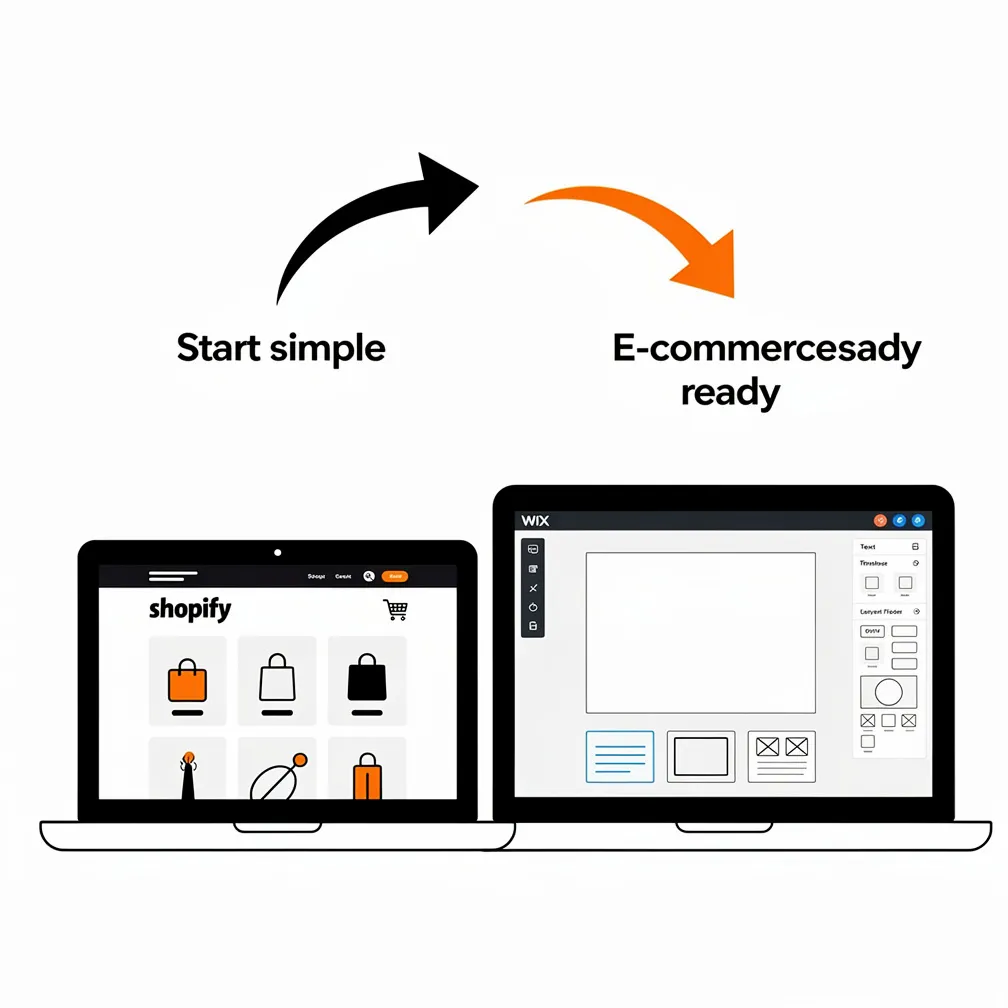
The key is understanding that these builders are often stepping stones rather than permanent homes. We’ve built migration expertise specifically because we regularly help businesses move from Wix or Squarespace to WordPress once they’ve validated their model and are ready for greater control, scalability, and marketing sophistication. If you choose a hosted builder, plan the eventual transition rather than ignoring it.
How Modern Technology Is Reshaping These Platforms
One reason platform discussions have become more nuanced in recent years is the rapid integration of artificial intelligence and modern web technologies across all major platforms. WordPress has introduced AI website builders that can generate complete site structures from a single prompt, while plugins like Jetpack AI, Rank Math, and CodeWP automate content creation, SEO optimization, and even code generation.
AI-Powered Tools Across Platforms
Hosted builders and Shopify have embraced AI as well, marketing these tools as ways to reduce friction for non-technical users. Platforms now offer AI-assisted design, content generation, and SEO recommendations as standard features, which has genuinely lowered the bar for creating decent-looking sites quickly. For WordPress agencies like ours, this shift presents both opportunity and challenge: we use AI tools to accelerate development and deliver better value, but we also emphasize that AI handles execution while human expertise still drives strategy, brand coherence, and technical robustness.
Full-Site Editing and Block Themes in WordPress
WordPress’s recent evolution toward full-site editing and block themes has transformed how we build sites. Full-site editing allows complete control over layouts using blocks—including headers, footers, and template parts—making the platform more intuitive for clients who need to make minor updates after launch. This modernization addresses a traditional WordPress criticism (that it’s difficult for non-technical users to edit) while preserving the platform’s flexibility and power.
We’re also implementing headless WordPress architectures for clients who need maximum performance or want to deliver content across multiple channels. In these setups, WordPress serves as the content backend while a separate frontend framework handles presentation, creating fast, app-like experiences that compete with custom development at a fraction of the cost.
Making the Right Choice for Your Business
After reviewing the statistics, expert opinions, and our own decade of experience with Canadian small businesses, we’ve developed a straightforward framework for guiding platform decisions. The choice ultimately depends on three interconnected factors: your business complexity, your growth ambitions, and your internal technical capacity.
Choose WordPress When You Need Scalability
Go with WordPress if you anticipate growth beyond a basic online presence, need serious content marketing and SEO capabilities, require custom functionality or integrations, or want maximum control over design and user experience. WordPress suits businesses willing to invest in professional development and ongoing maintenance in exchange for a platform that grows with them rather than constraining them. It’s also the smart choice when you’re building something that will need to integrate with CRM systems, membership platforms, custom booking engines, or sophisticated analytics.
Choose Shopify When Ecommerce Is Primary
Select Shopify if you’re primarily selling products, want integrated multi-channel sales capabilities, prefer predictable subscription costs with bundled features, and value convenience over maximum customization. Shopify works best for businesses whose main online activity is transactional rather than informational, and who prioritize getting their store operational quickly over building extensive content marketing infrastructure.
Choose Hosted Builders for Simplicity and Speed
Pick Wix or Squarespace when you’re running a micro-business with minimal budget, need something online within days, have a straightforward site without complex requirements, and want the absolute lowest barrier to entry. These builders are honest solutions for businesses in their earliest stages, but go in with eyes open about their limitations and plan for eventual migration if you expect significant growth.
Consider Hybrid Strategies
Don’t overlook hybrid approaches. We’ve implemented WordPress for content and marketing alongside Shopify for transactions, giving businesses the best of both platforms. For businesses with multiple needs—say, extensive educational content plus ecommerce, or membership sites plus client portals—hybrid architectures often deliver better results than trying to force one platform to handle everything.
The Role of Professional Agencies in Platform Success
Here’s something that doesn’t get discussed enough in platform comparisons: the platform itself matters less than how well it’s implemented and maintained. A poorly built WordPress site will underperform a well-executed Squarespace site, and a neglected Shopify store will lose to a properly optimized WooCommerce installation. This is where working with specialists makes the difference.
Why Maintenance Isn’t Optional
For WordPress sites especially, professional maintenance is essential rather than optional. WordPress’s flexibility requires regular updates to core software, themes, and plugins, security monitoring, performance optimization, and compatibility troubleshooting. We structure our maintenance plans to handle these ongoing responsibilities while also providing strategic guidance on content, analytics and conversion optimization, and feature additions as your business evolves.
The typical cost for professional website maintenance in Canada runs around twelve hundred dollars annually according to industry data, though this varies based on site complexity and service level. This investment protects against downtime, security breaches, and performance degradation—issues that can cost far more than maintenance in lost revenue and customer trust.
Strategic Value Beyond Implementation
Agencies also provide strategic value that goes beyond technical implementation. We help businesses understand their competitive landscape, identify opportunities in their niche, develop content strategies that support SEO and conversions, and refine user experiences based on analytics and behavioral data. This consultative approach transforms the relationship from vendor to partner, which becomes particularly valuable as businesses navigate growth stages and market changes.
For Canadian businesses especially, where consumer research shows that having a professional website significantly enhances credibility and trustworthiness, working with specialists ensures your site not only functions properly but actively builds the confidence that converts visitors into customers.
Looking Forward: Platform Trends and Future Considerations
The platform landscape continues evolving rapidly, and staying ahead of trends helps ensure your choice remains viable over time. Voice search optimization, progressive web apps, AI-driven personalization, and headless architectures are reshaping what’s possible with business websites. WordPress has proven remarkably adaptable to these trends, with its ecosystem quickly developing plugins and approaches that implement new capabilities.
Hosted builders and Shopify are also innovating, particularly around AI assistance and automated marketing features. The gap between platforms isn’t widening but rather shifting—with WordPress maintaining its edge in flexibility and control while builders narrow the usability gap through better automation and interfaces. For agencies, this means continuously evaluating whether WordPress remains the best recommendation for specific client profiles rather than treating platform choice as static.
Final Recommendations for Canadian Small Businesses
If we had to distill our decade of experience into simple guidance, it would be this: most small businesses with serious growth ambitions and willingness to invest in their digital presence will be best served by WordPress, managed through a professional agency that handles the technical complexity while they focus on their core business. WordPress offers the scalability, flexibility, and marketing capabilities that growing businesses need, and its dominance in the market ensures continued ecosystem support and innovation.
That said, Shopify represents an excellent choice for product-focused businesses that prioritize ecommerce infrastructure over content marketing, and hosted builders like Wix and Squarespace serve as reasonable entry points for micro-businesses with minimal budgets and simple requirements. The critical factor is understanding what you’re getting, what you’re giving up, and how the platform aligns with your business trajectory over the next three to five years.
Your website isn’t just a digital brochure—it’s often the primary way customers discover, evaluate, and engage with your business. With nearly three-quarters of small businesses already online and consumer expectations for professional web experiences higher than ever, choosing the right platform and implementing it properly isn’t optional. It’s one of the foundational decisions that will either enable or constrain your growth for years to come.
We’ve spent more than ten years helping Canadian businesses navigate these decisions, implement WordPress sites that drive real results, and maintain those sites as reliable growth engines. Whether you’re just starting out, ready to migrate from an outgrown builder, or looking to optimize an existing WordPress site, we’re here to make sure your platform serves your ambitions rather than limiting them.
Frequently Asked Questions
Why does platform choice matter so much for a small business website?
Your platform affects much more than how your site looks. It impacts loading speed, SEO, conversion rates, maintenance needs, and how easily your website can grow with your business. Choosing the wrong one can mean expensive rebuilds later, especially if your current platform can’t handle new features or higher traffic as your business expands.
When is WordPress the best option for a small business?
WordPress is usually the best fit if you want long-term growth, strong SEO, custom functionality, or a content-heavy strategy. It works especially well for businesses that may need booking systems, membership features, multilingual content, or ecommerce later on. The trade-off is that it requires hosting, updates, security care, and more hands-on maintenance than hosted builders.
What makes Shopify a better choice than WordPress for some businesses?
Shopify is ideal when selling products is your main goal. It gives you hosting, payments, shipping tools, inventory management, and multi-channel selling in one package, which makes launching an online store much easier. The downside is that it’s less flexible for deep content marketing and advanced customization, so it’s strongest for transaction-focused businesses, not content-first brands.
Are Wix and Squarespace good enough for a new business?
Yes, if your business is small, simple, and still being validated. Wix and Squarespace are useful when you need a site online fast, want low upfront costs, and don’t need advanced features right away. They’re often a smart starting point for micro-businesses, but they can become limiting once you need stronger SEO, more customization, or room to scale.
Should I plan for a future platform migration from the start?
If you choose a hosted builder or a platform that fits only your current needs, then yes, planning ahead is important. The article recommends treating Wix or Squarespace as stepping stones when growth is likely. That way, you avoid getting stuck in a system that’s too restrictive later and can move to WordPress or a hybrid setup without scrambling when your business outgrows its first website.