
Essential WordPress Maintenance for Nonprofit Websites
Let’s face it: most nonprofit staff members didn’t sign up to become website maintenance experts. You joined your organization to make a difference in the community, not to decipher plugin updates or troubleshoot broken donation forms at three in the morning. Yet here we are, living in a world where your website is often the first impression donors, volunteers, and the people you serve have of your organization. When that site goes down during your year-end fundraising campaign, suddenly WordPress maintenance doesn’t seem quite so optional anymore.
The good news? You don’t need a computer science degree to keep your nonprofit’s WordPress website healthy, secure, and running smoothly. What you do need is a practical plan that accounts for your limited time, your even more limited budget, and the reality that “website coordinator” is just one line item on a very long list of responsibilities.
Table of Content

Why Your Nonprofit Website Needs Consistent Maintenance
WordPress powers more than 60% of nonprofit websites globally, and for good reason. It’s flexible, affordable, and doesn’t come with the hefty licensing fees that proprietary systems demand. But here’s the catch that catches many organizations off guard: WordPress requires active stewardship to remain secure and effective. Think of it like owning a car. Sure, you can skip the oil changes for a while, but eventually that neglect catches up with you in ways that are expensive and inconvenient.
The statistics paint a sobering picture. Recent data shows that 96% of WordPress professionals have experienced at least one security incident, and 92% of successful WordPress breaches originated from plugins and themes rather than WordPress core itself. For nonprofits handling sensitive donor information and processing online donations, these aren’t just abstract numbers. They represent real risks to your mission, your reputation, and the trust your community places in you.
Beyond security concerns, proper maintenance directly impacts your organization’s ability to achieve its goals. A website that loads slowly loses potential donors before they ever see your mission statement. Forms that break silently mean missed volunteer applications and unreported program registrations. Outdated content undermines your credibility. Each of these problems is preventable through consistent, systematic maintenance that doesn’t require a full-time IT department.
Understanding What Maintenance Actually Means
Before we dive into checklists and schedules, let’s clarify what we mean by WordPress maintenance. Many nonprofit staff members think maintenance means updating WordPress when you see that notification in your dashboard. While updates are certainly part of the equation, effective maintenance encompasses much more. It includes monitoring security, backing up your data, checking that forms and donation systems work properly, reviewing user accounts, optimizing performance, updating content, and ensuring your site remains accessible to people with disabilities.
The challenge nonprofits face is matching this technical complexity with actual team capacity. Your typical nonprofit WordPress site might include dozens of plugins handling everything from volunteer management to email marketing integration to event registration. Each component requires attention, and when a single staff member or volunteer is juggling all of this while simultaneously managing programs, fundraising, and community engagement, critical tasks inevitably fall through the cracks.
This is why we’re building a system rather than just handing you a to-do list. A good maintenance plan distributes responsibilities appropriately, uses automation where it makes sense, and creates clear schedules that prevent important work from being overlooked during busy periods.
Monthly Maintenance Tasks: The Core of Your Routine
Your monthly maintenance routine forms the backbone of a healthy WordPress site. These tasks take between one and two hours to complete, depending on your site’s complexity, and should be scheduled on the same day each month so they become habitual rather than something you have to remember to do.
Updates and Backups
Start each monthly maintenance session by creating a complete backup of your site. Even if you have automated daily backups running in the background, having a backup created immediately before you make changes gives you a safety net. If an update breaks something, you can quickly restore to the pre-update state without losing recent content or donations.
After backing up, review and apply WordPress core, plugin, and theme updates. Before you click “update all” and hope for the best, take a moment to read what each update includes. Security patches should be applied immediately, while feature updates can wait until you’ve tested them if you have concerns. For more detailed guidance on backup strategies, check out our article on the 3-2-1 backup rule that provides an extra layer of protection.
After updating, test your critical pages and features. Submit a test donation, fill out your contact form, register for an event, sign up as a volunteer. These functional tests catch problems before your actual donors and volunteers encounter them.
Security Checks and User Management
Monthly security reviews don’t need to be complicated. If you’ve installed a security plugin like Wordfence or Sucuri, review its activity logs to see what threats have been blocked and whether any concerning patterns emerge. Check your list of WordPress user accounts and remove access for anyone who has left the organization or no longer needs it. This practice limits your security exposure while keeping your user list manageable.
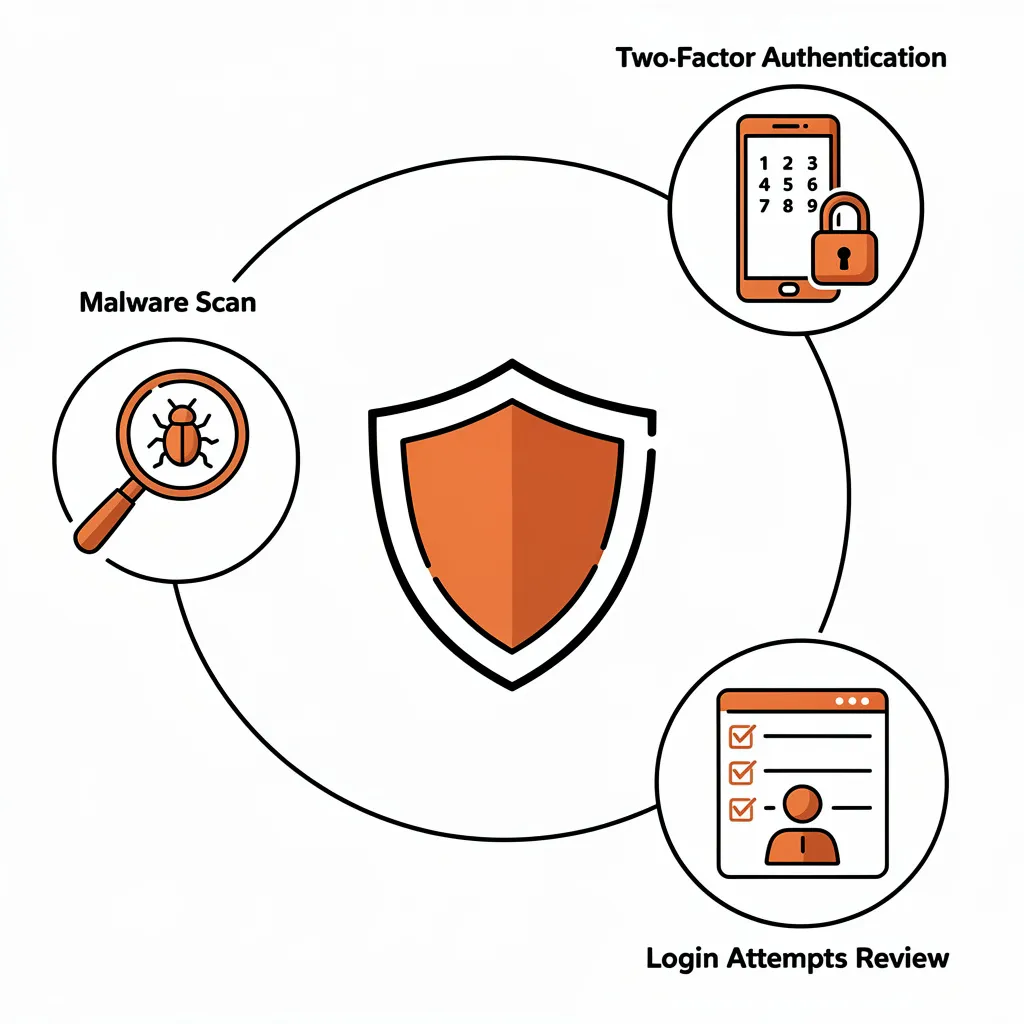
Review your failed login attempts to identify potential brute-force attacks. If you see hundreds of failed login attempts from unfamiliar IP addresses, that’s normal background noise on the internet, but it confirms that your security measures are necessary and working. Make sure two-factor authentication is enabled for all accounts with administrative privileges.
Content and Performance Review
Your monthly content audit ensures your site remains current and accurate. Review recent blog posts, event listings, and program descriptions. Remove expired events, update changed information, and check that your site reflects your organization’s current status. For nonprofits with multiple team members contributing content, consider assigning different sections to different people so the work is distributed and each area gets expert attention.
Check your site’s performance using free tools like Google PageSpeed Insights or GTmetrix. These tools identify opportunities to improve loading speed, which directly impacts how many visitors stick around long enough to learn about your work and contribute to your mission. If you’re noticing performance issues specific to your community or region, our guide on WordPress SEO for local markets offers specific strategies for improving visibility and performance for geographically targeted audiences.
Quarterly Deep Dives: Technical Health Checks
Every three months, set aside time for deeper maintenance that doesn’t need monthly attention but shouldn’t be neglected for extended periods. These quarterly tasks typically require two to three hours and often benefit from having two people working together, particularly if one person is more technically comfortable than the other.
Database Optimization
Over time, your WordPress database accumulates transient data, spam comments, post revisions, and other debris that can slow your site down. Quarterly database cleanup removes this unnecessary data and optimizes your database tables for better performance. Most security or optimization plugins include database cleanup tools that make this process straightforward. Before running database optimization, always create a fresh backup in case something goes wrong.
Plugin and Theme Audit
Your quarterly plugin audit involves more than just checking for updates. Review every installed plugin and ask: Are we actually using this? Is it still being maintained by its developer? Has it been replaced by better alternatives? Plugins that haven’t been updated in more than a year may be abandoned and should be replaced with actively maintained alternatives. This is also the time to evaluate whether premium plugins are being used effectively enough to justify their cost.

As you review plugins, pay particular attention to those handling critical nonprofit functions like donation processing, volunteer management, and event registration. These specialized tools may have smaller user bases than mainstream plugins, which sometimes means slower security responses. Make sure any plugin handling financial transactions or personal information is from a reputable developer with a track record of regular updates and security responsiveness.
Security Scanning and Penetration Testing
Run comprehensive malware scans using your security plugin or through external scanning services. These scans check for injected malicious code, backdoors, and other security compromises that might have slipped past your daily monitoring. Review all user accounts again with fresh eyes, looking for any accounts you don’t recognize or permissions that seem excessive for the person’s actual role.
Test your site’s security by attempting to log in with an incorrect password multiple times to verify that login limiting is working, checking that your SSL certificate is valid and properly configured, and confirming that sensitive directories like wp-admin are properly protected.
Annual Strategic Review: Planning for the Year Ahead
Once a year, typically in January or at the start of your fiscal year, conduct a comprehensive review of your entire WordPress ecosystem. This annual review takes a half day to a full day but provides invaluable perspective on what’s working, what isn’t, and what changes would serve your mission better.
Complete Site Inventory
Document everything about your WordPress installation: the WordPress version, hosting provider, domain registrar, SSL certificate expiration date, all installed plugins and their versions, your theme, backup system, payment processor integrations, email marketing connections, and any custom code or functionality. This inventory becomes your reference document for the year and proves invaluable when troubleshooting issues or onboarding new team members.
Accessibility Audit
Comprehensive accessibility audits ensure your website complies with WCAG standards and is usable by people with disabilities. Test keyboard navigation, verify proper heading hierarchy, check color contrast ratios, review alt text on images, and test your site with screen readers if possible. Many nonprofits find it valuable to bring in an accessibility consultant for this annual review, as the investment ensures compliance and often identifies quick improvements that dramatically expand your site’s usability.
Analytics and Goal Review
Review your website analytics for the past year to understand what content attracted attention, which pages converted visitors into donors or volunteers, where people dropped off in your donation process, and how your traffic patterns changed over time. Use these insights to inform content strategy, site structure improvements, and technical optimizations for the coming year.
Compare your website’s performance against the goals you set for it. If you aimed to increase online donations by a certain percentage, did you hit that target? If you wanted more volunteer applications, did they materialize? Understanding these outcomes helps you prioritize what to improve and what to maintain.
Building Your Maintenance Team: Who Does What
Successful DIY WordPress maintenance rarely depends on a single person handling everything. Instead, effective nonprofits distribute responsibilities across team members based on their skills, interests, and available time. This distribution prevents burnout, builds organizational knowledge across multiple people, and ensures the website doesn’t become dependent on someone who might leave the organization.
The Website Coordinator Role
Every nonprofit needs one person who serves as the primary website coordinator. This person doesn’t need to be a technical expert, but they should be organized, detail-oriented, and willing to learn basic WordPress administration. The coordinator owns the maintenance schedule, ensures tasks happen on time, and serves as the first point of contact when website questions arise. Depending on organizational size, this role might require five to ten hours monthly.
Content Contributors
Program staff, communications team members, and volunteer coordinators often serve as content contributors, responsible for keeping their areas of the website current. The volunteer coordinator updates volunteer opportunities and manages volunteer-related content. Program staff keep program descriptions accurate. Communications staff manage blog posts and news updates. By assigning content ownership to the people closest to that content, you ensure accuracy while distributing the workload.
Technical Backup and External Support
Even with strong internal capacity, most nonprofits benefit from having a relationship with a WordPress professional who can handle issues beyond your team’s expertise. This might be a freelancer, a web development agency, or a technical volunteer. Having this relationship established before you need it means you’re not frantically searching for help during a crisis.
For nonprofits working to expand their impact and reach, strategic WordPress guidance can make a significant difference. Our insights on WordPress strategies for nonprofits can help you think beyond maintenance toward how your website actively supports organizational growth.
Essential Tools and Plugins for Nonprofit Maintenance
The right tools make maintenance dramatically easier, but nonprofit teams should resist the temptation to install every plugin that sounds helpful. Each additional plugin increases security surface area, can impact site performance, and creates another component requiring ongoing attention. Aim for intentional minimalism, using only plugins genuinely necessary for organizational operations.
Security and Backup Tools
A comprehensive security plugin like Wordfence, Sucuri, or iThemes Security provides malware scanning, firewall protection, login security, and activity monitoring. These plugins send alerts when suspicious activity occurs, giving you early warning of potential problems. For backups, plugins like UpdraftPlus or BackupBuddy automate the backup process and can store backups offsite in cloud storage for additional protection.
Forms and Donation Management
Donation plugins like GiveWP, Charitable, or WP Simple Pay allow nonprofits to accept online donations securely while maintaining control over donor data. These plugins integrate with payment processors like Stripe and PayPal, provide donor management capabilities, and support features like recurring donations and peer-to-peer fundraising. For general form needs, WPForms or Gravity Forms enable creation of volunteer applications, program registrations, and surveys without coding skills.
Performance and Optimization
Performance optimization plugins like WP Rocket, W3 Total Cache, or free alternatives like WP Super Cache improve site loading speed through caching, file compression, and other optimizations. Image optimization plugins like Smush or ShortPixel automatically compress images without visible quality loss, reducing page load times substantially.
Monitoring and Analytics
Google Analytics provides comprehensive traffic and behavior data, while Google Search Console helps monitor search performance and identifies security issues Google detects. Uptime monitoring tools like UptimeRobot check your site every few minutes and alert you immediately if it goes down, allowing fast response to problems.
Training Your Team: Building Sustainable Capacity
The success of your DIY maintenance plan ultimately depends on whether your team members feel confident and capable in their assigned roles. Investing time in training creates competence and comfort that makes maintenance feel manageable rather than overwhelming.
Tiered Training Approach
Different team members need different levels of training. Content contributors need training on using the WordPress editor, creating posts and pages, and uploading images. Website coordinators need more comprehensive training covering plugin updates, security monitoring, user management, and basic troubleshooting. This tiered approach means each person gets the specific training they need without overwhelming anyone with information they won’t use.
Free and Low-Cost Training Resources
WordPress provides extensive free learning resources through learn.wordpress.org, covering everything from absolute basics to advanced administration. YouTube contains thousands of WordPress tutorial videos addressing specific tasks. Many hosting providers include training materials as part of their service packages. For nonprofits seeking structured learning, platforms like Nonprofit Ready offer free courses on digital skills and website management specifically designed for nonprofit contexts.
Documentation That Actually Helps
Generic WordPress tutorials are useful, but documentation specific to your site is even better. Create simple, screenshot-based guides showing exactly how to accomplish common tasks on your particular installation. Document where to find your backup files, how to test your donation form, where to add new volunteer opportunities, and how to publish blog posts using your specific theme. This documentation helps new team members get up to speed quickly and serves as a reference when people can’t quite remember how to do something they haven’t done in a while.
When to Consider Professional Support
DIY maintenance makes sense for many nonprofits, but it’s not the right choice for every organization in every circumstance. Honestly assessing your capacity and considering hybrid approaches often leads to better outcomes than stubbornly insisting on doing everything internally when you lack the time or expertise to do it well.
Signs You Might Need Help
If updates consistently get delayed by weeks or months because nobody has time to apply them, if security alerts go unreviewed, if your site has been hacked and you’re not sure how to properly clean and secure it, or if maintenance feels so overwhelming that it simply doesn’t happen, these are signs that DIY maintenance isn’t working for your organization as currently configured. Rather than letting the situation deteriorate further, consider investing in professional support for the most critical functions.
Hybrid Maintenance Models
Many successful nonprofits use a hybrid approach where professional services handle technical complexity while internal staff manages content and strategy. For example, you might use professional maintenance services for security monitoring, plugin updates, backup management, and performance optimization while your team handles content updates, volunteer coordination, and strategic decisions about site functionality. This approach costs less than fully managed services while ensuring critical technical work happens reliably.
Looking ahead, as your organization grows and your digital needs evolve, understanding how to plan for ongoing changes becomes increasingly important. Our guide to website maintenance in 2026 explores emerging trends and how nonprofits can prepare for the digital landscape ahead.
Your Monthly Maintenance Checklist
Turning all of this guidance into action requires a simple, practical checklist that your team can follow month after month. Here’s a comprehensive monthly maintenance checklist designed for nonprofit teams:
Week One: Backups and Updates
- Create a complete site backup before making any changes
- Review available WordPress core, plugin, and theme updates
- Apply critical security updates immediately
- Test other updates on a staging site if available, or schedule for low-traffic periods
- After updating, test critical functionality: donation forms, contact forms, volunteer sign-ups, event registration
- Verify that backup completed successfully and files are accessible
Week Two: Security and Performance
- Review security plugin logs for suspicious activity or blocked threats
- Check user accounts and remove any inactive or unnecessary accounts
- Verify two-factor authentication is enabled for all administrator accounts
- Run site speed tests using PageSpeed Insights or GTmetrix
- Review uptime monitoring reports to identify any downtime incidents
- Check SSL certificate expiration date and renew if approaching expiration
Week Three: Content and Functionality
- Review and update program descriptions, ensuring accuracy
- Remove expired events and update upcoming event information
- Check blog posts and news items for outdated content
- Test email deliverability by submitting test forms and verifying emails arrive
- Review volunteer opportunities and update or remove as appropriate
- Check for broken links using broken link checker tools
Week Four: Analytics and Planning
- Review Google Analytics for the past month, noting traffic patterns and popular content
- Check donation reports and compare to previous months
- Review volunteer sign-ups and event registrations
- Note any recurring issues or opportunities for improvement
- Plan content for the coming month based on organizational activities and campaigns
- Document any maintenance issues encountered and how they were resolved
Making Maintenance Sustainable: Building the Right Culture
The difference between maintenance plans that succeed and those that fail often comes down to organizational culture rather than technical capacity. When website care becomes embedded in how your nonprofit operates rather than remaining a separate, burdensome task, sustainability follows naturally.
Connecting Maintenance to Mission
Help your team understand that website maintenance isn’t overhead expense or technical burden: it’s mission-critical infrastructure work that protects your organization’s digital assets, maintains donor trust, ensures program accessibility, and supports fundraising effectiveness. When staff understand that regular updates prevent security breaches that could compromise donor data, that performance optimization helps more people access program information, and that properly functioning donation forms directly increase revenue, they recognize maintenance as integral to your work rather than separate from it.
Distributing Responsibility
Concentrating all website responsibility in a single person creates fragility and burnout risk. Instead, distribute different aspects of maintenance across multiple team members based on their roles and interests. Program staff review program descriptions, communications staff manage blog content, administrative staff oversee user accounts and basic updates. This distribution prevents the website from becoming dependent on one person while keeping maintenance integrated into normal workflows.
Creating Sustainable Systems
Simple systems: checklists, calendars, clear task assignments, make maintenance regular and predictable rather than sporadic and crisis-driven. A monthly maintenance calendar visible to the team helps everyone understand what’s being attended to and when. Task assignments that specify who does what by when ensure accountability without micromanagement. Documentation of how to perform common tasks empowers people to succeed even when the person who originally set something up is unavailable.
Moving Forward: Your Implementation Plan
Reading about maintenance is one thing; actually implementing it is another. The transition from wherever your nonprofit currently is to having a functioning, sustainable maintenance system in place requires intentional steps taken over several weeks or months.
Start by conducting an honest assessment of your current state. Document what maintenance is happening now, who’s responsible for it, how consistently it occurs, and what gaps exist. This baseline assessment helps you understand what needs to change and provides a reference point for measuring improvement.
Next, identify your website coordinator and assemble your maintenance team. Get clear agreement from each person about what they’ll be responsible for and ensure they have the training and tools needed to succeed. Don’t assume people know how to do tasks that seem obvious to you provide specific instruction and documentation.
Implement your systems gradually rather than trying to do everything at once. Start with the most critical tasks: backups, security monitoring, and applying updates, and get those working reliably before adding additional complexity. Monthly maintenance matters more than quarterly deep dives, so establish that foundation first.
Build your documentation as you go rather than trying to document everything before you begin. Each time someone performs a maintenance task, have them take screenshots and write down the steps. Over several months, you’ll accumulate practical documentation based on real experience rather than theoretical process.
Review your system quarterly to assess what’s working and what isn’t. Are tasks happening on schedule? Do people feel confident in their roles? Are you catching and fixing issues before they become emergencies? Use these reviews to refine your approach, adjusting responsibilities and processes based on what you’re learning.
Your nonprofit’s WordPress website represents a significant investment of organizational resources, donor expectations, and mission opportunity. Protecting and optimizing that investment through systematic maintenance isn’t glamorous work, but it’s essential work. With the practical framework outlined here, your team has what it needs to keep your digital presence healthy, secure, and effective, freeing your attention for the mission-critical work only your organization can do.
Frequently Asked Questions
Why is WordPress maintenance essential for nonprofits handling donor data?
Hey, we get it, your team’s focused on the mission, not tech headaches. But with 92% of WordPress breaches from plugins/themes and 96% of pros facing security issues, skipping maintenance risks donor trust and lost funds during key campaigns. Regular backups, updates, and checks keep your site secure, fast, and reliable, preventing downtime that scares off supporters.
How do I handle monthly WordPress updates without breaking my nonprofit site?
Tired of update notifications piling up? Start with a full backup, then apply security patches first test donations, forms, and volunteer sign-ups right after. Use plugins like Wordfence for logs and enable 2FA on admin accounts. It takes 1-2 hours monthly; schedule it habitually to avoid 3 AM panics and keep everything humming.
What’s the best way to distribute WordPress tasks across a busy nonprofit team?
Overwhelmed by solo website duties? Appoint a coordinator for schedules and tech basics (5-10 hours/month), let program staff own content updates, and volunteers handle events. This prevents burnout, spreads knowledge, and ensures no single departure tanks your site, pair with simple checklists for accountability.
When should a nonprofit switch from DIY to professional WordPress maintenance?
DIY works until updates lag, hacks hit, or overload kills consistency, common pain for understaffed teams. Go hybrid: pros for security/backups, you for content. Signs include unreviewed alerts or broken forms; it saves time/money vs. full-time hires and protects your mission-critical digital front door.
Which plugins make nonprofit WordPress maintenance easier without overwhelming the site?
Plugin bloat is a real drag on speed/security, stick to essentials like Wordfence/Sucuri for scans/firewalls, UpdraftPlus for backups, GiveWP for donations, and WP Rocket for performance. Audit quarterly: ditch unused ones over a year old. This minimal setup handles volunteer forms, events, and analytics without extra headaches.