
Mastering WordPress Analytics for Business Growth
Every business owner we’ve met thinks they’re using analytics. They’ve got Google Analytics installed, they check their visitor counts occasionally, and they might even poke around their dashboard during board meetings to show growth. But here’s the uncomfortable truth: having analytics installed and actually using analytics to transform your website’s performance are two completely different things. We’ve seen too many WordPress websites sitting on mountains of data while their owners struggle with conversion rates that remain stuck, traffic that doesn’t engage, and marketing budgets that produce questionable returns. The difference between data collection and data-driven optimization is exactly what separates websites that grow from websites that stagnate.
WordPress powers 43.6% of all websites on the internet as of 2025, commanding a massive 61.4% market share among content management systems. This dominance creates both tremendous opportunity and intense competition for businesses using WordPress. The platform’s flexibility means your analytics infrastructure can be as sophisticated or as basic as you choose to make it and that choice directly impacts your ability to compete.
Table of Content

The analytics landscape for WordPress has changed dramatically beyond simple visitor tracking. Modern analytics integration connects website performance metrics directly to business outcomes like revenue, lead quality, and customer lifetime value. When you properly implement analytics on your WordPress site, you gain visibility into which marketing channels actually drive profitable customers, which pages lose potential clients before they convert, and which technical issues silently erode your search rankings.
For businesses operating in Canada and North America, where digital competition intensifies every quarter, the ability to make decisions based on actual user behaviour data rather than assumptions has become essential to survival.
The Core Metrics That Actually Matter for Business Growth
One of the biggest mistakes we see is businesses tracking everything while understanding nothing. Your WordPress analytics dashboard can display hundreds of metrics, but only a handful actually matter for your specific business model. The key is identifying which metrics connect directly to your revenue and focusing relentlessly on those.
For lead generation businesses which includes most professional services, B2B companies, and consultancies, the critical metrics revolve around conversion funnel performance. You need to track not just how many people visit your contact page, but how many actually submit inquiries, what percentage of inquiries become qualified leads, and which traffic sources deliver the highest-quality prospects. Standard analytics implementations miss this entirely because they count page views without measuring business outcomes.
If you’re running an eCommerce site on WooCommerce, your analytics focus shifts to transaction-level data and customer behavior patterns. Beyond basic sales numbers, you need visibility into average order value by traffic source, cart abandonment rates at each checkout step, product-level profitability, and customer lifetime value metrics. The native WooCommerce analytics dashboard provides useful starting data, but sophisticated businesses integrate this with Google Analytics to understand the complete customer journey from first website visit through repeat purchases.
Traffic Quality Versus Traffic Quantity
We regularly encounter businesses celebrating traffic growth while their actual business results decline. This happens when you optimize for the wrong metrics focusing on increasing visitor counts without considering whether those visitors have any interest in becoming customers. A thousand visitors who immediately bounce from your site deliver far less value than fifty visitors who read your content, engage with your offerings, and convert into leads or customers.
The analytics techniques that reveal traffic quality involve segmentation analysis and behaviour flow tracking. By examining how different traffic sources perform on engagement metrics, conversion rates, and actual business outcomes, you identify which marketing channels deserve increased investment and which channels waste budget on low-quality audiences. This kind of analysis requires proper conversion tracking setup and regular review of segmented performance data, capabilities that basic analytics implementations often lack.
Essential Analytics Tools for WordPress Websites
The WordPress ecosystem offers numerous analytics solutions, each with distinct strengths for different business needs. Choosing the right combination of tools determines both the depth of insights you can access and how much technical complexity you need to manage.
For most WordPress websites, Google Analytics integration forms the foundation of analytics infrastructure. Google Analytics (GA) provides comprehensive traffic analysis, user behaviour tracking, and conversion measurement capabilities without ongoing costs. The challenge is that GA’s interface can overwhelm non-technical users, and proper implementation requires more sophistication than simply pasting a tracking code into your site header.
This is where WordPress-specific analytics plugins deliver tremendous value. Tools like MonsterInsights, ExactMetrics, and Analytify create WordPress dashboard interfaces that make Google Analytics data accessible without requiring clients to log into separate platforms or interpret complex reports. These plugins handle technical implementation details like event tracking, eCommerce integration, and conversion goal setup that would otherwise require custom development work.
Privacy-Compliant Tracking in 2026
The regulatory environment around website tracking has fundamentally changed how we approach analytics implementation. GDPR in Europe, CCPA in California, and similar regulations elsewhere require explicit user consent before deploying tracking technologies that collect personal data. For businesses operating in Canada and serving customers across North America, implementing compliant tracking isn’t optional: it’s essential to avoiding liability and maintaining customer trust.
Privacy-compliant analytics implementation involves deploying cookie consent mechanisms that obtain affirmative permission before activating tracking, clearly disclosing data collection practices in privacy policies, and respecting user preferences when consent is declined. WordPress plugins like CookieYes provide GDPR-compliant consent management integrated directly into your site. Alternatively, privacy-focused analytics solutions like WP Statistics offer cookieless tracking that collects useful behavior data without persistent cookies, though with reduced analytical capability compared to full Google Analytics implementations.
Conversion Tracking: Measuring What Actually Matters
If we could implement only one analytics capability on a client website, conversion tracking would be it. Everything else traffic reports, engagement metrics, behaviour analysis provides context, but conversion tracking measures actual business results. Without proper conversion tracking, you’re navigating blind, making decisions based on assumptions rather than evidence about what drives business outcomes.
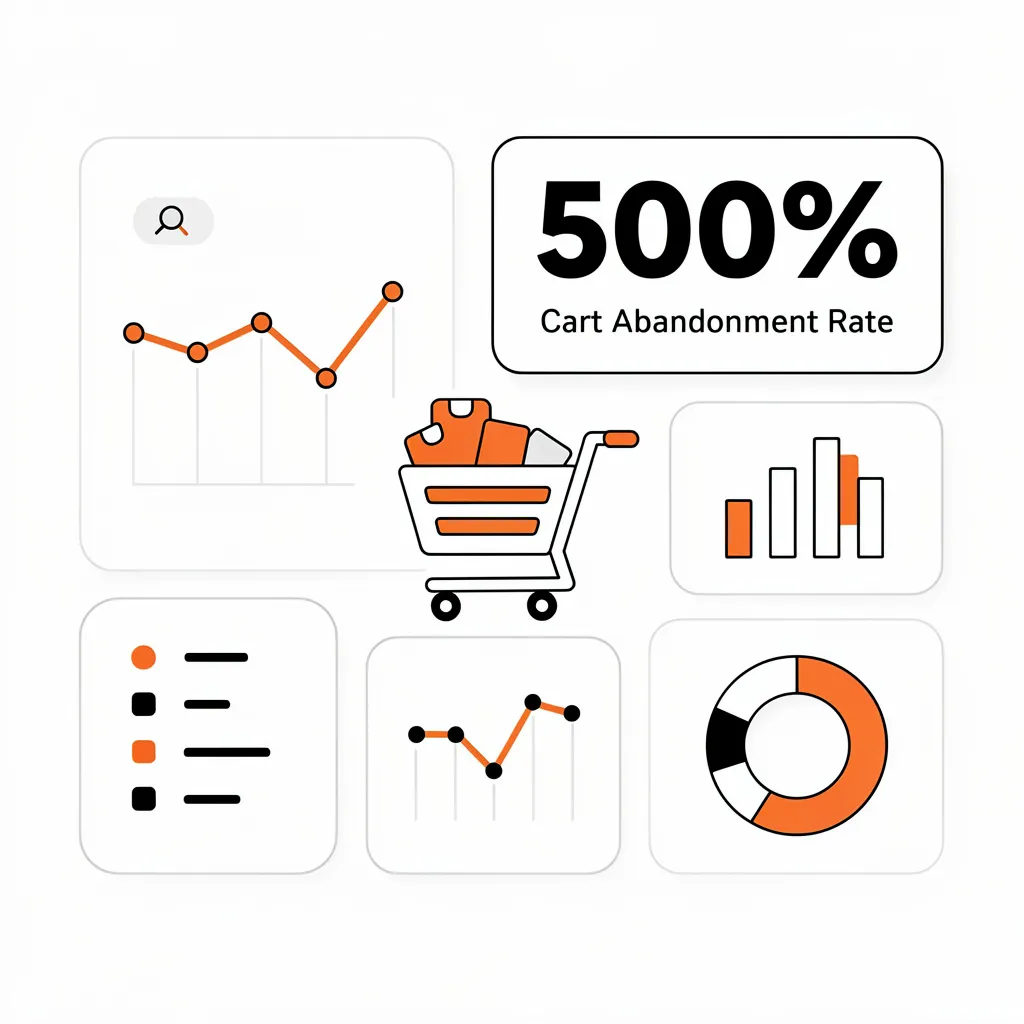
Effective conversion tracking starts with clearly defining what constitutes a conversion for your specific business model. For eCommerce businesses, conversions obviously include completed purchases, but sophisticated tracking also measures micro-conversions like product page visits, add-to-cart actions, and checkout initiations that reveal where potential customers abandon the purchase process. For lead generation businesses, conversions might include form submissions, phone calls, chat initiations, and resource downloads that indicate prospect interest.
The technical implementation of conversion tracking in WordPress varies based on your specific goals and platforms. Google Analytics enables event-based conversion tracking that captures virtually any user action you want to measure. For WooCommerce sites, specialized eCommerce tracking automatically monitors transaction data, product performance, and shopping behavior without custom configuration. For lead generation, form tracking plugins integrate with tools like Gravity Forms, Fluent Forms and WPForms to automatically track form submissions as conversions.
Attribution Modeling and Understanding the Customer Journey
Most businesses make a critical mistake in how they credit marketing channels for conversions. Standard last-click attribution assigns all credit to whichever marketing channel a customer used immediately before converting. This dramatically undervalues earlier touchpoints that established initial awareness and consideration, leading to misguided budget allocation decisions.
Imagine a customer who first discovers your business through organic search, returns several times via social media to read your content, and finally converts after clicking a paid search ad. Last-click attribution credits the paid search ad with 100% of the conversion value, suggesting you should increase paid search spending. But the complete customer journey reveals that organic search and social media played essential roles in the conversion and cutting budget from those channels would likely reduce overall conversion rates despite strong paid search performance.
Advanced WordPress analytics implementations incorporate multi-touch attribution models that distribute conversion credit across all touchpoints in the customer journey. Google Analytics provides several attribution models including data-driven attribution that uses machine learning to assign credit based on actual contribution to conversions. For businesses making significant marketing investments, understanding true channel attribution transforms budget allocation from guesswork into data-driven optimization. We explore these optimization strategies in detail in our guide to WordPress analytics API integrations.
Performance Metrics as Analytics Signals
Website performance metrics aren’t separate from analytics, they’re fundamental analytics signals that directly impact both user behaviour and search visibility. Google’s integration of Core Web Vitals into its ranking algorithm means that performance metrics like Largest Contentful Paint, Interaction to Next Paint, and Cumulative Layout Shift now influence whether potential customers find your website through organic search.
The three Core Web Vitals metrics measure specific aspects of user experience quality. Largest Contentful Paint tracks how quickly the main content loads and should be under 2.5 seconds for good user experience. Interaction to Next Paint measures how quickly your site responds to user interactions and should be under 200 milliseconds. Cumulative Layout Shift tracks visual stability and should be under 0.1 to prevent annoying layout shifts that cause users to accidentally click wrong elements.
For WordPress specifically, performance optimization opportunities are well-understood through extensive research across thousands of implementations. The most impactful improvements typically involve optimizing image delivery through modern formats and lazy loading, implementing comprehensive caching at multiple layers, selecting quality hosting infrastructure designed for WordPress performance, and minimizing JavaScript execution that blocks page rendering. These technical optimizations translate directly to better analytics metrics, research shows that one-second improvements in page speed can increase conversion rates by up to 7%.
Connecting Performance Data to Business Outcomes
The distinction that many businesses miss is the difference between lab performance metrics measured through synthetic testing and field performance metrics that reflect actual user experiences. Tools like Google PageSpeed Insights provide lab data useful for identifying specific problems, but field data collected from real users determines your search rankings and directly impacts actual conversion rates.
We integrate performance monitoring directly into client analytics dashboards so that performance trends are visible alongside traffic and conversion metrics. When conversion rates decline, performance degradation often appears as a contributing factor: a new plugin might have slowed page load times, or a theme update might have introduced layout shift problems. Without connecting performance data to business metrics, these relationships remain invisible until problems become severe.
Behavior Analysis and User Experience Insights
Quantitative analytics tells you what users do on your website which pages they visit, where they abandon conversion funnels, how long they stay. But quantitative data alone can’t reveal why users behave as they do. This is where behaviour analysis tools like heatmaps, session recordings, and scroll depth tracking become essential for understanding user experience quality.
Heatmap analysis visualizes where users click, how far they scroll, and which page elements attract attention. This visual representation often reveals surprising insights that quantitative metrics miss entirely. You might discover that users consistently try to click non-clickable elements that they assume are buttons, indicating confusing interface design. Or you might find that critical calls-to-action placed below the fold never receive scrolls from most visitors, explaining poor conversion rates despite high traffic.
Session recording capabilities allow you to watch actual user sessions as they navigate your website, providing qualitative context that explains quantitative patterns. When analytics data shows high exit rates on a specific page, session recordings reveal whether users leave because they found what they needed or because they encountered friction that prevented them from completing desired actions. This distinction fundamentally changes how you optimize, the former situation requires no changes while the latter demands immediate attention.
A/B Testing and Conversion Rate Optimization
The most sophisticated analytics implementations connect directly to systematic testing and optimization frameworks. Rather than making website changes based on assumptions about what users prefer, data-driven businesses run structured A/B tests that measure whether specific changes actually improve business outcomes for their specific audience.
A/B testing involves creating variations of page elements: headlines, calls-to-action, images, layouts and randomly directing portions of your traffic to each variation while measuring which version produces better conversion rates. This scientific approach prevents the common mistake of implementing changes that feel optimal to designers or marketers but actually harm conversion rates by introducing elements that confuse or distract actual users.
For WordPress websites, modern A/B testing plugins make experimentation accessible without requiring custom development. Tools like Nelio A/B Testing and Convert integrate directly into WordPress, allowing you to create variations of posts, pages, menus, and widgets while automatically tracking conversion performance. Advanced platforms incorporate AI-driven algorithms that predict winning variations more quickly than traditional statistical testing, enabling faster optimization cycles.
Conversion Rate Optimization as Systematic Practice
The businesses that achieve exceptional results from conversion rate optimization treat it as an ongoing practice rather than occasional projects. This involves establishing regular optimization cycles where analytics data identifies high-impact opportunities, hypotheses are developed about why current performance is suboptimal, tests are designed to validate hypotheses, changes are implemented and measured, and learnings inform subsequent optimization rounds.
The key to successful conversion rate optimization is prioritizing opportunities based on potential business impact rather than attempting to optimize everything simultaneously. Pages with high traffic but low conversion rates represent immediate candidates because even modest conversion rate improvements on high-traffic pages drive substantial business results. Similarly, conversion funnel steps where significant user abandonment occurs warrant investigation through behavior analysis and targeted optimization. We’ve documented proven techniques for this systematic approach in our article on maximizing leads through SEO.
Analytics Review Processes and Continuous Improvement
Perhaps the biggest gap between businesses that collect analytics data and businesses that actually benefit from analytics is the presence or absence of regular review processes. Analytics data becomes valuable only when it’s examined consistently, trends are identified, and insights translate into concrete actions that improve business performance.
We establish monthly analytics reviews with clients that follow structured frameworks rather than wandering through dashboards looking for interesting patterns. These reviews examine key performance metrics against previous periods to identify improvements or declines, analyze traffic source quality to determine where marketing investment delivers strongest returns, identify content performance leaders and underperformers to inform content strategy, review conversion funnel performance to surface optimization opportunities, and present specific, prioritized recommendations for next steps based on data findings.
The specific metrics emphasized in these reviews connect directly to each business’s strategic objectives rather than comprehensively covering every available metric. A professional services firm’s review emphasizes lead volume and lead quality metrics by source. An eCommerce business’s review emphasizes revenue, average order value, and customer acquisition cost by channel. This disciplined focus prevents information overload while ensuring analytics reviews address priorities that matter for business growth.
Translating Analytics Insights Into Business Value
The ultimate measure of analytics effectiveness isn’t the sophistication of your dashboards or the comprehensiveness of your tracking: it’s whether analytics insights drive business decisions that improve outcomes. This translation from data to value requires expertise in identifying patterns that matter, developing hypotheses about underlying causes, and implementing changes that address root issues rather than symptoms.
When we identify that certain traffic sources consistently deliver visitors with high bounce rates and low conversion rates, the analytical finding becomes valuable only when it drives specific actions perhaps pausing underperforming ad campaigns, refining audience targeting, or creating dedicated landing pages better aligned with visitor expectations. Similarly, discovering that mobile conversion rates lag desktop rates has limited value until it drives specific mobile optimization initiatives that address identified friction points. Understanding this connection between analytics and optimization is particularly critical when you’re working to boost lead generation by fixing forms that analytics data reveals as conversion bottlenecks.
The Future of WordPress Analytics: AI and Predictive Insights
The analytics landscape continues to evolve rapidly as artificial intelligence and machine learning capabilities become integrated into mainstream analytics platforms. Rather than only analyzing historical data to understand what happened, AI-driven analytics increasingly predict what will happen and recommend specific actions to optimize outcomes.
Modern AI-powered analytics platforms analyze user behavior patterns to predict conversion likelihood for individual visitors, enabling personalized experiences that improve conversion rates for different audience segments. These systems identify optimal A/B test winners before traditional statistical significance is reached, accelerating optimization cycles. They surface actionable insights from complex datasets without requiring analysts to formulate specific hypotheses, democratizing advanced analytics capabilities beyond specialized data science teams.
For WordPress specifically, we’re seeing increased integration of AI capabilities into native plugins and specialized platforms. Advanced analytics tools now offer automated anomaly detection that alerts you when metrics deviate significantly from expected patterns, predictive traffic forecasting that helps plan capacity and content strategies, and intelligent segmentation that automatically identifies high-value user groups based on behavior patterns rather than manual segment definition.

Building Analytics Excellence as Competitive Advantage
The businesses that win in competitive digital markets aren’t necessarily those with the largest budgets or most elaborate websites, they’re the ones that make better decisions based on better data. Analytics excellence represents a sustainable competitive advantage precisely because it requires consistent investment in capabilities, processes, and expertise rather than one-time implementations that competitors can easily copy.
Developing analytics excellence involves several interconnected capabilities. You need technical proficiency with analytics platforms and implementation best practices. You need analytical skills to interpret data correctly and identify patterns that matter. You need business judgment to translate analytical findings into strategic recommendations. And you need disciplined processes that ensure analytics insights actually inform decisions rather than generating reports that nobody acts upon.
For businesses operating WordPress websites in competitive markets, the imperative is clear: treat analytics as a strategic capability worthy of sustained investment rather than a technical checkbox during website launches. The businesses making this investment implementing comprehensive tracking, establishing regular review processes, connecting analytics insights to optimization actions, and continuously refining their analytical capabilities consistently outperform competitors who view analytics as an afterthought.
The transformation from data collection to data-driven optimization isn’t achieved through any single tool or technique. It requires systematic attention to measurement, interpretation, and action across all aspects of your digital presence. But the businesses that make this commitment discover that analytics becomes their most defensible competitive advantage and highest-leverage point for driving sustainable growth.
Frequently Asked Questions
Why do so many WordPress sites have analytics installed but still struggle with low conversions?
Hey, if you’ve got Google Analytics running but your leads or sales aren’t budging, you’re not alone, most owners just track visitors without tying data to real business outcomes like form submissions or cart abandons. The fix? Set up proper conversion tracking with plugins like MonsterInsights to focus on funnel drop-offs and traffic quality, turning raw data into actionable tweaks that boost results by spotting what’s actually killing your revenue.
What key metrics should lead gen businesses track on WordPress beyond just page views?
Frustrated with traffic that doesn’t convert? Ditch vanity metrics like total visitors and zero in on conversion funnel stats: form submissions, qualified leads by source, and engagement depth. For B2B or services sites, segment traffic to see which channels deliver high-quality prospects, basic setups miss this, but tools like GA with WordPress plugins reveal why your marketing bucks aren’t paying off.
How can I make WordPress analytics privacy-compliant in 2026 without losing insights?
Worried about GDPR, CCPA, or Canadian regs slapping fines on your site? Start with cookie consent plugins like CookieYes to get user opt-in before tracking, or go cookieless with WP Statistics for basic behaviour data. Pair it with GA4 via MonsterInsights for full power this keeps you legal, builds trust, and still shows engagement and conversions without gutting your dashboard.
Why is traffic quantity misleading, and how do I measure quality instead?
Celebrating more visitors but seeing flat sales? Quantity fools you 1,000 bouncers beat 50 engagers every time. Use segmentation and behaviour flow in GA to compare sources on bounce rates, session depth, and conversions; plugins like Analytify make this WordPress-native. This uncovers budget-wasters, letting you double down on channels that actually turn clicks into customers.
How does poor site speed hurt conversions, and what’s the quickest WordPress fix?
Slow loads killing your deals? Core Web Vitals like Largest Contentful Paint (aim under 2.5s) directly tank rankings and conversions every second delay can drop rates by 7%. Optimize with image lazy-loading, caching plugins, and WordPress-tuned hosting; integrate field performance into your analytics dashboard to catch issues early and watch traffic-to-sales climb.