Mastering WordPress Database Optimization
Your WordPress dashboard loads in a blink. Your homepage feels snappy. The CDN is configured perfectly. But then Black Friday hits, and checkout pages start timing out. Or a content campaign goes viral, and your membership dashboards grind to a halt.
Sound familiar? While most agencies obsess over image optimization and caching layers, there’s a sneaky performance thief lurking beneath the surface: your database.
Table of Content
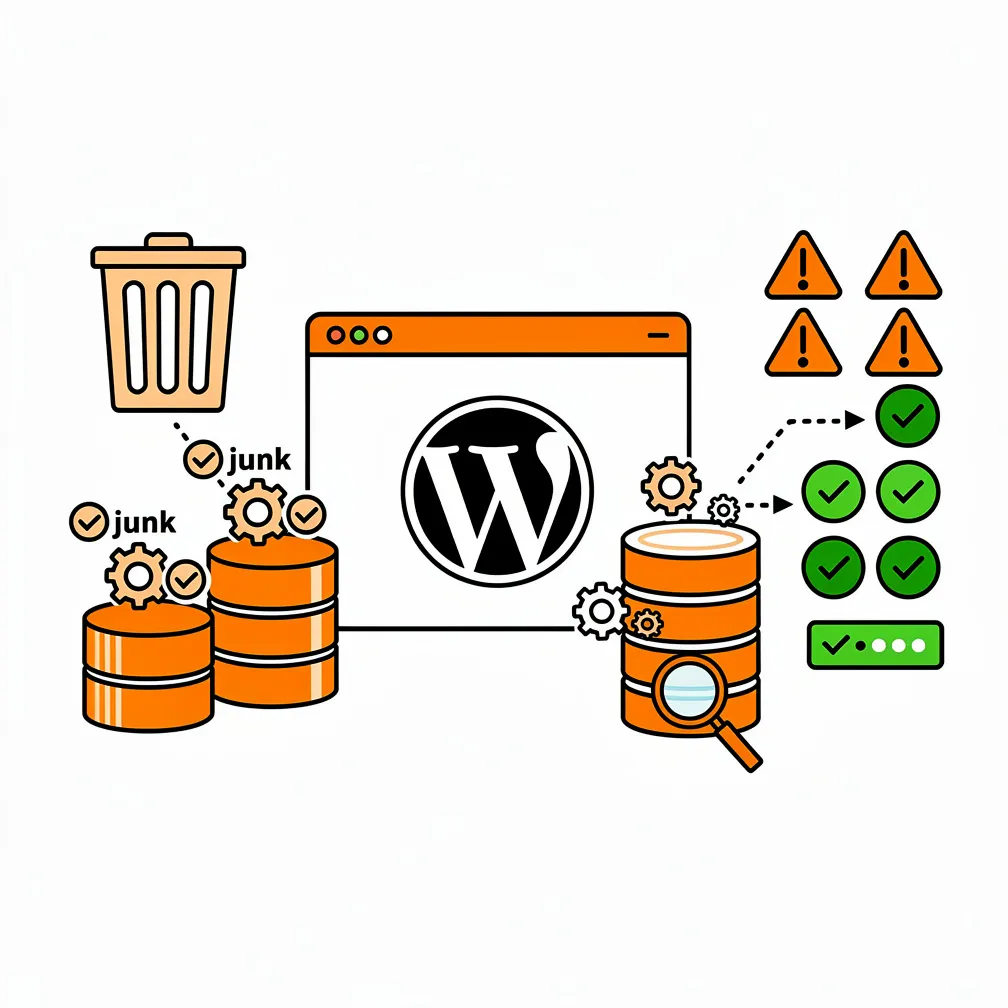
Why the Database Is WordPress’s Most Underestimated Performance Factor
We’ve seen it dozens of times. A client comes to us complaining their site is slow, so the previous agency upgraded the hosting plan. Then they added a premium caching plugin. Then they moved to a fancy content delivery network. The site still crawls under real-world conditions, especially for logged-in users or during checkout. The problem? Nobody looked at what was happening inside the database.
WordPress stores everything in its database: posts, pages, products, orders, user data, settings, form submissions, and more. When that database gets bloated with years of accumulated junk, or when plugins issue poorly structured queries, every page request becomes a waiting game. Even the fastest server in the world can’t compensate for a query that has to scan millions of rows to find what it needs.
Think of it this way: you can have the most beautiful storefront on the block, but if your back room is a chaotic mess where staff spend ten minutes searching for each product, customers will still walk away frustrated. That’s exactly what happens when your database is unoptimized, the front end looks great, but the back end is suffocating under its own weight.
For Canadian and US small to medium-sized businesses, this matters even more than you might think. Google’s Core Web Vitals now directly influence search rankings, and metrics like Time to First Byte are heavily affected by database performance. A slow database doesn’t just frustrate users; it actively hurts your visibility in search results and your ability to convert visitors into customers.
How WordPress Databases Become Performance Bottlenecks Over Time
WordPress was originally designed as a blogging platform with a simple, flexible database structure. That flexibility is both its greatest strength and its Achilles heel. The core tables: like wp_posts, wp_postmeta, wp_options, and wp_usermeta were built to handle almost any type of content or configuration. But as your site grows and plugins pile on, this “store everything in meta fields” approach starts showing cracks.
The Meta Table Problem
One of the biggest culprits is the wp_postmeta table. Every time you add custom fields to a post, product details to a WooCommerce item, or event information to a calendar entry, that data gets stored as key-value pairs in post meta. A single product might have dozens of meta entries for price, stock status, shipping weight, categories, and integration data from third-party services. Multiply that across thousands of products or posts, and you can end up with millions of rows in wp_postmeta alone.
When a page tries to filter or sort content based on these meta values, say, showing all products under a certain price, the database has to dig through that massive table. Without proper indexes (think of them as a database’s table of contents), the system resorts to scanning every row until it finds matches. That’s like reading an entire encyclopedia to find one definition instead of just looking it in the index.
Autoloaded Options Bloat
Another common issue we encounter is the wp_options table. Many plugins store their settings here, and some mark them as “autoload,” meaning WordPress loads them on every single page request. Over time, especially if you’ve tried and abandoned several plugins, you can accumulate megabytes of autoloaded data: configuration arrays, cached information, even debug logs that were never meant to be autoloaded. All of this gets pulled into memory on every uncached page view, dramatically slowing down dynamic pages like shopping carts, member dashboards, and admin screens.
We’ve audited sites where autoloaded options exceeded several megabytes, mostly from plugins that were long gone but left their settings behind. Cleaning this up alone can shave hundreds of milliseconds off Time to First Byte.
Data That Never Gets Cleaned Up
Then there’s the data that simply piles up forever. Post revisions from years of content updates. Spam comments that were filtered but never deleted. Transient cache entries that expired but weren’t purged. Form submissions from lead generation campaigns that ran in 2019. WooCommerce orders from seasonal sales that are no longer relevant for day-to-day operations. All of this bloat sits in your database, making tables larger, backups slower, and queries less efficient.
According to recent WordPress database optimization studies, many mature WordPress sites carry 40% or more unnecessary data that could be safely archived or removed. That’s a massive drain on resources that most site owners never even know exists.
Real-World Impact: What Database Slowdowns Cost Your Business
The consequences of database bottlenecks aren’t just technical, they’re financial and operational. For e-commerce sites, checkout performance is critical. Studies consistently show that even a one-second delay in page load time can decrease conversions by several percentage points. When your database struggles to process cart updates, inventory checks, or order creation, potential customers see spinning loaders and validation errors. Many will simply abandon their cart and shop elsewhere.
We worked with a client whose WooCommerce site experienced intermittent slowdowns during their busiest sales periods. After profiling the database, we found that order queries were scanning millions of rows in wp_postmeta because proper indexes didn’t exist. During peak traffic, these slow queries would stack up, consuming database connections and bringing the entire site to a crawl. Once we optimized the schema and added targeted indexes, the site handled double the order volume without breaking a sweat.
For membership and subscription sites, database performance affects retention and satisfaction in subtler but equally important ways. When member dashboards, course content, or community forums feel sluggish, users engage less and churn more. They might not articulate it as “your database is slow,” but they’ll describe the experience as “clunky” or “unreliable,” and that perception erodes loyalty over time.
Beyond direct revenue impact, database inefficiencies also drive up operational costs. Sites that can’t keep up on their current hosting plan end up needing expensive upgrades: more CPU, more RAM, managed database clusters. While vertical scaling can help temporarily, it’s often just masking the root problem. We’ve seen businesses spend thousands more annually on hosting when the real solution was a few hours of targeted database optimization. That’s money that could have been invested in marketing, product development, or any number of higher-value activities.
Database performance also affects your team’s productivity. Slow admin screens make content updates and order management tedious. Support teams field more tickets about site slowness. Developers spend time firefighting performance crises instead of building new features. All of this adds up to hidden costs that are easy to overlook until you fix the underlying issue and suddenly everyone’s workflow improves.
Modern WordPress Challenges That Stress the Database
Today’s WordPress sites are far more complex than the simple blogs the platform was designed for. E-commerce, learning management systems, membership platforms, and custom web applications all place heavy demands on the database, often in ways that the default schema wasn’t optimized to handle.
WooCommerce and High-Volume E-Commerce
WooCommerce is one of the most popular e-commerce solutions on the planet, but its traditional approach of storing orders as custom post types in wp_posts creates database challenges at scale. Every order generates multiple entries in wp_postmeta for customer details, line items, payment information, and shipping data. When you have tens of thousands of orders, searching or filtering them by customer email, order status, or date range can become painfully slow without proper indexing and query optimization.
The good news is that WooCommerce has introduced high-performance order storage with dedicated tables designed for better scalability. However, many existing sites still run on the legacy system, and migrating requires careful planning. We always recommend this as part of our 90-day optimization programs, especially for growing online stores.
Membership Sites and Personalized Content
Membership platforms and learning management systems rely heavily on user-specific data. Each logged-in user sees personalized content based on their profile, subscription status, course progress, or access permissions. This means most requests can’t be served from full-page caches, the system has to query the database on every page load to determine what content the user should see.

When you combine this with thousands of active members, the query load can become intense. A poorly optimized wp_usermeta table or inefficient permission checks can turn what should be a snappy member dashboard into a slow, frustrating experience. Workflow automation and proper caching strategies help, but only if the underlying database queries are efficient to begin with.
Custom Applications Built on WordPress
WordPress is increasingly used as a foundation for custom applications: directories, job boards, real estate listings, booking systems, and more. These applications often rely on custom post types with extensive custom fields. A real estate site might filter properties by dozens of attributes like price range, square footage, number of bedrooms, neighbourhood, and amenities. Each of those filters translates into meta queries, and without careful schema design and indexing, performance degrades rapidly as the property database grows.
We’ve seen agencies build impressive custom solutions that work beautifully on staging sites with a few dozen sample entries, only to hit a wall in production with thousands of real records. The key is to design with scale in mind from the start: choosing appropriate storage strategies, indexing the right fields, and testing with realistic data volumes before launch.
How to Identify Database Bottlenecks in Your WordPress Site
The first step in solving database performance issues is recognizing you have them. Fortunately, there are clear signals and tools that can help you diagnose bottlenecks before they become critical problems.
Profiling Tools and Query Monitoring
One of the best investments you can make is installing a query monitoring plugin in your staging environment. Tools like Query Monitor show you exactly how many database queries each page generates, how long they take, and which plugins or theme functions are responsible. This visibility is invaluable. You might discover that a seemingly innocuous related posts widget is running a dozen slow queries on every single page load, or that a plugin you barely use is hammering the database in the background.
When we audit a site, we look for pages with unusually high query counts (anything over 50–100 queries per page is a red flag), slow queries that take more than 100 milliseconds, and repeated identical queries that could be cached. We also check for queries that use LIKE searches or lack proper indexes: these are often the biggest offenders.
Measuring Time to First Byte
Time to First Byte (TTFB) is the interval between a browser requesting a page and receiving the first byte of data from the server. High TTFB is a telltale sign of backend performance issues, including slow database queries. You can measure TTFB using tools like Google PageSpeed Insights, GTmetrix, or browser developer tools. If your TTFB is consistently above 600 milliseconds on uncached pages, your database is likely contributing to the delay.
For a deeper dive into optimizing server response times and implementing effective caching strategies, we recommend a comprehensive approach that addresses both front-end and back-end performance.
Table Size and Bloat Analysis
Another diagnostic step is examining your database table sizes. You can do this through phpMyAdmin, Adminer, or command-line tools. Look for tables that are unusually large relative to your content volume. A wp_postmeta table with millions of rows on a site with only a few thousand posts suggests excessive meta usage or orphaned data. Similarly, an enormous wp_options table often indicates autoload bloat or plugins storing cached data in the wrong place.
We also check for database fragmentation, where deleted data leaves gaps in the table files. Running an OPTIMIZE TABLE command can reclaim that space and improve query performance, though it should be done carefully during maintenance windows to avoid locking tables during high-traffic periods.
Practical Database Optimization Strategies
Once you’ve identified bottlenecks, it’s time to address them systematically. Database optimization isn’t a one-time task: it’s an ongoing discipline that should be part of your regular website maintenance program.
Clean Up Unnecessary Data
Start by removing data that no longer serves a purpose. This includes post revisions older than a certain threshold, spam and trashed comments, expired transients, and abandoned plugin data. Many optimization plugins can automate this process, but we recommend running these cleanups on a staging site first to ensure nothing important gets deleted. For example, you might want to keep a certain number of recent revisions for content recovery but safely purge revisions from years ago.
For WooCommerce sites, consider archiving old completed orders into separate storage or exporting them to accounting software. You don’t need five years of order data cluttering your live database if you’re only actively working with the last few months. This keeps your active dataset lean and fast.
Optimize Autoloaded Options
Audit your wp_options table to identify which options are autoloaded and how large they are. You can query the database directly to see the cumulative size of autoloaded data. If it’s more than a few hundred kilobytes, it’s worth investigating which plugins are responsible and whether those options really need to be autoloaded. In some cases, you can manually update the database to set autoload = ‘no’ for options that don’t need to be loaded on every request, though this should be done carefully and tested thoroughly.
Plugin developers sometimes misuse autoload for convenience, storing large configuration arrays or even cached data this way. If you control the plugin code, refactor it to load options only when needed or use transients with appropriate expiration times instead.
Add and Optimize Indexes
Indexes are like shortcuts that help the database find data faster. WordPress core tables ship with default indexes, but they may not cover all the queries your specific site generates, especially if you’re using custom post types, advanced custom fields, or complex filtering logic.
After identifying slow queries through profiling, examine their WHERE clauses and JOIN conditions. If you’re frequently querying wp_postmeta by a specific meta_key, adding an index on that key can dramatically speed up those queries. For custom tables, ensure that columns used in filters and sorts have appropriate indexes. Be mindful not to over-index, as every index adds overhead during data writes, but well-chosen indexes on read-heavy sites are almost always a net win.
For agencies managing multiple sites, developing a standard set of indexes for common use cases like WooCommerce product attributes or membership user roles can streamline optimization across your portfolio.
Refactor Inefficient Queries
Sometimes the problem isn’t the database structure but the way queries are constructed. WordPress’s WP_Query is powerful and flexible, but it can generate complex SQL that doesn’t always execute efficiently, especially when combining multiple meta_query conditions. In performance-critical areas, consider writing custom SQL that’s tailored to your exact needs and tested for speed.
Also look for repeated queries within a single page load. If the same data is being fetched multiple times, cache it in a PHP variable or use WordPress’s object cache. Reducing query count is often just as important as speeding up individual queries, since each round trip to the database incurs overhead.
Leverage Object Caching
Object caching systems like Redis or Memcached store the results of database queries in memory, so subsequent requests for the same data can skip the database entirely. This is incredibly effective for read-heavy sites where the same content is accessed repeatedly. Many managed WordPress hosts offer Redis or Memcached as built-in features, making it easy to enable with a simple plugin.
However, object caching is not a magic bullet. It works best when paired with good database hygiene. If your database is fundamentally inefficient, caching will help under some conditions but may fail under others, especially for personalized or frequently changing content. According to insights from Pantheon’s performance optimization guides, the most resilient architectures combine efficient databases with strategic caching layers.
The Business Case for Proactive Database Optimization
For many business owners, database optimization sounds like a technical chore with unclear benefits. Our job as agencies is to translate those technical improvements into business outcomes that stakeholders care about.
First, database optimization directly improves user experience. Faster page loads, snappier interactions, and fewer errors all contribute to higher customer satisfaction and better conversion rates. For e-commerce clients, this translates to more completed purchases. For membership sites, it means better engagement and lower churn. For lead generation sites, it means more form submissions and inquiries.
Second, optimization reduces operational costs. A leaner, faster database often runs fine on a less expensive hosting plan, saving money month after month. It also reduces support burden, as fewer performance crises mean fewer emergency calls and troubleshooting sessions. This frees your team to focus on strategic initiatives instead of constant firefighting.
Third, proactive optimization future-proofs the site. As traffic and content grow, an optimized database scales more gracefully. Instead of hitting a wall at a certain traffic level and needing urgent, expensive interventions, the site can handle growth smoothly. This is especially important for businesses with ambitious growth plans or seasonal traffic spikes. Our performance optimization services are designed with this long-term scalability in mind.
Finally, database optimization supports SEO and digital marketing efforts. Google’s ranking algorithms increasingly favor fast, reliable sites. Better Core Web Vitals scores can lead to improved search rankings, which drives more organic traffic and reduces the cost of paid acquisition. When you can demonstrate to a client that database optimization helped their site rank better and generate more leads, the ROI becomes crystal clear.
Integrating Database Optimization into Your Agency Workflow
For database optimization to be sustainable, it can’t be an afterthought or a one-off project. It needs to be woven into your standard processes, from initial discovery through ongoing maintenance.
Discovery and Planning
During the discovery phase of a new project, ask questions about expected traffic, data volume, growth trajectory, and peak usage scenarios. If you’re building an e-commerce site, find out how many products and orders the client anticipates in the first year and beyond. If it’s a membership platform, understand how many members will be active and what types of interactions they’ll have. This information should inform schema decisions, hosting choices, and performance budgets from the outset.
Development and Testing
As you build, profile performance regularly in a staging environment populated with realistic data volumes. Don’t just test with a dozen sample posts import hundreds or thousands to see how queries perform at scale. Use profiling tools to catch inefficient queries early, when they’re easier to fix. Make database performance a standard part of your code review checklist, alongside security and functionality.
Launch and Monitoring
After launch, set up continuous monitoring to track database performance over time. This can be as simple as periodic manual checks or as sophisticated as automated alerts when certain thresholds are exceeded. Pay attention to trends: if table sizes or query counts are growing faster than expected, investigate before they become problems.
Ongoing Maintenance
Database optimization should be a regular line item in your maintenance plans. Schedule quarterly or semi-annual reviews to prune data, update indexes, and validate performance. Document what you’ve done and share the results with clients showing them specific improvements like reduced page load times or lower hosting costs reinforces the value of your ongoing support.
For clients in specialized sectors like nonprofits or local service businesses, tailoring optimization efforts to their unique usage patterns can yield even better results. A nonprofit with a large donor database has different needs than a local contractor with a portfolio site, and your optimization strategy should reflect that.
Looking Ahead: Database Performance in the Evolving WordPress Ecosystem
The WordPress ecosystem continues to evolve, and database performance is receiving more attention from core developers and the plugin community. Improvements like WooCommerce’s high-performance order storage, better query caching in WordPress core, and increased adoption of purpose-built tables for specialized data are all positive trends. However, these advances don’t eliminate the need for agency expertise: they shift the focus from basic housekeeping to more strategic architectural decisions.
As artificial intelligence, personalization, and real-time interactions become more common in WordPress sites, the database’s role as a performance bottleneck will only intensify. Sites that serve personalized content, run recommendation engines, or support live collaboration features will demand even more from their databases. Agencies that understand and anticipate these challenges will be better positioned to deliver high-performing, scalable solutions.
At the same time, the rise of headless WordPress architectures and decoupled front ends creates new opportunities and challenges for database optimization. In a headless setup, the WordPress database still serves content via APIs, but the performance characteristics shift. API response times become critical, and poorly optimized queries can bottleneck an entire application. This makes database proficiency even more valuable, as the cost of inefficiency is felt across a broader stack.
We also anticipate that clients will become more sophisticated in their expectations around performance. As awareness of Core Web Vitals, user experience metrics, and the business impact of speed continues to grow, agencies will need to speak fluently about backend performance, not just design and front-end optimization. Database expertise will be a key differentiator in an increasingly competitive market.

Final Thoughts: Making Database Optimization a Competitive Advantage
Database optimization is no longer a niche concern for technical specialists: it’s a core competency for any WordPress agency serious about delivering fast, scalable, reliable sites. The hidden performance bottlenecks lurking in bloated tables, inefficient queries, and unchecked data growth are too costly to ignore, both in terms of user experience and business outcomes.
For agencies serving Canadian and US small to medium-sized businesses, the ability to diagnose and resolve database issues sets you apart from competitors who treat performance as a hosting or caching problem. It demonstrates technical depth, long-term thinking, and a commitment to client success that goes beyond surface-level fixes. When you can show a client that you reduced their checkout time by half, cut their hosting costs, or enabled their site to handle triple the traffic without breaking a sweat, you’re not just fixing problems, you’re creating real business value.
We encourage you to audit your current projects with fresh eyes. Look at those database tables. Profile those queries. Identify the low-hanging fruit: autoloaded options, orphaned data, missing indexes and tackle them methodically. Then build those practices into your standard workflows so every site you launch is optimized from day one and stays that way as it grows.
Database optimization may be hidden from the end user, but its impact is anything but invisible. It’s the difference between a site that merely looks good and one that performs brilliantly under pressure. In today’s competitive digital landscape, that difference matters more than ever. By understanding insights from resources like Codeable’s WordPress speed optimization guides, you can continue to refine your approach and stay ahead of the curve. Your clients and their customers will thank you for it.
Frequently Asked Questions
How do I know if my WordPress performance issues are really database-related and not just hosting or caching?
If your site feels fine under light traffic but slows to a crawl during sales, campaigns, or for logged-in users (checkout, dashboards, admin), the database is a prime suspect. Symptoms include high Time to First Byte on uncached pages, slow WooCommerce order searches, laggy member areas, and sluggish admin lists. Tools like Query Monitor and TTFB checks in PageSpeed/GTmetrix help confirm whether slow or excessive queries, not infrastructure, are the bottleneck.
What are the most common sources of database bloat that quietly slow my site over time?
Most of the drag comes from years of accumulated “junk” your team never sees: massive wp_postmeta tables from plugins and custom fields, oversized wp_options with megabytes of autoloaded settings, old post revisions, spam and trashed comments, expired transients, and historic orders or form entries you no longer use. Each piece adds rows, increases table size, and forces queries and backups to work harder, especially under peak load.
Why do WooCommerce and membership sites struggle more with database performance than simple blogs?
WooCommerce and membership platforms generate far more write and read activity. Every order or membership action creates multiple rows in wp_posts, wp_postmeta, and wp_usermeta, then queries them repeatedly for carts, dashboards, and reports often for logged-in users where full-page caching is limited. Without proper indexing and schema decisions (like WooCommerce high-performance order storage), queries end up scanning millions of rows, causing timeouts during promotions or traffic spikes.
What practical database optimizations yield the biggest performance wins for established sites?
Start with targeted cleanups (old revisions, spam/trashed comments, expired transients, abandoned plugin data) and archiving very old WooCommerce orders. Next, audit wp_options to shrink autoloaded data and turn off autoload where safe. Then profile slow queries, add indexes on heavily queried meta keys or custom columns, and refactor particularly bad queries. Finally, layer in Redis/Memcached object caching once the underlying schema and queries are efficient.
How can agencies turn database optimization into a repeatable, low-stress part of their workflow?
Bake it into your process instead of treating it as a rescue task. During discovery, gather scale and growth expectations to inform schema and hosting choices. In development, test with realistic data volumes and include query performance in code reviews. Post-launch, monitor query counts, table sizes, and TTFB. Add scheduled database reviews and cleanups to maintenance plans, document improvements, and show clients concrete gains in speed, stability, and hosting costs.