Mastering WordPress Service Pages That Convert
Your service page isn’t just another website section: it’s a revenue-generating machine that works 24/7, converting casual browsers into qualified leads and paying customers. Yet most WordPress agencies build service pages that feel more like brochures than business tools, leaking potential clients at every click.
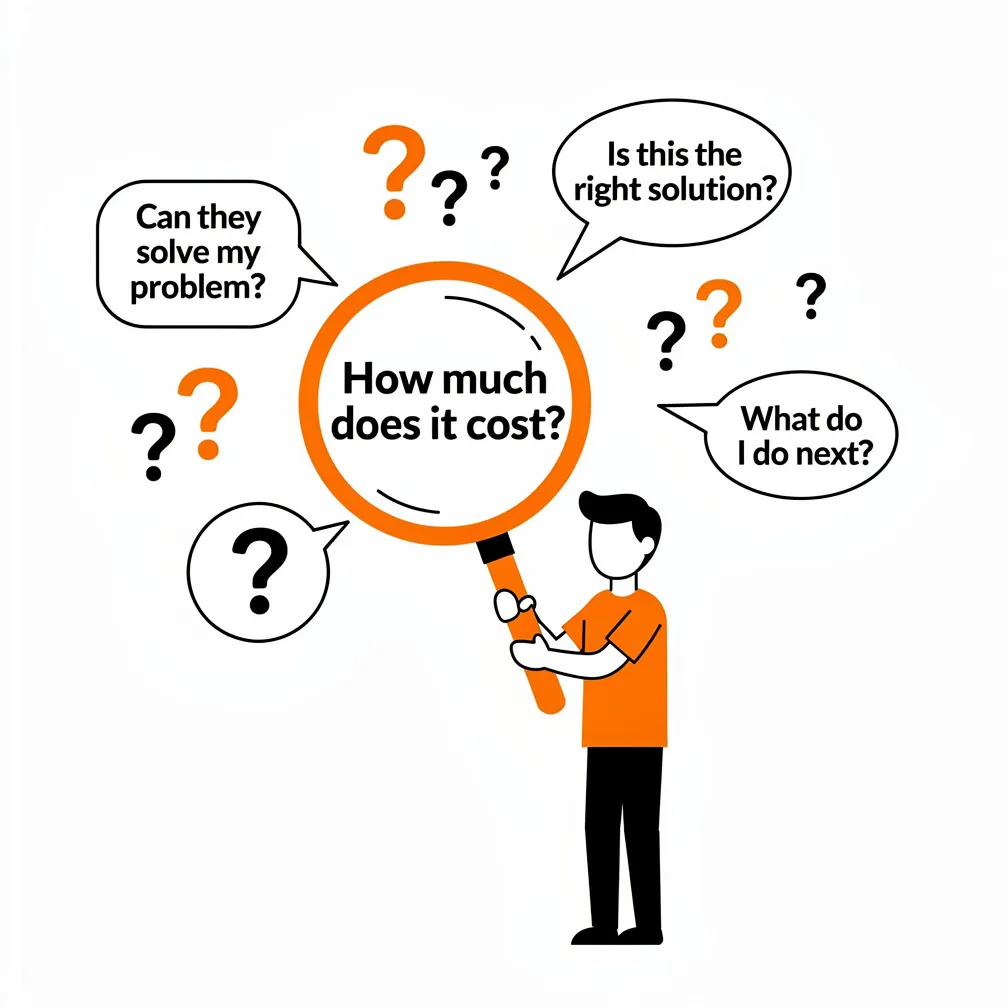
When a prospect lands on your service page, they’re asking three critical questions within seconds: “Is this for me?”, “Can they actually solve my problem?”, and “Why should I trust them over everyone else?” If your page doesn’t answer those questions clearly and persuasively, you’ve lost them before they even scrolled.
Table of Content
Service Page vs Landing Page: Different Goals, Different SEO Outcomes
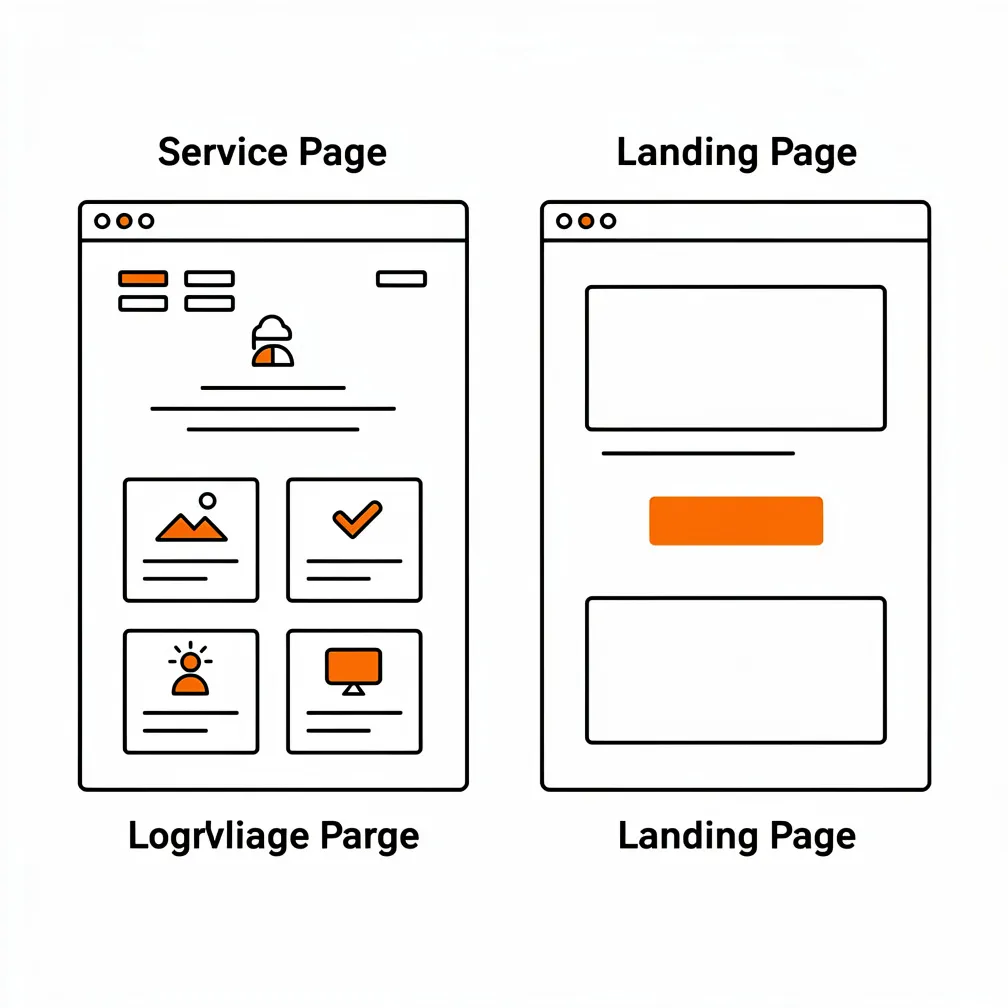
Service pages and landing pages share some DNA, but they serve fundamentally different strategic purposes. A landing page exists for one singular conversion event, download this guide, register for this webinar, claim this offer. Everything else gets stripped away. Landing pages typically exclude navigation menus, remove distracting links, and focus laser-tight on a single call-to-action. They’re built for paid traffic campaigns where you’ve already paid to get someone there, and the entire page architecture revolves around conversion.
Service pages, on the other hand, live permanently on your website. They need to rank organically in search engines for competitive keywords like “WordPress maintenance services” or “custom WordPress development.” They must accommodate visitors at different stages of awareness, some who just discovered you exist, others who are comparing you against three competitors, and still others who are ready to book but need one final piece of information. Service pages require navigation, internal linking, and comprehensive content that satisfies search intent while still driving conversions.
The SEO implications are substantial. Google expects service pages to demonstrate topical authority, provide comprehensive information, and link contextually to related content. Landing pages, conversely, often perform poorly in organic search because they lack depth, context, and the informational richness that satisfies broad search queries. When you’re optimizing a service page, you’re balancing two masters: search engines demanding comprehensive, authoritative content, and human visitors demanding clarity and fast answers. The agencies that win are those that structure service pages to satisfy both requirements simultaneously.
Intent Mapping: What the Searcher Is Trying to Accomplish
Before writing a single word of service page copy, map exactly what someone searching for your services is actually trying to accomplish. This exercise transforms generic pages into conversion machines because you’re building specifically for real search behaviors rather than what you think prospects want.
When someone searches “WordPress support services,” they’re not looking for your company history or your mission statement. They’re trying to answer specific questions: How quickly can you respond when my site breaks? What does support actually include? is it just fixing emergencies or ongoing optimization? How much does it cost, and are there contract commitments? Do you understand my industry and the specific challenges I face? Intent mapping means listing these actual questions, then structuring your service page to answer them in the exact sequence prospects need them.
Research from high-performing agencies shows that prospects evaluating professional services move through predictable decision stages.
They start with relevance: “Is this agency even the right type for my needs?”
Then they move to credibility: “Can I trust them to deliver?”
Next comes mechanism: “How does the engagement actually work?”
Finally, they evaluate risk: “What if this doesn’t work out?”
Your service page architecture should mirror this natural progression, answering relevance questions first, building credibility through social proof and case studies in the middle sections, explaining clear processes, and reducing risk near conversion points through guarantees or low-commitment entry options.
One Core Service Per Page (Avoid “Everything Pages”)
The single biggest mistake WordPress agencies make is cramming every service offering onto one massive “Services” page. This approach kills conversions and sabotages SEO simultaneously. When you try to rank one page for “WordPress design, development, maintenance, security, support, migration, optimization, and consulting,” you end up ranking for nothing. Search engines can’t determine what the page is actually about, and human visitors can’t quickly find the specific service they need.
High-converting service architectures dedicate individual pages to individual services. One page exclusively for WordPress maintenance plans. A separate page for custom WordPress development. Another for security optimization. This structure enables each page to rank for specific, high-intent keywords, allows you to speak directly to prospects searching for that exact service, and creates clear conversion paths without competing messages.
The counterargument we hear constantly is “But won’t that create too many pages?” The answer is no. The most successful agencies we’ve studied have eight to twelve distinct service pages, each optimized for different search queries and audience segments. This approach lets you create deep, authoritative content on each topic rather than surface-level summaries. It enables internal linking strategies that boost domain authority. Most importantly, it matches how prospects actually search and evaluate services.
The Service Page Template (Copy + Layout Wireframe)
A high-converting service page follows a proven structural template that guides visitors from initial interest to conversion without friction. We’ve documented this template across hundreds of successful implementations, and the pattern holds consistent. Here’s the complete blueprint you can adapt for your specific services.
Above-the-Fold Section: Outcome-Driven Headline + Proof + CTA
Your hero section has one job: make visitors immediately understand they’re in the right place, and show them the fastest path to results. This means eliminating generic agency-speak and replacing it with outcome-focused messaging. Instead of “Professional WordPress Maintenance Services,” write “Keep Your WordPress Site Secure, Fast, and Updated Without Lifting a Finger.” The difference is dramatic, the first describes what you do; the second describes what the prospect gets.
The hero section should contain exactly four elements. First, a headline that combines the specific service with the primary benefit or outcome. Second, a subheadline that addresses the main pain point you solve for maintenance services, this might be “Stop worrying about security breaches, plugin conflicts, and mysterious site crashes.” Third, one clear primary call-to-action positioned prominently, using action-oriented language like “Get Your Free Site Audit” rather than passive language like “Learn More.” Fourth, a trust indicator positioned near the CTA, this could be a client count (“Trusted by 200+ Canadian businesses”), a review score, or recognizable client logos.
Color psychology matters substantially here. Research shows that orange and green CTA buttons consistently outperform other colors for service businesses because orange creates urgency while green conveys trust. Button sizing should follow mobile-first principles, minimum 44 pixels by 44 pixels to ensure easy tapping on smartphones. The hero section should load instantly because 40 percent of visitors abandon websites taking longer than three seconds to load, and hero sections that require scrolling before the value proposition becomes visible dramatically reduce conversion rates.
Problem Framing + Solution Overview
Immediately below the hero section, articulate the specific problems your service solves in language your prospects actually use. This section builds resonance and credibility by demonstrating you understand their pain points intimately. For a WordPress maintenance service, this might read: “Your WordPress site worked perfectly when it launched. Then plugins started conflicting. Security threats multiplied. Page speed slowed to a crawl. Now you’re spending hours every week on technical issues instead of growing your business.”
Notice that this framing uses specific, concrete problems rather than abstract challenges. We avoid statements like “Websites face many technical challenges in today’s digital landscape” because that language is both generic and uninspiring. Instead, name the actual frustrations: the plugin that broke checkout functionality, the malware infection that took the site offline, the Google update that tanked search rankings.
After establishing problem understanding, transition immediately to solution overview. This isn’t the detailed process, that comes later, but rather a high-level articulation of your approach. “We monitor your WordPress site 24/7, apply security patches within hours of release, optimize performance monthly, and fix problems before you even notice them.” This positions your service as the bridge from current pain to desired outcome, establishing mechanism without overwhelming prospects with technical details.
Process (How It Works)
The process section removes the mystery and uncertainty that prevents prospects from converting. Many agencies avoid documenting their process, assuming it reveals competitive secrets or makes the work seem simple. The opposite is true. Clear process documentation dramatically increases conversion rates because prospects reduce uncertainty about what they’re buying. When someone can visualize exactly what happens after they sign the contract, they convert more readily.
Structure your process section as a clear sequential journey with three to five distinct phases. For example, a WordPress website development service might outline:
- Phase One: Discovery and Planning (Week 1)
- Phase Two: Design and Approval (Weeks 2-3)
- Phase Three: Development and Testing (Weeks 4-6)
- Phase Four: Launch and Training (Week 7)
- Phase Five: Ongoing Support (Month 2+).
Each phase should include what happens, what the client provides, what deliverables they receive, and what the timeline looks like.
Visual representation substantially improves comprehension. Consider using timeline graphics, numbered step flows, or icon-based process illustrations that make the journey scannable at a glance. The goal isn’t to document every technical task but to give prospects confidence that a clear, proven system exists. We’ve found that agencies documenting their process see 30 to 40 percent higher conversion rates compared to those with generic “We’ll take care of everything” messaging.
Pricing Guidance (Ranges or “How We Quote”)
Pricing represents the elephant in every service page room. Most agencies avoid mentioning it, assuming that hiding pricing will force prospects to contact sales. This strategy backfires spectacularly. When prospects can’t determine whether an agency is even in their budget range, they simply leave and evaluate competitors. The agencies that transparently address pricing even when they can’t provide exact numbers, convert substantially better than those that hide it.
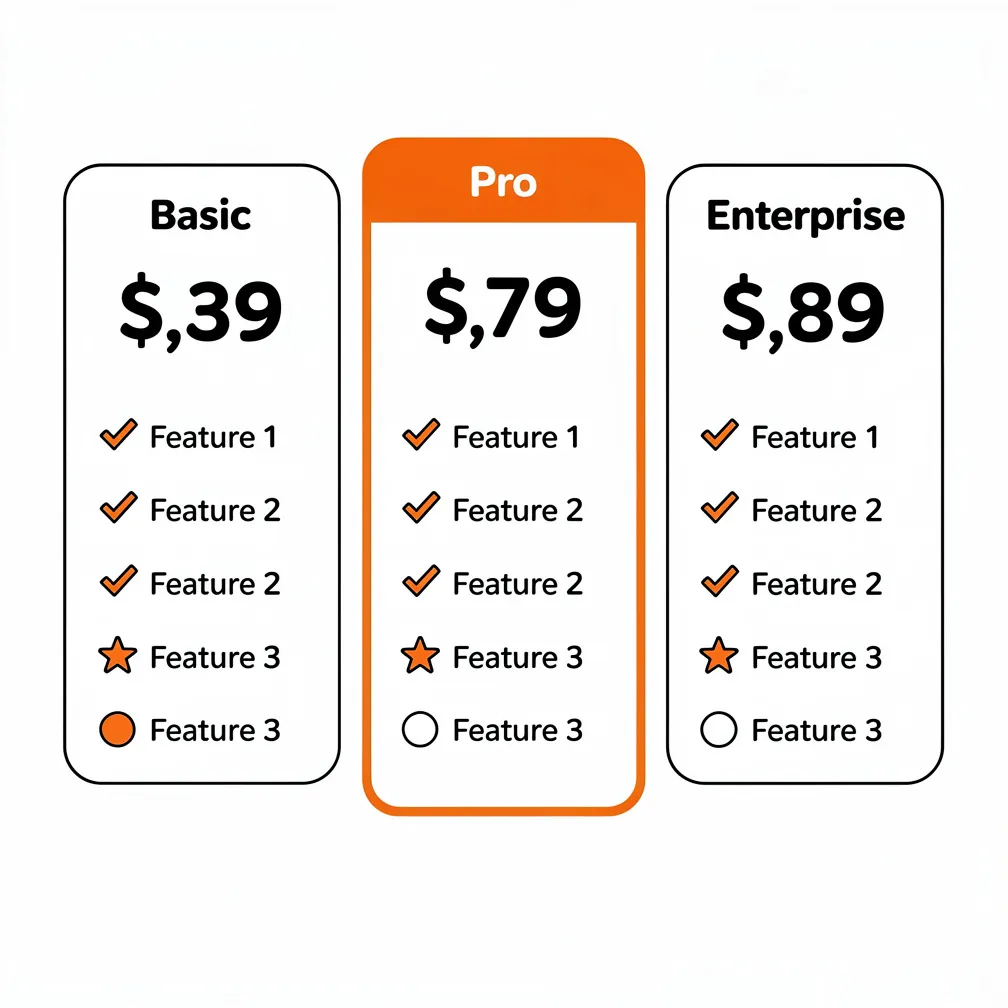
If your service has standardized pricing, show it clearly. WordPress maintenance plans that offer three tiers (Essential, Professional, Enterprise) at fixed monthly rates should display those tiers prominently. Research shows that displaying three pricing options increases conversions because it provides an anchor most prospects choose the middle option, avoiding both the cheapest (perceived as inadequate) and most expensive (perceived as excessive).
For custom services where pricing varies, explain your pricing methodology instead. “WordPress development projects typically range from $5,000 to $25,000 depending on complexity, number of custom features, and timeline requirements. We provide detailed quotes after an initial discovery call where we understand your specific needs.” This language eliminates sticker shock, sets realistic expectations, and demonstrates transparency. You can enhance this further by showing example projects with corresponding price ranges: “Simple business website with contact forms and blog: $5,000-$8,000. E-commerce site with 50-100 products and custom checkout: $15,000-$25,000.”
According to industry research, the average cost for a custom WordPress site ranges from $3,000 to $15,000 for small to medium businesses, with enterprise projects reaching $42,000 or higher. Positioning your services within these market expectations helps prospects self-qualify and reduces time spent on unqualified leads.
Trust Stack: Testimonials, Case Studies, Credentials
Social proof is the conversion accelerant that transforms interest into action. But generic testimonials positioned in a single section near the page footer provide minimal impact. Strategic trust-building means embedding proof elements throughout the page, positioned exactly where prospects experience doubt.
Near your problem framing section, include a testimonial from a client who experienced that exact problem before working with you. If you’re describing security issues, show a testimonial specifically about how you resolved a security breach. Near pricing information, include testimonials addressing value “Initially concerned about cost, but the ROI from improved site performance paid for itself within three months.” Near the process section, include testimonials praising communication and project management.
Case studies with specific metrics outperform testimonials for B2B prospects because they provide concrete evidence rather than subjective opinions. When possible, format case studies as problem-solution-result narratives with quantifiable outcomes. “Client was experiencing 4-second page load times and 65% mobile bounce rate. We implemented performance optimization and mobile-first redesign. Results: 1.2-second load time, 28% bounce rate, 45% increase in mobile conversions.” These numbers create credibility that generic praise cannot match.
Credentials and certifications provide additional trust signals, particularly for prospects unfamiliar with your agency. If you’re a certified WordPress partner, WooCommerce expert, or hold relevant technical certifications, display these near conversion points. Client logos from recognizable companies function similarly if you’ve worked with known brands, show those logos prominently because they transfer credibility through association.
FAQs (and When to Add FAQ Markup)
FAQ sections serve dual purposes: they answer final objections preventing conversion, and they provide SEO value through featured snippets and structured data. High-converting service pages position FAQs strategically near the final CTA rather than buried in separate sections, treating them as objection-handling content that removes final barriers to conversion.
The questions you answer should come directly from actual prospect conversations and sales calls. Don’t guess at questions: document what prospects actually ask. Common FAQ themes for WordPress agencies include:
- How quickly can you start?
- What happens if I’m unhappy with the work?
- Do you offer ongoing support after launch?
- Can you work with our existing site or do we start from scratch?
- What if our budget is limited?
- How do you handle revisions and feedback?
Implementing FAQ schema markup using structured data enables your answers to appear directly in Google search results as rich snippets, substantially increasing click-through rates. WordPress SEO plugins like Yoast SEO, Rank Math, and WP SEO Structured Data Schema simplify this implementation without requiring code knowledge. When properly marked up, your FAQ content can appear as expandable accordion elements in search results, capturing attention and establishing authority before prospects even visit your site.
According to conversion optimization research, FAQ sections that use accordion-style design where questions are visible but answers remain collapsed until clicked, perform better than fully expanded FAQ sections because they reduce page length and allow quick scanning. Position five to eight high-priority questions, and include a final question that transitions to conversion: “How do I get started?” with the answer leading directly to your primary CTA.
Final CTA + Friction Reducers
Your service page’s closing section should present one clear next step with maximum friction reduction. After reading the entire page, prospects know what you offer, understand your process, and have seen proof you deliver results. Now remove every possible objection preventing them from taking action.
The final CTA should be prominent, action-oriented, and benefit-focused. Instead of “Contact Us,” use language like “Schedule Your Free 30-Minute Strategy Call” or “Get Your Custom Website Proposal.” The more specific and benefit-rich the CTA language, the higher the conversion rate. Position this CTA prominently with contrasting color and ample white space, making it visually impossible to miss.
Friction reducers are elements that address final hesitations. These include statements like “No credit card required,” “Free consultation with zero obligation,” “Cancel anytime with 30-day notice,” or “Satisfaction guaranteed or money back.” For service businesses particularly, offering a low-commitment entry point: free audit, strategy call, or website analysis, substantially increases conversion because it reduces perceived risk. Prospects can experience your expertise and professionalism before committing to a full engagement.
Consider including multiple conversion pathways for different commitment levels. A primary CTA might be “Book Your Free Consultation,” but secondary options could include “Download Our Website Planning Guide” or “See Our Latest Case Studies.” This accommodates prospects at different readiness stages, capturing emails from those not yet ready to book while converting those prepared to move forward immediately.
On-Page SEO Elements That Make Service Pages Rank
Converting visitors only matters if you’re generating traffic in the first place. Service pages must be optimized for search visibility to capture organic traffic from high-intent search queries. The technical SEO elements that drive rankings are well-established, but consistent implementation separates high-performing agencies from those struggling for visibility.
Title Tags, Headings, Internal Links, and Freshness
Your title tag is the single most important on-page SEO element because it tells search engines what the page is about and appears as the clickable headline in search results. Effective title tags include the primary keyword near the beginning, incorporate the location if you serve specific geographic markets, and communicate clear benefit. For a Toronto-based agency, “WordPress Maintenance Plans Toronto | 24/7 Monitoring & Support” outperforms generic titles like “Our Services” because it targets specific search intent and geography.
Heading hierarchy structures content for both human readability and search engine understanding. Use one H1 tag per page containing your primary keyword and main value proposition. Use H2 tags for major section breaks, and H3 tags for subsections. Proper heading structure enables search engines to understand content organization while supporting accessibility for screen readers. Never skip heading levels or use headings purely for visual styling, this confuses both users and search algorithms.
Internal linking distributes authority throughout your site and helps search engines understand topical relationships. Your service page should link contextually to relevant blog posts, case studies, and related services. For instance, a WordPress maintenance service page should link to articles about maximizing leads through WordPress SEO, optimizing WordPress for better ROI, or guides for WordPress website redesigns. Use descriptive anchor text that includes relevant keywords rather than generic “click here” language.
Content freshness signals to search engines that your page remains current and authoritative. High-ranking service pages are regularly updated with new testimonials, current pricing, fresh case studies, and updated statistics. Google’s algorithm favors recently updated content for many queries, particularly in fast-changing industries like web development. Schedule quarterly reviews of your service pages to update outdated information, add new proof elements, and refresh copy to reflect current offerings.
Page speed directly impacts both search rankings and conversions. Google’s Core Web Vitals have become official ranking factors, meaning slow-loading pages rank lower regardless of content quality. Research shows that a one-second delay in page load time can reduce conversions by seven percent, and 40 percent of visitors abandon websites taking longer than three seconds to load. For WordPress sites specifically, optimize images using WebP format and compression, implement caching plugins, choose quality hosting infrastructure, minimize plugin bloat, and use a content delivery network to serve assets from locations near your visitors.
Conversion Improvements: Measuring and Iterating
Building a high-converting service page isn’t a one-time project: it’s an ongoing optimization discipline. The agencies that consistently outperform competitors treat service pages as living assets requiring continuous measurement and systematic improvement based on real user behavior data.
Start by implementing comprehensive analytics tracking beyond basic Google Analytics page views. Track specific conversion events: form submissions, CTA button clicks, scroll depth, time on page, exit rates, and traffic sources. Tools like Google Analytics 4, Amplitude, and Hotjar enable granular tracking that reveals exactly where visitors engage and where they abandon. Set up goal tracking for each conversion action so you can measure conversion rates precisely and identify drop-off points.
Heat mapping tools show where visitors actually click, how far they scroll, and which elements attract attention. Hotjar, Crazy Egg, and Microsoft Clarity provide visual representations of user behavior that reveal disconnects between your intended page flow and actual usage patterns. If you’ve positioned important content below the fold but heat maps show 60 percent of visitors never scroll that far, you’ve identified a critical optimization opportunity.
User session recordings capture real visitor journeys through your service page, revealing friction points, confusing elements, and moments of hesitation. Watching even ten to fifteen session recordings monthly provides invaluable insights into how real prospects actually experience your page versus how you intended it to function. Common discoveries include form fields causing abandonment, unclear navigation causing confusion, or mobile layout issues invisible in desktop testing.
A/B Testing Service Pages Responsibly
A/B testing enables data-driven optimization by comparing two variations of page elements to determine which performs better. However, responsible testing requires statistical rigor and strategic approach rather than random experimentation. Start by testing highest-impact elements: headlines, primary CTA copy and placement, hero section messaging, form field count and order, and social proof positioning.
Create clear hypotheses before testing. Don’t simply change elements randomly and hope for improvement. Instead, form testable theories based on observed user behaviour or conversion principles. For example: “Hypothesis: Reducing form fields from seven to three will increase submission rates by 20 percent because lower friction reduces abandonment.” This structured approach ensures learning regardless of whether the test succeeds or fails.
Run tests until statistical significance is achieved, typically requiring several hundred conversions per variation minimum. Testing with insufficient traffic produces unreliable results that lead to poor decisions. WordPress plugins like Optimizely, VWO, and Convert facilitate A/B testing without requiring code knowledge, enabling systematic experimentation accessible to non-technical teams.
Test one element at a time to isolate variables. If you simultaneously change the headline, CTA button color, and form length, you won’t know which change drove results. Sequential testing provides clearer insights: test headline variations first, implement the winner, then test CTA variations, implement that winner, then test form changes. This methodical approach compounds improvements over time while maintaining clear attribution.
Document every test with hypothesis, variations tested, traffic volume, conversion rates, statistical confidence, and implementation decision. This testing log becomes institutional knowledge that prevents repeating failed experiments and enables sophisticated optimization strategies over time. The most successful agencies we’ve studied maintain detailed testing archives going back years, creating substantial competitive advantage through accumulated optimization insights.
Remember that conversion optimization is continuous work, not a destination. Markets shift, competitors evolve, user expectations change, and what worked brilliantly last year may underperform today. Agencies that commit to ongoing measurement and systematic improvement consistently outperform those that build once and move on. The investment in optimization infrastructure: analytics tools, testing platforms, dedicated review time, pays compounding returns as conversion rates incrementally improve quarter after quarter.
Frequently Asked Questions
Why do most WordPress agency service pages fail to convert visitors into leads?
Hey, if your service page feels like a boring brochure, you’re leaking leads fast, prospects hit it asking “Is this for me? Can they solve my problem? Why trust them?” but bounce in seconds without clear answers. The fix? Ditch generic copy for outcome-driven headlines, pain-point framing, and proof like testimonials right up top. High-performers map searcher intent first, structuring pages to answer relevance, credibility, process, and risk in sequence, turning browsers into bookers without the scroll fatigue.
What’s the biggest mistake agencies make with service pages, and how to avoid it?
Cramming every service, design, maintenance, security, onto one “everything page” kills SEO and conversions; search engines can’t rank it, and visitors can’t find what they need. Solution: One core service per page, like dedicated spots for WordPress maintenance or custom development. Top agencies run 8-12 focused pages, each laser-targeted at high-intent keywords, with internal links boosting authority. No more dilution just clear paths to “yes” for each prospect type.
How should I structure the hero section of my service page for instant conversions?
Struggling with high bounce rates? Your above-the-fold hero must scream value: outcome-focused headline like “Keep Your Site Secure Without Lifting a Finger,” pain-solving subheadline, bold CTA (“Get Free Audit”), and trust badge (client logos or “200+ businesses”). Use orange/green buttons for urgency/trust, ensure 44px tap size for mobile, and load under 3 seconds, 40% of visitors bail otherwise. This combo answers “Is this for me?” before they blink.
Should I hide pricing on my service page, or show it to build trust?
Many agencies hide pricing, fearing sticker shock, but prospects bolt to competitors who’re transparent: wasting your traffic. For fixed plans, display 3 tiers (most pick middle). For custom work, share ranges like “$5K-$25K for WordPress sites” with examples, tying to discovery calls. It self-qualifies leads, cuts unqualified chats, and boosts conversions by setting expectations. Industry avg: $3K-$15K for SMB sites, position yourself fairly to win trust fast.
How can FAQs on service pages both convert better and rank higher in Google?
FAQs buried at the bottom? Useless. Place 5-8 real prospect questions (from sales calls) near your final CTA as accordions, they handle objections like “What if I’m unhappy?” or “How quick to start?” while snagging featured snippets via schema markup (easy with Yoast/Rank Math). Accordion style keeps pages scannable, spikes CTR in search, and funnels to “How do I get started?” with your CTA. Double win for traffic and sales.