Pourquoi votre agence doit migrer vers Gutenberg dès maintenant
Soyons honnêtes : la conversation autour des constructeurs de pages et de l'éditeur de blocs de WordPress dure depuis des années. Si vous êtes un dirigeant d'agence ou un décideur technique lisant ceci, vous avez probablement traversé d'innombrables débats, pesé les coûts de migration par rapport aux avantages, et observé vos clients se demander pourquoi leurs sites Elementor magnifiquement conçus semblaient soudainement lents sur mobile. La vérité est que l'édition complète de site de WordPress est passée de “concept intéressant” à “nécessité stratégique” plus rapidement que beaucoup d'entre nous ne l'avaient anticipé. Et si vous gérez encore un portefeuille de sites construits sur des constructeurs de pages obsolètes, il est temps de parler sérieusement de migration.
WordPress continue de dominer le web, qui héberge plus de 41,51 TP4T de l'ensemble des sites web et en détenant plus de 59,21 TP4T du marché des systèmes de gestion de contenu. C'est une longévité remarquable dans un secteur où de nouveaux frameworks et de nouvelles plateformes apparaissent sans cesse. Mais voici le défi : cette position dominante est mise à l'épreuve par les exigences de performance, les contraintes de sécurité et l'évolution des attentes des utilisateurs, auxquelles les architectures traditionnelles de création de pages peinent à répondre efficacement.
Table des matières
Pourquoi la question de la migration n'est plus optionnelle
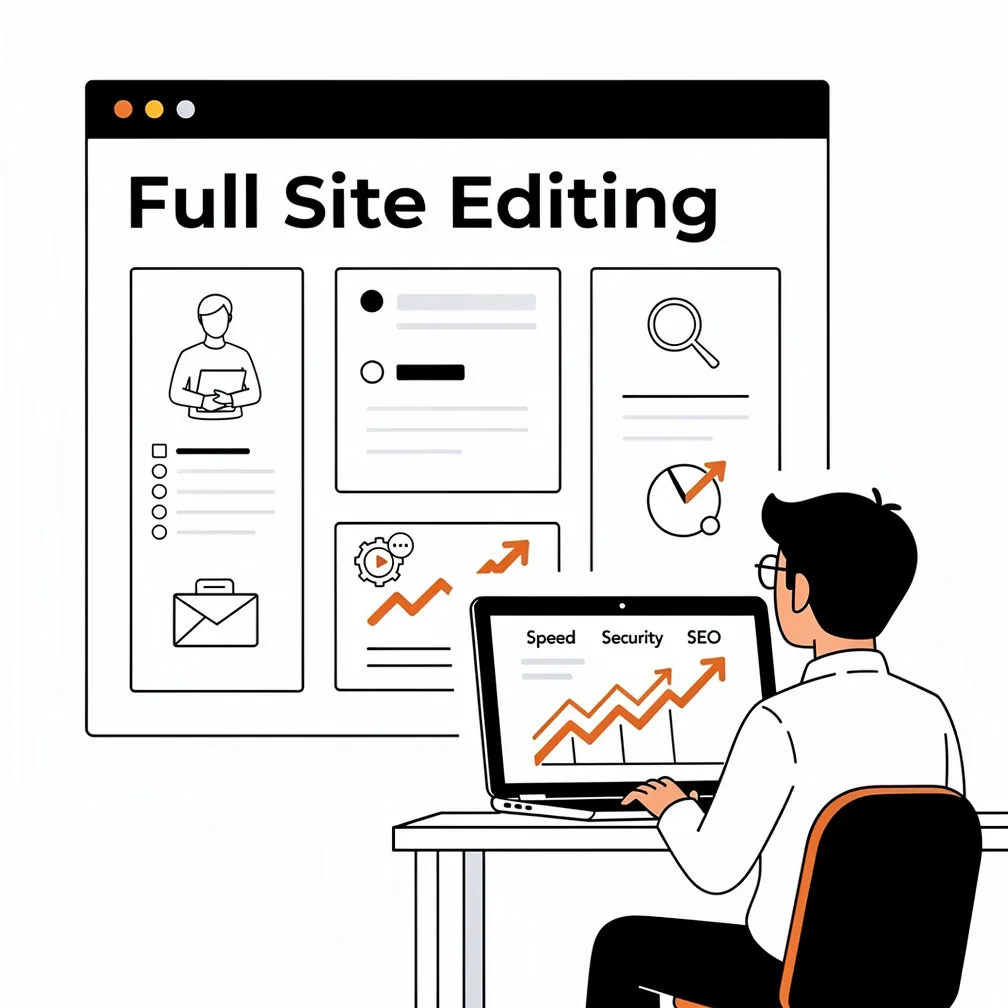
Nous l'avons constaté de visu. Les sites construits avec Elementor, Divi ou Beaver Builder offrent des designs époustouflants et une expérience d'édition intuitive. Mais ils ont souvent un coût : des poids de page gonflés, des requêtes HTTP supplémentaires, des structures DOM complexes et des couches de JavaScript qui peuvent plomber vos scores Core Web Vitals. Le site WordPress moyen se charge en environ 3,4 secondes — bien au-dessus du seuil recommandé de 2,5 secondes par Google. Lorsque vous gérez des sites pour des clients qui dépendent de la visibilité organique sur des marchés locaux concurrentiels au Canada et aux États-Unis, la performance n'est pas qu'une métrique technique. C'est une nécessité commerciale.
Au-delà des performances, les préoccupations en matière de sécurité sont importantes. Environ 97% des failles de sécurité de WordPress proviennent des plugins et des thèmes, pas le logiciel de base. Les constructeurs de pages nécessitent généralement leur propre plugin de base ainsi que des dizaines de modules complémentaires pour les formulaires, les curseurs, le contenu dynamique et les modules avancés. Chaque plugin supplémentaire représente un autre vecteur de vulnérabilité potentiel, une autre mise à jour à surveiller, un autre problème de compatibilité à résoudre. Pour les agences qui gèrent de grands portfolios de sites avec des mandats modestes, cette complexité se traduit directement par des frais d'exploitation et des risques accrus.
Comprendre l'éditeur de blocs et l'édition complète du site
Lorsque WordPress a introduit Gutenberg en 2018, cela a marqué un changement sismique, passant du champ de texte unique de l'éditeur classique à un système de contenu modulaire basé sur des blocs. Chaque paragraphe, image, titre et élément de mise en page est devenu un bloc discret que les éditeurs pouvaient ajouter, réorganiser ou personnaliser visuellement. Ce n'était pas juste un changement cosmétique. Le paradigme des blocs modifie fondamentalement la façon dont le contenu est structuré, le rendant plus sémantique, plus réactif par défaut, et plus accessible aux utilisateurs non techniques.
L'édition complète de site étend cette philosophie au-delà des articles et des pages pour englober le site entier : en-têtes, pieds de page, barres latérales, modèles et styles globaux. Au lieu de s'appuyer sur des fichiers de thème basés sur PHP qui nécessitaient une intervention du développeur pour chaque ajustement, FSE utilise la configuration HTML et JSON. Cela signifie que les équipes de contenu peuvent modifier visuellement les modèles et les éléments de conception globaux via l'éditeur de site, sans toucher au code. Pour les agences, c'est une transformation : cela déplace la charge de travail des développeurs gérant d'innombrables demandes de mise en page mineures vers les équipes de contenu habilitées à gérer leurs propres pages dans le respect des directives de la marque.
Les thèmes de blocs, la base du FSE, sont construits différemment des thèmes classiques. Ils utilisent des parties de modèle structurées, des motifs réutilisables et des styles globaux centralisés. Cette architecture réduit la duplication, simplifie la maintenance et améliore les performances. Lorsqu'ils sont mis en œuvre judicieusement, les thèmes de blocs se chargent plus rapidement et produisent un balisage plus propre que leurs homologues classiques, en particulier par rapport aux configurations de constructeurs de pages fortement personnalisées.
Notre approche de créer des sites WordPress en 2026 souligne ces fondations basées sur des blocs car elles correspondent à l'orientation de la plateforme et aux exigences croissantes des clients : rapidité, sécurité et agilité éditoriale.
Constructeurs de pages : L'épée à double tranchant
Soyons honnêtes au sujet des constructeurs de pages. Elementor est utilisé par environ 18,61 TP4T de tous les sites dotés d'un CMS connu— ce qui représente environ 131 TP4T de l’ensemble du Web. Divi, Beaver Builder et d’autres outils détiennent également une part de marché importante. Leur succès est fulgurant, car ils ont résolu de véritables problèmes. Ils ont permis aux agences et aux non-développeurs de créer des mises en page sophistiquées et visuellement riches sans avoir à écrire de code PHP sur mesure ni à faire appel à des développeurs coûteux pour chaque projet.
Mais cette commodité s'est toujours accompagnée de compromis. Les constructeurs de pages ajoutent des couches d'abstraction entre le contenu et le HTML. Ils injectent des styles en ligne, des shortcodes propriétaires et des dépendances JavaScript qui augmentent le poids de la page et la complexité du rendu. Lorsque vous combinez un constructeur de pages avec une douzaine de modules complémentaires pour les témoignages, les curseurs, les formulaires et les animations, vous construisez un écosystème fragile qui nécessite une vigilance constante concernant les mises à jour et la compatibilité.
Si vos clients privilégient des temps de chargement rapides, un code propre, un nombre réduit de plugins et des flux de travail éditoriaux qui ne nécessitent pas une intervention constante de l'agence, le cas de la migration devient convaincant. S'ils gèrent des sites à fort trafic, des données sensibles ou opèrent dans des secteurs où l'accessibilité et la conformité sont importantes, les avantages des architectures basées sur les blocs deviennent encore plus évidents.
La justification stratégique de la migration
Performance et Core Web Vitals
Les Core Web Vitals — Largest Contentful Paint, Cumulative Layout Shift et Interaction to Next Paint — sont au cœur de la façon dont Google évalue l'expérience utilisateur. Bien qu'ils ne soient pas une solution miracle pour le classement, ils influencent les signaux d'expérience de page et peuvent absolument affecter la visibilité dans les niches concurrentielles. Les sites qui obtient de mauvais résultats sur ces métriques connaissent des taux de rebond plus élevés, un engagement plus faible et des opportunités de conversion manquées.
Les constructeurs de pages ont tendance à avoir du mal avec les Core Web Vitals car ils ajoutent de la complexité au rendu. Elementor, par exemple, peut introduire des dizaines d'éléments DOM pour une seule section, ainsi que du CSS en ligne et du JavaScript différé qui retarde l'interactivité. En revanche, les sites construits avec Gutenberg et des thèmes de blocs légers comme GeneratePress ou Kadence chargent un balisage plus épuré, moins de scripts et des feuilles de style plus simples.
Quand nous optimiser les temps de chargement de WordPress, nous commençons souvent par analyser ce qui est réellement chargé. La surcharge liée aux constructeurs de pages représente souvent des centaines de kilo-octets de ressources superflues. La refonte à l’aide de blocs de base et de plugins de blocs stratégiques permet généralement de réduire le poids de la page de 30% à 50%, ce qui se traduit directement par un LCP plus rapide et une meilleure expérience utilisateur.
Sécurité et dette technique
La sécurité n'est pas glamour, mais elle est existentielle pour les agences qui gèrent des portefeuilles clients. Chaque plugin que vous ajoutez augmente votre surface d'attaque. Les constructeurs de pages nécessitent leur plugin principal ainsi que de nombreuses extensions, créant ainsi plusieurs points de vulnérabilité. Maintenir tout patché et compatible exige une attention constante, une attention que les petites et moyennes agences ont souvent du mal à fournir de manière cohérente.

Les architectures basées sur des blocs réduisent cette charge en s'appuyant davantage sur le cœur de WordPress et sur moins de dépendances tierces. Les blocs principaux sont maintenus par l'équipe principale de WordPress, bénéficient d'un examen approfondi de la communauté et reçoivent des correctifs de sécurité dans le cadre des mises à jour du cœur. Lorsque vous avez besoin de fonctionnalités étendues, vous pouvez les ajouter via des plugins de blocs soigneusement sélectionnés plutôt que par des écosystèmes de constructeurs tentaculaires.
La dette technique s'accumule différemment dans les sites construits avec des constructeurs de pages. Les substitutions CSS personnalisées s'empilent. Les shortcodes deviennent opaques pour les futurs éditeurs. Le balisage spécifique au constructeur vous enferme dans l'écosystème d'un fournisseur, rendant plus difficile de pivoter si les priorités de ce fournisseur changent ou si les structures tarifaires deviennent insoutenables. Notre expérience avec migrations WordPress impeccables nous a appris que les sites construits sur des bases propres et centrées sur le noyau sont beaucoup plus faciles à maintenir, à auditer et à faire évoluer au fil du temps.
Autonomisation du client et flux de travail éditoriaux
L'un des avantages les plus sous-estimés du Full Site Editing (FSE) est la façon dont il remodèle les relations avec les clients. Avec le FSE et les thèmes par blocs, vous pouvez construire des systèmes de conception directement dans WordPress : définir des styles globaux, des échelles typographiques, des palettes de couleurs et des modèles réutilisables que les équipes de contenu peuvent manipuler en toute sécurité sans compromettre la cohérence de la marque.
Cela est important car bon nombre de nos clients travaillent avec des équipes de contenu distribuées. Les départements marketing, communication et programmes doivent tous publier du contenu selon leur propre calendrier. Lorsque la modification nécessite l'ouverture d'un constructeur de pages avec des centaines d'options de configuration, des erreurs se produisent. Les directives de marque sont violées. Les performances diminuent. Les demandes de support se multiplient.
Avec Gutenberg, vous gérez la palette de blocs et la bibliothèque de modèles pour répondre aux besoins réels de votre client. Vous masquez les blocs non pertinents, n'exposez que les modèles de conception approuvés et structurez des flux d'édition qui maintiennent les équipes de contenu productives et fidèles à la marque. Résultat : moins de demandes de support, des lancements de campagnes plus rapides et des clients qui apprécient réellement l'utilisation de leur CMS au lieu de le redouter.
Planifier votre migration : Gestion des risques et processus
Préparation avant la migration
Une migration sûre commence par la préparation. Avant de toucher à un site en production, créez des sauvegardes complètes de la base de données, des fichiers du thème, des répertoires de plugins et des téléchargements de médias. Testez votre processus de restauration dans un environnement local ou de staging pour vous assurer que vous pouvez revenir en arrière si nécessaire. Ce n'est pas de la paranoïa, c'est de la discipline professionnelle.
Ensuite, effectuez un audit approfondi de votre site existant. Documentez chaque modèle de page, type de publication personnalisé, zone de widget, formulaire et intégration de contenu dynamique. Cartographiez les modules de constructeur de pages les plus fréquemment utilisés et identifiez leurs équivalents basés sur des blocs. Cet exercice de cartographie est essentiel car il vous oblige à réfléchir à la manière dont les mises en page seront reconstruites et où des blocs ou des motifs personnalisés pourraient être nécessaires.
Les environnements de staging sont non négociables. Clonez le site en direct sur un sous-domaine ou une instance séparée où vous pouvez reconstruire les mises en page, tester les performances, valider les configurations SEO et mener des revues clients sans affecter les utilisateurs en production. Pour nos clients, le staging n’est pas un luxe, c’est là que nous effectuons le véritable travail de migration, en nous assurant que lorsque nous mettons en ligne, nous sommes convaincus que tout fonctionne correctement.
Sélection du thème et du plugin
Choisir le bon thème de blocs est fondamental. Nous recommandons généralement des thèmes légers et natifs de Gutenberg comme GeneratePress ou Kadence car ils offrent un code propre, de bonnes performances dès le départ et un support complet pour les fonctionnalités de FSE. Ces thèmes sont conçus pour fonctionner de manière transparente avec les blocs de base et peuvent être étendus judicieusement avec des plugins de blocs qui ajoutent des conteneurs de mise en page, un style avancé et une flexibilité de conception sans alourdir le site.
Les plugins de blocs tels que GenerateBlocks ou Kadence Blocks étendent Gutenberg avec des composants structurels — blocs conteneurs, systèmes de grille, boutons avancés et modules de témoignages — qui vous permettent de reproduire des mises en page complexes de constructeurs de pages tout en maintenant les performances. La clé est la curation : sélectionnez uniquement ce dont vous avez besoin et évitez les plugins qui se chevauchent et compliquent la maintenance.
Désactivez l'éditeur de page uniquement une fois votre base de blocs terminée et testée. Assurez-vous que Gutenberg est configuré, que les plugins de blocs sont installés, que les styles globaux sont définis et que les motifs sont créés. Dans certains cas, vous pourriez exécuter les deux systèmes temporairement pendant une migration incrémentielle, mais cet état hybride devrait être de courte durée pour éviter la confusion des utilisateurs et des paradigmes d'édition conflictuels.
Reconstruction de contenu et développement de modèles
Le cœur de la migration consiste à reconstruire systématiquement le contenu du site avec des blocs et des modèles. Priorisez d'abord les pages à fort impact — page d'accueil, page "à propos", pages de destination clés — où la fidélité de la conception et l'examen des parties prenantes sont les plus élevés. Cette approche progressive vous permet d'affiner vos modèles et de valider les décisions structurelles avant de vous attaquer au site complet.
Mapper des modules de page builder aux blocs relève autant de l'art que de la stratégie. Un module de colonne Divi devient un bloc Colonnes Gutenberg. Un module de témoignage pourrait être reconstruit sous forme de modèle combinant des blocs groupe, image et paragraphe agencés dans une mise en page structurée. Une fois que vous avez créé un modèle qui fonctionne, enregistrez-le comme bloc réutilisable ou modèle afin de pouvoir le déployer de manière cohérente sur d'autres pages, réduisant ainsi le temps de reconstruction et assurant la cohérence de la marque.
Pour les mises en page complexes — sections héros, grilles de cartes, zones de fonctionnalités — développez des modèles de blocs personnalisés qui encapsulent le balisage et le style dans des modules réutilisables. Cette approche axée sur les modèles facilite non seulement la migration, mais prépare également votre système de conception à une maturité à long terme. Les clients héritent d'une bibliothèque de composants pré-assemblés, fidèles à la marque, qu'ils peuvent insérer et personnaliser sans intervention de la part des développeurs.
Nous avons beaucoup écrit sur la manière dont Tendances WordPress en 2026 poussent les agences vers une conception plus structurée et basée sur des composants. La migration est l'occasion idéale de mettre en œuvre cette vision.
Préserver le SEO et assurer la performance
Garanties SEO
Le plus grand risque SEO lors d'une migration est de modifier involontairement des URL, de casser des liens internes ou de perdre des métadonnées sur la page. Pour atténuer ce risque, assurez-vous que toutes les URL restent identiques. Les titres, les méta descriptions, le balisage schema, les données Open Graph et les balises canoniques doivent être préservés ou correctement reconfigurés dans les modèles basés sur des blocs.
Utilisez des plugins SEO tels que Rank Math ou Yoast pour vérifier les configurations avant et après la migration. Effectuez des analyse pré-migration avec des outils comme Screaming Frog pour cataloguer les URL actuelles, les métadonnées et les structures de liens internes. Après la migration, effectuez des analyse post-migration pour comparer les deux ensembles de données, en identifiant les pages manquantes, les liens brisés ou les divergences dans les métadonnées.
Les balises alt des images, les hiérarchies de titres et les modèles de liens internes doivent également être conservés. Les shortcodes du constructeur de pages ont peut-être géré certains de ces éléments par programmation, une révision manuelle est donc souvent nécessaire. Lorsque les éléments SEO sont gérés avec soin, la plupart des agences signalent aucun impact négatif sur le classement lors d'une migration, et constatent souvent des améliorations grâce à des temps de chargement plus rapides et à un code plus propre.
Optimisation des performances
Après avoir reconstruit les pages clés avec Gutenberg et les thèmes à base de blocs, mesurez les Core Web Vitals à l'aide de PageSpeed Insights ou d'outils similaires. Vérifiez les métriques LCP, CLS et INP, et ajustez les structures des blocs, les stratégies de chargement des images et les configurations de mise en cache si nécessaire.
Les optimisations comprennent généralement la minification du CSS et du JavaScript, l'activation du chargement différé pour les images et les intégrations, et la mise en œuvre d'une mise en cache robuste au niveau de l'application ou du serveur. Combinées à des thèmes plus légers et à une réduction du nombre de plugins actifs, ces modifications produisent souvent des gains de performance notables par rapport aux configurations par défaut des constructeurs de pages.
La performance ne se résume pas à la vitesse, mais à la fiabilité et à la confiance des utilisateurs. Notre Programme d'optimisation WordPress de 90 jours se concentre sur des améliorations de performance durables grâce à des tests et un perfectionnement itératifs, ce qui est exactement l'état d'esprit dont les agences ont besoin pour gérer les sites post-migration.
Tests, approbation et mise en production
Avant de passer en production, effectuez des vérifications QA complètes sur l'environnement de staging. Comparez-les aux crawls pré-migration et aux revues UX manuelles. Testez les parcours de navigation, les formulaires, les intégrations et le comportement responsive sur différents appareils et navigateurs. Les tests mobiles sont particulièrement critiques car les changements de mise en page peuvent se manifester différemment sur les écrans plus petits.
Les processus d'approbation client sont essentiels pour la gestion des risques et l'établissement de relations. Présentez le site de staging reconstruit avec des visites guidées mettant en évidence les flux de travail d'édition améliorés, les gains de performance et la fidélité du design maintenue. La validation formelle de la conception et des fonctionnalités fournit une documentation claire de la préparation et aligne les attentes des parties prenantes.
Planifier le lancement pendant les périodes de faible trafic et surveiller attentivement le site pendant 24 à 48 heures après le déploiement. Surveiller les anomalies de performance, de référencement (SEO) ou de fonctionnalité. Les analyses en temps réel, la journalisation des erreurs, les vérifications de disponibilité et les tests ponctuels des flux d'utilisateurs critiques font partie des pratiques professionnelles post-déploiement.
Pour les agences qui gèrent des sites à travers différents fuseaux horaires et schémas de trafic au Canada et aux États-Unis, la planification et la communication autour du déploiement sont cruciales. Les clients doivent savoir quand les changements se produisent, à quoi s'attendre et qui contacter en cas de problème.
Implications opérationnelles et commerciales
Transformation des flux de travail
La migration vers Gutenberg et FSE modifie la façon dont les agences structurent les projets et les équipes. Les développeurs investissent davantage d'efforts initiaux dans la création de thèmes de blocs, de motifs et de styles globaux. Les concepteurs et les stratèges de contenu collaborent pour définir comment les motifs incarnent les directives de la marque. Une fois établis, ces systèmes permettent aux équipes de contenu de gérer une grande partie de l'édition quotidienne et de la création de pages, réduisant ainsi la dépendance vis-à-vis des développeurs.
La formation devient critique. Les développeurs ont besoin d'une compréhension plus approfondie du développement de thèmes basés sur des blocs et de la configuration JSON. Les concepteurs doivent penser en termes de composants réutilisables et de jetons de conception. Les équipes de contenu doivent apprendre les comportements des blocs, la sélection de motifs et la structure sémantique pour le SEO. Les chefs de projet doivent apprendre à positionner les architectures basées sur des blocs comme des investissements stratégiques, et pas seulement comme de nouveaux outils.
Les flux de travail de support et de maintenance évoluent également. Le volume des tickets pour les modifications mineures de mise en page peut diminuer à mesure que les clients se familiarisent avec l'édition par blocs. Cependant, il y a une courbe d'apprentissage pendant la transition, donc les agences doivent fournir des packages structurés d'intégration, de documentation et de support pour faciliter le passage.
Offre de services et tarification
La migration des constructeurs de pages vers des architectures basées sur des blocs est un projet substantiel que les agences peuvent présenter comme une modernisation stratégique. Proposez ces migrations sous forme de services premium : ” Modernisation WordPress ”, “ Transformation de l'éditeur de blocs ”, ou similaire, en mettant l'accent sur des résultats tels que l'amélioration des Core Web Vitals, la réduction de la dette technique et un contrôle éditorial accru.
Les modèles de tarification peuvent inclure des frais de migration uniques associés à des honoraires d'optimisation continus, où les agences s'engagent à surveiller les performances, les mises à jour de sécurité et les améliorations au niveau des blocs. Les services de développement Gutenberg en marque blanche offrent aux agences un moyen de fournir des solutions avancées basées sur des blocs sans avoir à embaucher des développeurs à temps plein, permettant ainsi aux petites entreprises de rivaliser en matière de sophistication technique.
La volonté d'investir des clients dépend de la clarté avec laquelle vous communiquez les avantages commerciaux. Mettez l'accent sur les résultats tangibles : pages plus rapides, meilleures expériences mobiles, risques de sécurité réduits, flux de contenu simplifiés. Soutenez ces conversations avec des rapports de performance avant et après, ainsi qu'avec des exemples de réussite de migration.
Le positionnement concurrentiel signifie également reconnaître où les constructeurs de pages restent appropriés. Tous les sites n'ont pas besoin d'une refonte complète avec FSE. Pour les projets de petite taille et à budget limité, ou pour les campagnes temporaires, un constructeur de pages soigneusement configuré peut encore être raisonnable. Équilibrez la poussée stratégique vers les architectures basées sur les blocs avec des évaluations pragmatiques des clients.
Considérations régionales en Amérique du Nord
Les agences au Canada et aux États-Unis opèrent sur des marchés où l'accent est fortement mis sur la performance, l'accessibilité et la conformité. Les cadres réglementaires, les attentes sophistiquées des clients et les environnements concurrentiels rendent les Core Web Vitals et une sécurité robuste centraux dans les propositions de valeur. Démontrer une maîtrise de Gutenberg et du FSE différencie les agences de leurs concurrents ancrés dans des paradigmes plus anciens, en particulier lorsqu'elles soumissionnent pour des projets du secteur public ou institutionnels qui valorisent la modernisation technique.
Les communautés WordPress régionales dans des villes comme Toronto, Montréal, Vancouver et Calgary fournissent des réseaux pour partager l'expertise et bâtir des réputations. Les agences qui mènent l'adoption des blocs peuvent tirer parti de ces communautés par le biais de rencontres, de conférences et d'études de cas qui présentent les expériences de migration et les meilleures pratiques.
Regard vers l'avenir : L'avenir du travail en agence WordPress
Gutenberg continue de mûrir, avec des améliorations à venir pour la gestion des modèles, les révisions de style, les contrôles de couleur et la collaboration d'édition. Des fonctionnalités comme la collaboration en temps réel et un suivi de l'historique amélioré rendront le FSE encore plus attrayant pour les clients ayant des équipes de contenu distribuées. Au fur et à mesure que ces améliorations seront intégrées au cœur, les agences qui ont déjà acquis une expertise seront positionnées pour en tirer parti immédiatement.
Bien que son adoption soit plus lente que prévu, le thème de bloc est en hausse. Une meilleure communication, une documentation améliorée et des exemples concrets croissants réduisent l'hésitation. Les agences qui maîtrisent dès maintenant les thèmes de bloc acquerront un avantage concurrentiel à mesure que le marché mûrit.
L'intégration avec les écosystèmes de constructeurs de pages continuera d'évoluer. Certains constructeurs s'adaptent en proposant des widgets basés sur des blocs ou des stratégies de coexistence. Les agences peuvent adopter des approches hybrides pendant les transitions, mais la trajectoire à long terme est claire : WordPress évolue vers des architectures basées sur des blocs comme paradigme par défaut.
Les services écosystémiques tels que le développement sous marque blanche de Gutenberg et les conseils des hébergeurs soutiendront cette transition, permettant aux agences de toutes tailles de participer sans supporter seules toutes les charges techniques. Notre travail avec Intégrations API WordPress et les pratiques de développement modernes nous positionnent pour aider les agences à naviguer ces transitions en toute confiance.
Dernières réflexions
Migrer des constructeurs de pages vers l'éditeur de blocs et l'édition complète du site n'est pas seulement un projet technique — c'est un investissement stratégique en matière de performance, de sécurité, de maintenabilité et d'autonomisation des clients. Pour les agences gérant des portefeuilles au Canada et aux États-Unis, cette voie de migration offre un moyen d'assurer l'avenir des sites clients, d'améliorer les résultats mesurables et de s'aligner avec la feuille de route à long terme de WordPress.
Une migration sécurisée exige des processus robustes : sauvegardes complètes, environnements de staging, sélection minutieuse des thèmes, reconstructions structurées du contenu, protections SEO et de performance, et tests rigoureux. Lorsqu'elle est exécutée avec soin, le résultat est une architecture de site plus légère, plus rapide et plus sécurisée qui réduit la dette technique à long terme et débloque de nouvelles offres de services autour des systèmes de design, de l'optimisation et de la formation éditoriale.
La conversation autour des constructeurs de pages et de Gutenberg n'est plus hypothétique. Elle se déroule chaque jour dans les salles de conseil, les lancements de projets et les contrats clients. Les agences qui maîtrisent dès maintenant les architectures basées sur les blocs mèneront le marché demain. Celles qui hésitent risquent de se retrouver en décalage avec l'évolution de la plateforme et les attentes de leurs clients.
Nous croyons que l'avenir du travail des agences WordPress est nativement basé sur les blocs. Et nous nous engageons à aider nos clients à y parvenir en toute sécurité, de manière stratégique et avec succès.
Foire aux questions
Comment savoir s'il est vraiment temps de retirer mes sites clients des constructeurs de pages ?
Si vous êtes aux prises avec des temps de chargement mobiles lents, une dégradation des Core Web Vitals et un enchevêtrement croissant de plugins juste pour maintenir la stabilité des sites, c'est un signe fort qu'il est temps de bouger. Les constructeurs de pages ajoutent souvent un balisage lourd, des scripts supplémentaires et des structures DOM complexes qui nuisent aux performances, à la sécurité et à la maintenabilité. Lorsque ces problèmes commencent à avoir un impact sur le SEO, l'expérience utilisateur et les frais de support, la migration vers l'éditeur de blocs et l'édition complète du site cesse d'être facultative et devient une nécessité stratégique.
La migration d'Elementor ou Divi vers Gutenberg va-t-elle ruiner mon référencement existant ?
Mal gérée, la migration peut absolument nuire au référencement naturel, mais il ne doit pas en être ainsi. La clé est la discipline : conservez les URL identiques, préservez les titres, les méta-descriptions, le schéma, les données Open Graph et les balises canoniques, et auditez tout avant et après à l'aide d'outils tels que Screaming Frog. Recréez soigneusement les titres, les liens internes et le texte alternatif dans vos nouveaux modèles de blocs. Les agences qui traitent le référencement naturel comme une tâche de migration de premier ordre ne constatent généralement aucune perte de classement, et souvent des gains grâce à des pages plus rapides et plus propres.
Comment puis-je éviter de perturber les flux de travail des clients lors du passage à l'éditeur de blocs et au FSE ?
Le plus grand risque n'est pas la technologie, mais la fatigue du changement. Pour éviter les perturbations, créez des thèmes de blocs et des modèles réutilisables qui reflètent des agencements familiers, puis organisez la palette de blocs afin que les clients ne voient que ce dont ils ont réellement besoin. Utilisez la staging pour la formation pratique, les visites guidées et la documentation. Lorsque les clients bénéficient d'une édition plus simple, de moins de moyens de “casser” les agencements et d'une publication plus rapide, la transition ressemble à une mise à niveau, pas à une refonte forcée de leur façon de travailler.
Quelle est la méthode la plus sûre pour gérer techniquement une migration hors des constructeurs de pages ?
Pensez en termes de gestion des risques, pas seulement de refonte. Commencez par des sauvegardes complètes et un processus de restauration testé, puis clonez le site dans un environnement de staging. Auditez chaque modèle, formulaire, zone de widgets et module de constructeur, en les faisant correspondre à leurs équivalents basés sur les blocs. Ne désactivez le constructeur de pages qu'une fois votre thème de blocs, vos styles globaux et vos modèles prêts et entièrement testés. Planifiez la mise en ligne pendant les périodes de faible trafic, surveillez attentivement pendant 24 à 48 heures et soyez prêt à revenir en arrière si nécessaire.
Comment les architectures basées sur des blocs modifient-elles le modèle économique de mon agence ?
La migration vers Gutenberg et FSE déplace votre proposition de valeur de “nous construisons des pages” à “nous construisons des systèmes de conception évolutifs”. Les développeurs se concentrent sur les thèmes et les modèles de blocs, tandis que les équipes de contenu gagnent plus de contrôle sur les mises à jour quotidiennes, réduisant ainsi les tickets liés à la mise en page. Cela ouvre de nouvelles offres de services : forfaits de modernisation, contrats de maintenance continue pour les performances et la sécurité, formation éditoriale et développement de blocs en marque blanche. Bien fait, vous échangez un travail de support réactif à faible marge contre des engagements stratégiques à plus forte valeur ajoutée.